
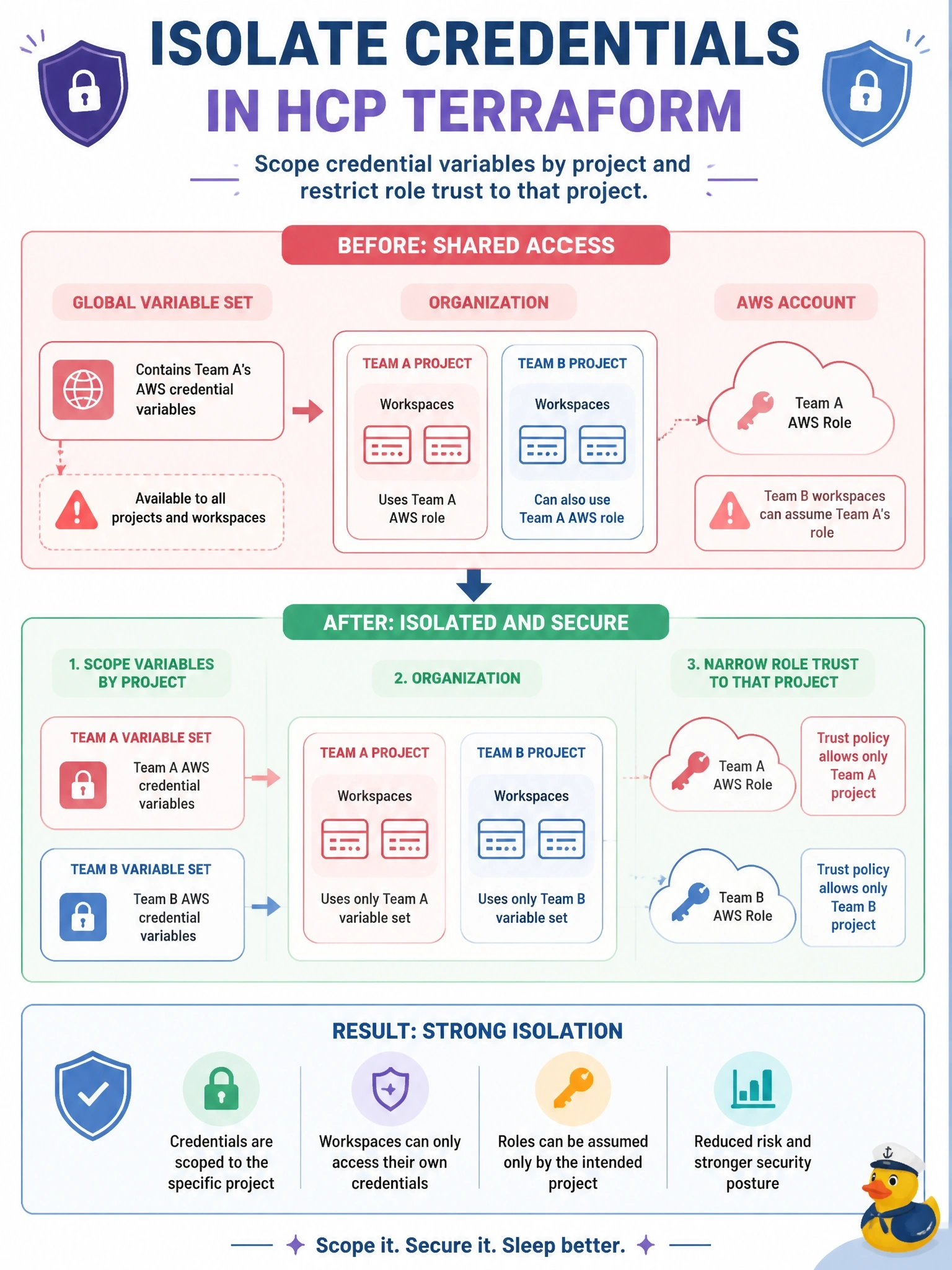
Two teams share an HCP Terraform organization, and each team owns its own project. Team A's dynamic credential variables currently live in a global variable set, so Team B's workspaces can also assume Team A's AWS role. How should the platform team isolate the credentials?
Select an answer to reveal the explanation.
Short Explanation
A global variable set is a megaphone: every workspace hears it. You want each team's settings on its own floor, which is a project-scoped set, and you want AWS itself to check the project name in the token. Hiding or prioritizing the value doesn't stop Team B's runs from using it.
Full Explanation
Isolation needs two layers. In HCP Terraform, a project-scoped variable set applies only to workspaces inside that project, so moving Team A's TFC_AWS_PROVIDER_AUTH and role ARN into a set on Team A's project stops Team B's workspaces from inheriting them; team permissions on each project then control who can create or edit workspaces there. In AWS, each role's trust policy should match the subject prefix for the owning project, so even if someone copies the role ARN into another workspace, AWS refuses the token. Marking the global set as priority does the opposite of isolation: it forces the values onto every workspace and prevents local overrides. Marking the ARN sensitive hides it in the UI, but the variable still applies to every workspace, so Team B's runs still assume the role. Variable set access does not work as a read-versus-use switch; a set applied to a workspace is used by its runs regardless of who can view it. Exam caveat: managing organization-owned variable sets needs higher permissions than project-owned sets, which can be managed by project administrators. Operational check: from a Team B workspace, set the Team A role ARN manually and confirm the plan fails at role assumption.