
Dev and prod are separate HCP Terraform workspaces connected to the same repository. The team wants dev to apply automatically after a merge, while prod changes must wait for a person with apply permission to approve the plan. Which configuration achieves this?
Select an answer to reveal the explanation.
Short Explanation
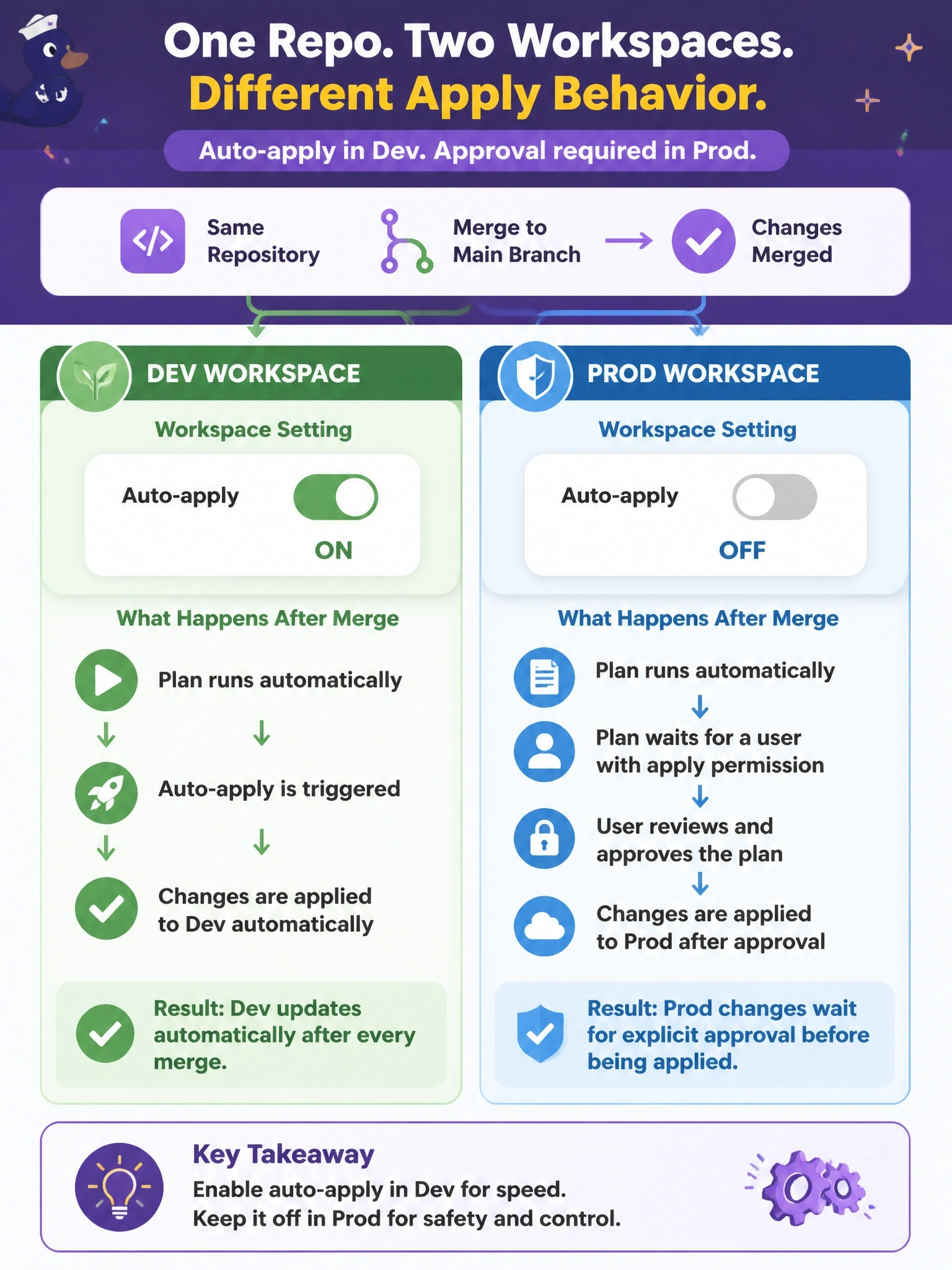
Auto-apply is a per-workspace switch, so each environment gets its own setting. You flip it on for dev and every merge goes straight through. Leave it off for prod and every run stops at a 'Confirm & apply' gate that only someone with apply rights can open.
Full Explanation
Auto-apply is set in each workspace's general settings. When it is enabled, a run whose plan succeeds and passes any checks is applied automatically; when it is disabled, the run pauses after planning and policy checks until a user with permission to apply confirms it. Because dev and prod are separate workspaces, enabling auto-apply only in dev gives continuous delivery to dev while every prod change waits for an explicit human approval by someone holding apply permission, typically a team with the Write role or higher. Advisory policies never block or pause a run; they only report. Speculative plans are plan-only runs that cannot be applied at all, so they cannot serve as an approval gate for production changes. The Plan role allows queuing plans but not applying runs, and turning auto-apply off in dev would require manual confirmation there too, contradicting the requirement. Exam caveat: some runs, such as those queued by run triggers, are not auto-applied by default even in auto-apply workspaces, which matters for workspace chains. Operational check: merge a trivial change and confirm dev's run applies on its own while prod's run stops in a needs-confirmation state.