
A workspace in HCP Terraform uses the CLI-driven workflow, and the configuration contains a cloud block naming it. A developer runs terraform plan on their laptop and wonders where the plan actually executes and which variable values it uses. Which description is correct for this workspace's default remote execution mode?
Select an answer to reveal the explanation.
Short Explanation
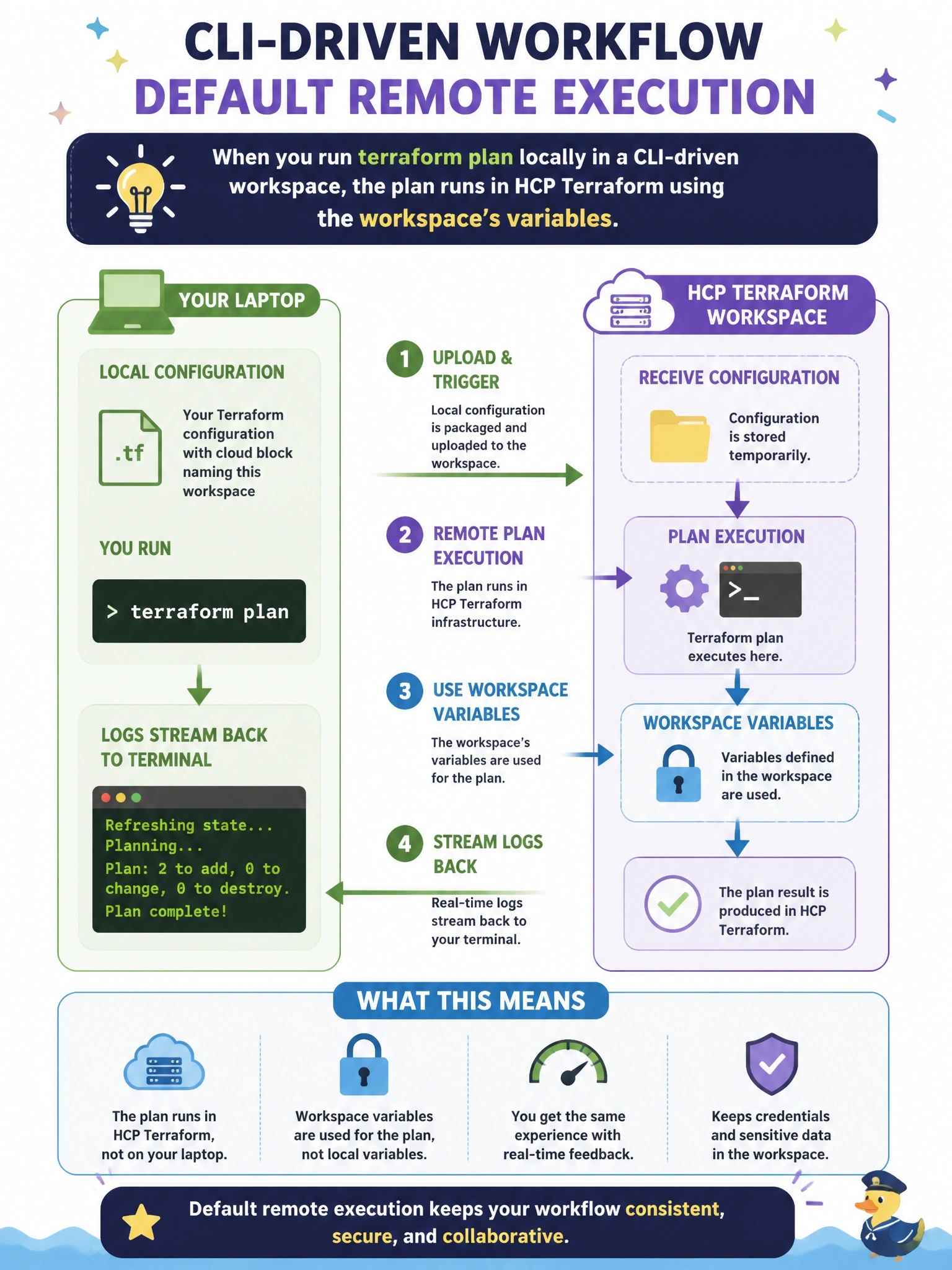
It feels local because you type the command on your laptop, but the heavy lifting happens in HCP Terraform. Your local files get shipped up, the workspace supplies its variables and credentials, and you just watch the logs scroll by. Your laptop's credentials don't come into it.
Full Explanation
With a cloud block in the configuration and a workspace in remote execution mode, terraform plan packages the local working directory and uploads it to HCP Terraform, which performs the run on its own infrastructure using the workspace's variables and environment, including any provider credentials configured there. The logs stream back to the developer's terminal along with a link to the run in the HCP Terraform UI. Plans started this way are speculative: they use the local, possibly uncommitted configuration but the workspace's variable values, and they can be run by anyone with permission to queue plans in that workspace. Running on the laptop with local credentials describes local execution mode, which is a different workspace setting. CLI-driven workspaces do not need a VCS connection; that requirement belongs to the VCS-driven workflow, where applies from the CLI are not allowed because the repository is the source of truth. State is not downloaded for local planning in remote mode, and workspace variables are not ignored. Exam caveat: the execution mode setting determines where runs execute, independently of which workflow starts them. Operational check: run terraform plan and confirm the output includes a run URL in the HCP Terraform organization.