
A change advisory board must approve the teardown of a temporary test environment and wants to review exactly which objects Terraform will remove before anything is deleted, then have that approved teardown executed as reviewed. What should the engineer do?
Select an answer to reveal the explanation.
Short Explanation
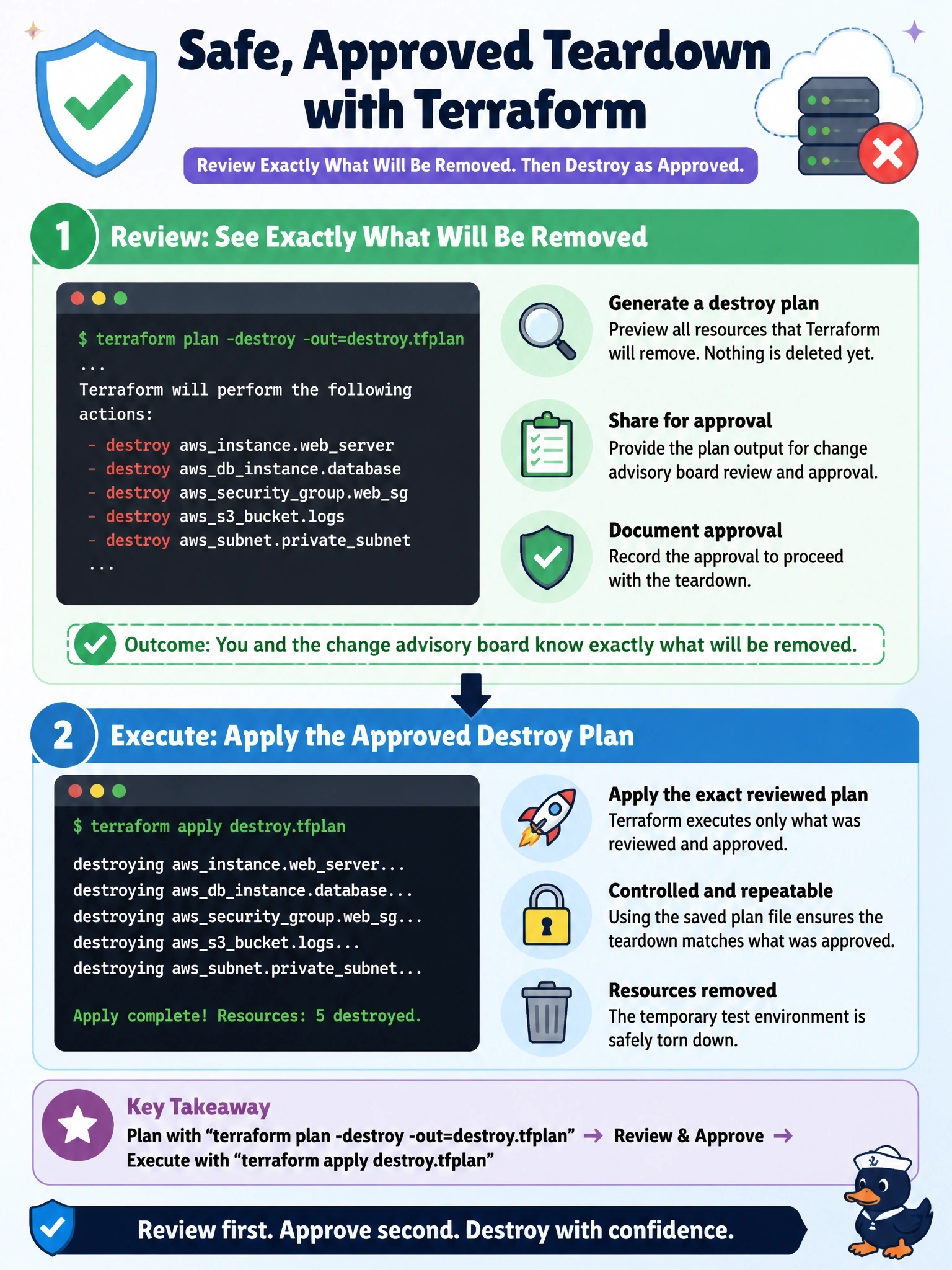
Destroy mode works just like a normal plan, only in reverse, so you can save it, show it to the board, and run exactly that. The trap is destroy -auto-approve, which skips the very review you needed.
Full Explanation
Terraform's destroy planning mode creates a plan whose goal is to destroy every remote object managed by the configuration, leaving an empty state. Activating it with terraform plan -destroy produces the same reviewable output as any plan, and combining it with -out saves that destroy plan to a file. The board reviews the saved plan, for example with terraform show, and after approval terraform apply with the file performs exactly those deletions without re-planning. If state changes before execution, the saved plan becomes stale and is refused rather than applied differently. Running terraform destroy with -auto-approve skips confirmation entirely and leaves no reviewed artifact before deletion begins, which defeats the board's control. A refresh-only plan only updates Terraform's records of remote objects and never deletes anything, so applying it would not tear the environment down. A state list review shows resource addresses, but a later interactive destroy computes its own fresh plan, which may differ from what was reviewed, and the list lacks details of what will be removed. Exam caveat: prevent_destroy on any resource makes a destroy plan fail, which is a useful guard in shared environments but must be removed deliberately for teardown. Operational check: save the destroy plan, attach terraform show output to the change ticket, and apply only that file after approval.