
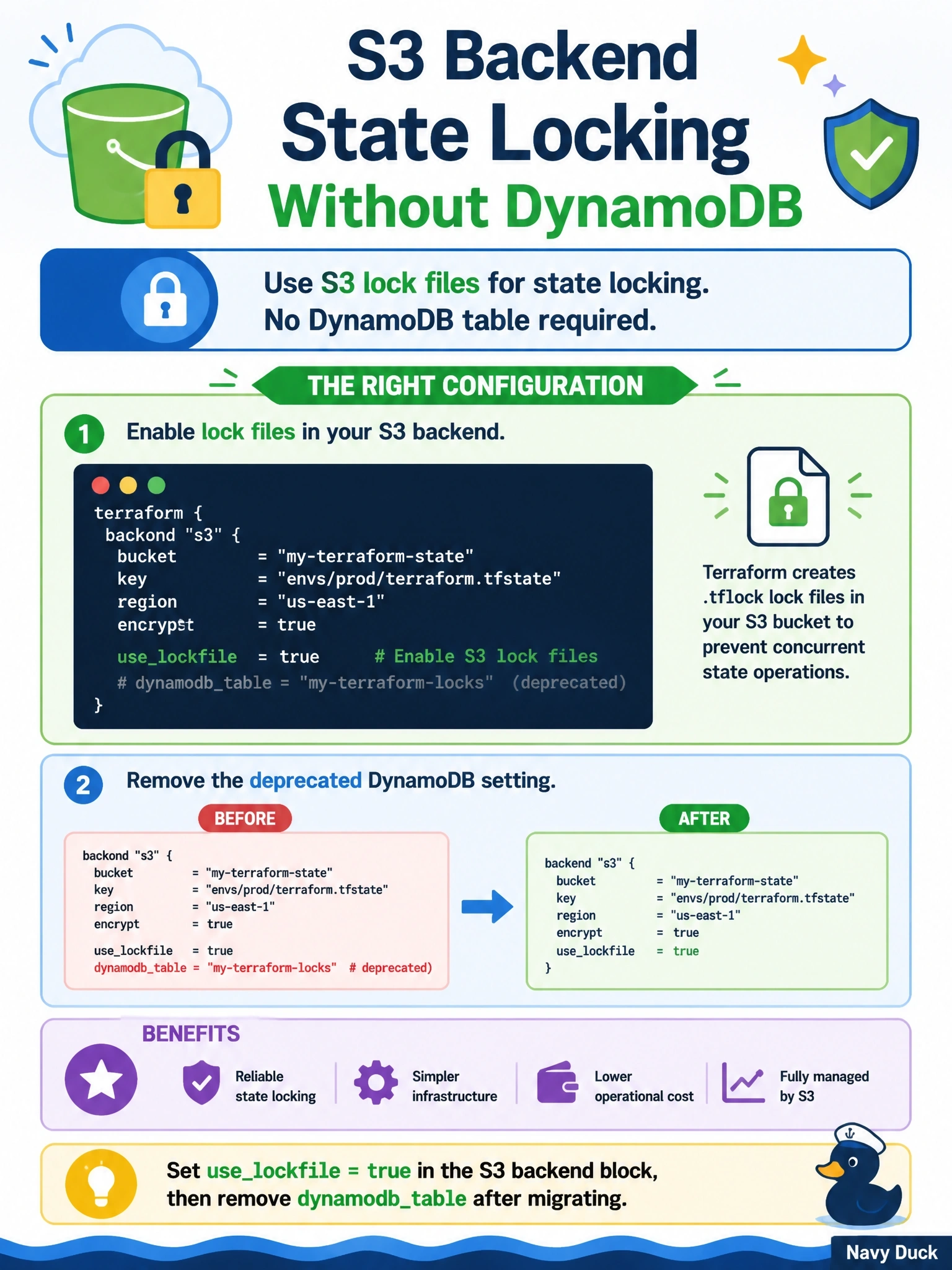
A team using the S3 backend wants state locking without maintaining a DynamoDB table, since the DynamoDB locking arguments are now deprecated. Which configuration should they adopt?
Select an answer to reveal the explanation.
Short Explanation
The S3 backend can now hold its own lock: it drops a small lock file next to your state, like a reserved sign on a table. No separate DynamoDB table to babysit. The trap is thinking bucket versioning is a lock; it's a safety net for history, not a gatekeeper.
Full Explanation
The S3 backend supports native locking through the use_lockfile argument, which defaults to false. When it is true, Terraform creates a lock object alongside the state object in the bucket for the duration of an operation and refuses to proceed if another process holds it. DynamoDB-based locking, configured with dynamodb_table, is deprecated and scheduled for removal in a future minor version; to support migration, both mechanisms can be configured at the same time, after which the DynamoDB arguments are removed. dynamodb_table names a DynamoDB table, not a bucket; pointing it at the bucket name does not make Terraform store locks in S3. Bucket versioning is a recommended practice for recovering earlier state snapshots, but it provides no mutual exclusion between concurrent runs. There is no lock argument in the terraform block; locking is a backend capability, and the CLI's -lock option controls whether Terraform uses it for a given command, defaulting to enabled. Exam caveat: the identity running Terraform needs permission to create and delete the lock object in the bucket, so IAM policies scoped to the state key alone must be widened. Operational check: start a long apply, run plan from another terminal, and confirm the second command reports that the state is locked.