
A provider "aws" block in a repository contains a hard-coded access key and secret key. Runs execute in HCP Terraform workspaces. What is the recommended remediation?
Select an answer to reveal the explanation.
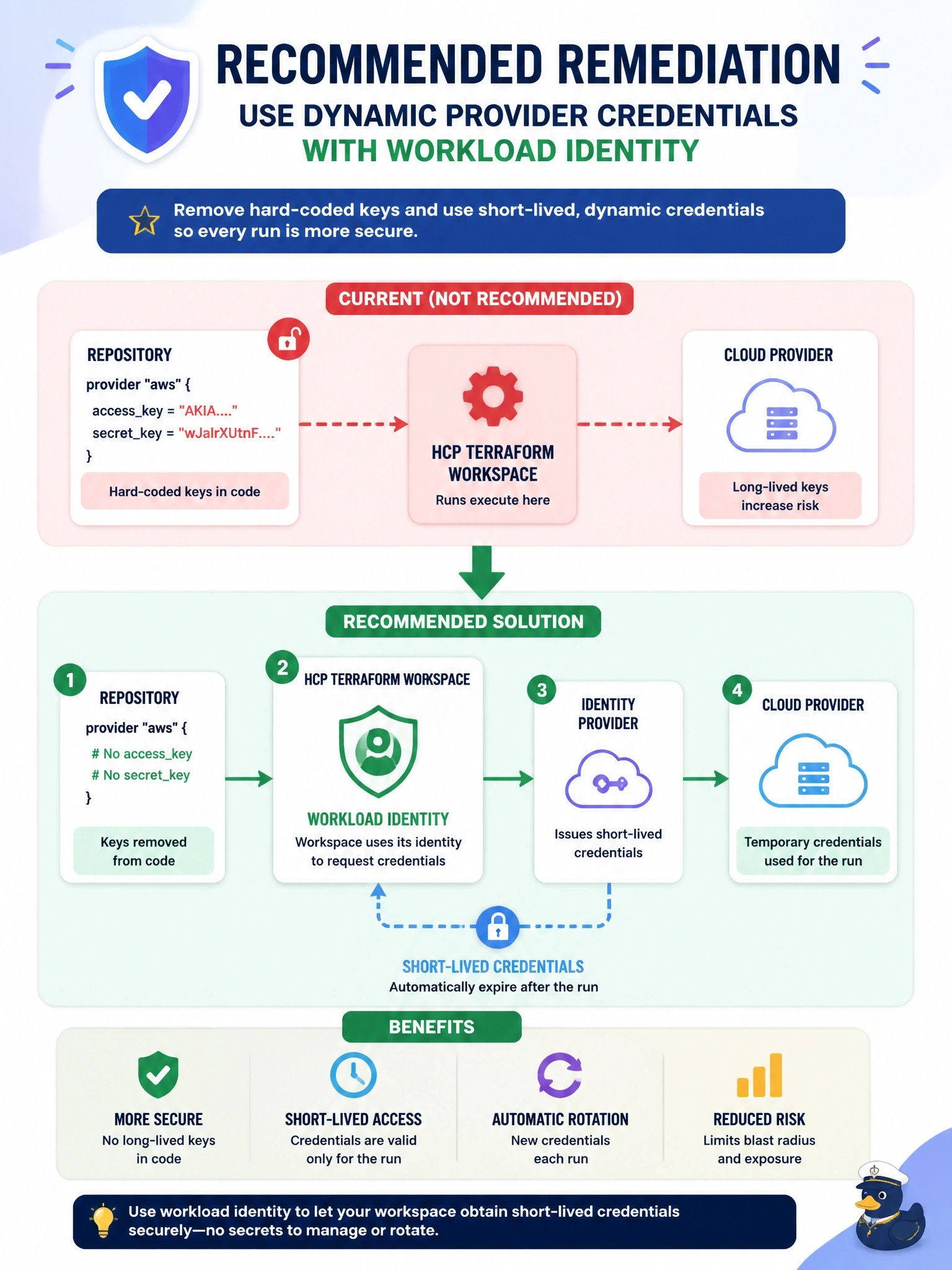
Short Explanation
Hard-coded keys are like taping your house key to the front door. The fix isn't a better hiding spot; it's a key that expires minutes after you use it. Dynamic credentials give every run its own short-lived key, and the trap is thinking sensitive or encoding makes a long-lived secret safe.
Full Explanation
Static cloud credentials in configuration end up in version control history, in every clone, and potentially in logs, and they remain valid until someone rotates them. HCP Terraform dynamic provider credentials remove the stored secret entirely: the platform issues a signed workload identity token for each plan and apply, the cloud provider trusts HCP Terraform as an identity provider, and the run exchanges the token for temporary credentials scoped by a trust policy that can name the organization, project, workspace and run phase. The provider block then contains no credentials at all. The exposed keys must also be revoked, since removing them from the file does not remove them from history. Putting the keys in sensitive variable defaults only hides them from CLI output; they remain committed in the repository and stored in state. Adding a tracked file to .gitignore has no effect on files already committed and would break the configuration. Base64 is an encoding, not encryption, and secret scanners routinely decode it. Exam caveat: where dynamic credentials are not available, use sensitive workspace or variable set variables rather than credentials in code. Operational check: after the change, trigger a plan and confirm the run logs show dynamic credentials in use and no credential arguments in the provider block.