
An organization decides to retire a GitHub App-based agent that has been operating for 18 months. Compliance policy requires that all actions the agent took must remain auditable for 7 years. What steps must be taken when retiring the agent to ensure historical auditability is preserved?
Select an answer to reveal the explanation.
Short Explanation
You can’t just delete the agent and hope git history covers it. Archive all run logs, audit trail records, and trace events first, document the App ID and service account, then revoke credentials and uninstall. That keeps every action attributable for the full 7 years.
Full Explanation
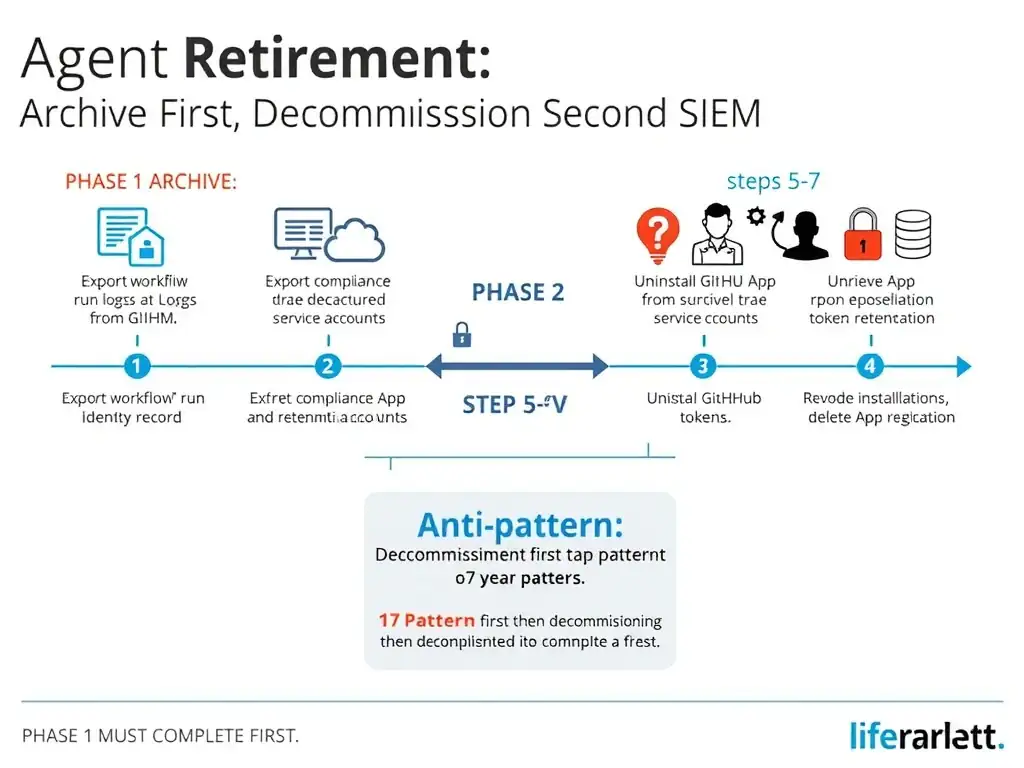
Retiring an agent is a two-phase operation: preserving the historical audit record and decommissioning the agent's credentials and access. The two phases must be performed in the right order — archive first, decommission second. The required retirement path is to export and archive all agent run logs, audit trail records, and structured trace events to a compliant long-term archive before uninstalling the GitHub App; document the agent's identity, including the App ID, installation IDs, service account username if applicable, and repositories it operated on, in the compliance record so historical actions remain attributable; then revoke the App's credentials and uninstall it.
Phase 1 — Archive historical records: Export all GitHub Actions workflow run logs that contain agent activity. GitHub retains workflow logs for a configurable period, so logs older than the retention period must already be in an external archive. Export structured audit trail records and trace events from any SIEM or log aggregation system. Document the agent's identity in a compliance record: the GitHub App ID, the installation IDs, the service account username if applicable, and the repositories it operated on. This documentation ensures that historical actions attributed to a specific GitHub App ID in commit metadata and audit logs remain interpretable 7 years later. Archive all documents to a retention-compliant store with the appropriate 7-year retention policy.
Phase 2 — Decommission: Uninstall the GitHub App from all repositories. Revoke all installation tokens. Delete the App registration if the organization will not reuse it.
The approach that deletes the GitHub App and its installation tokens while relying on the repository's git history is incorrect because git history captures commits made by the agent's service account but does not capture the full audit record: workflow run logs, API calls made, tool invocations, or decision rationale.
The approach that keeps the GitHub App installed but disables all its permissions so it cannot take new actions while remaining available for audit reference is incorrect because keeping the App installed but disabled creates a security risk, since the App still exists and could be re-enabled, and does not constitute a proper decommission.
The approach that transfers the GitHub App to a read-only service account and archives the repository is incorrect because it does not address the log retention requirement.