
After deploying a preview app, you want the GitHub deployment to show a clickable environment URL. Which job-level configuration surfaces that URL in the GitHub UI?
Select an answer to reveal the explanation.
Short Explanation
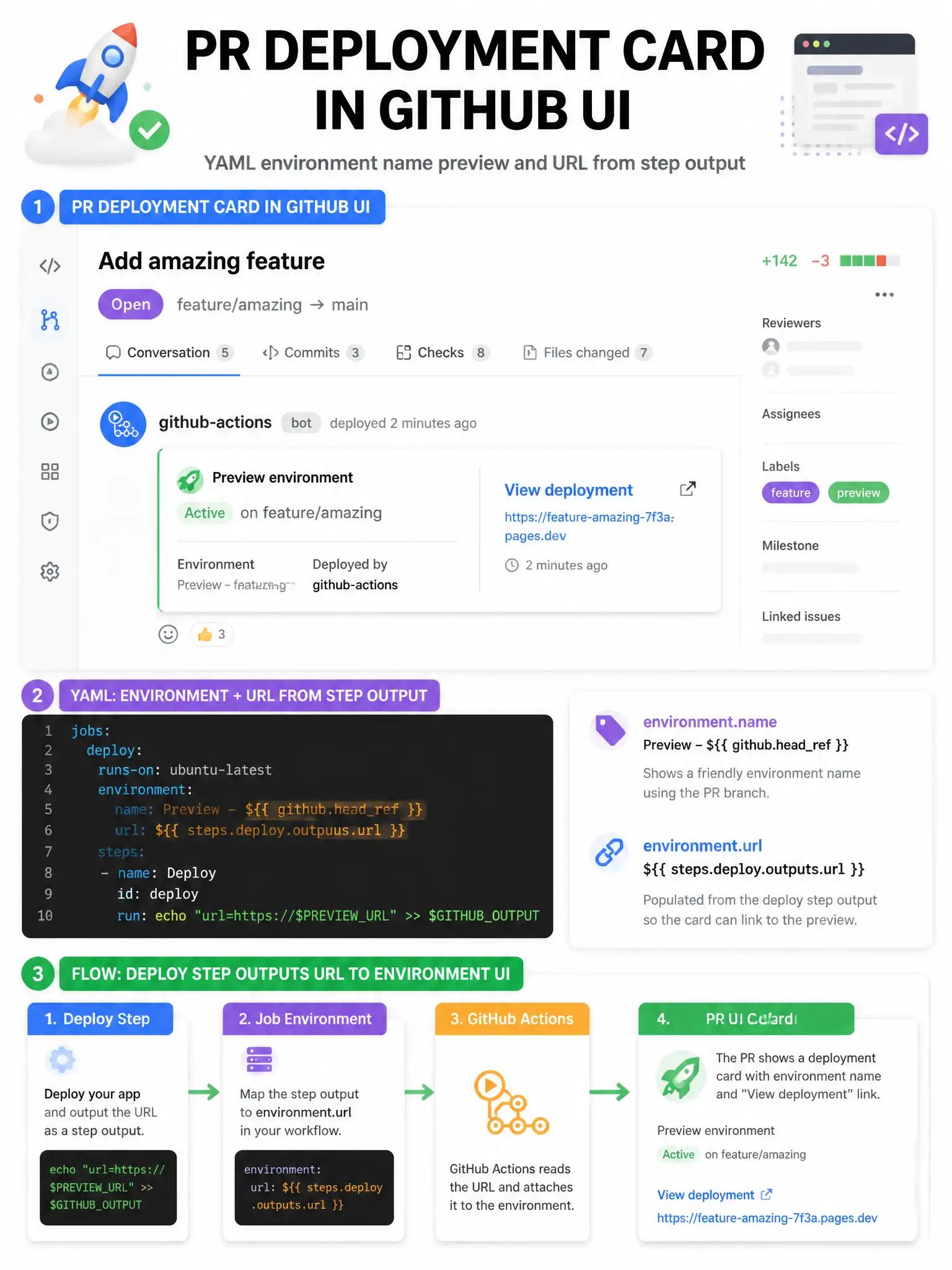
Set environment.name and environment.url on the job (url often from a step output). That populates the Environments and deployment UI with the link.
Full Explanation
Jobs can declare an environment mapping with name and optional url. When url is set — commonly from a previous step output that printed the preview address — GitHub shows that link on the deployment and environment pages. artifacts, concurrency, and runs-on do not accept a url field for this purpose. Typical flow: deploy step writes url to $GITHUB_OUTPUT, then environment.url references steps.deploy.outputs.url. Patterns often set the environment block with a dynamic url from outputs so PR previews are one click away for reviewers. This improves developer experience alongside required status checks on pull requests.