
A workflow job has been running for 45 minutes but appears stuck in a loop. What is the fastest way to stop it from the GitHub UI?
Select an answer to reveal the explanation.
Short Explanation
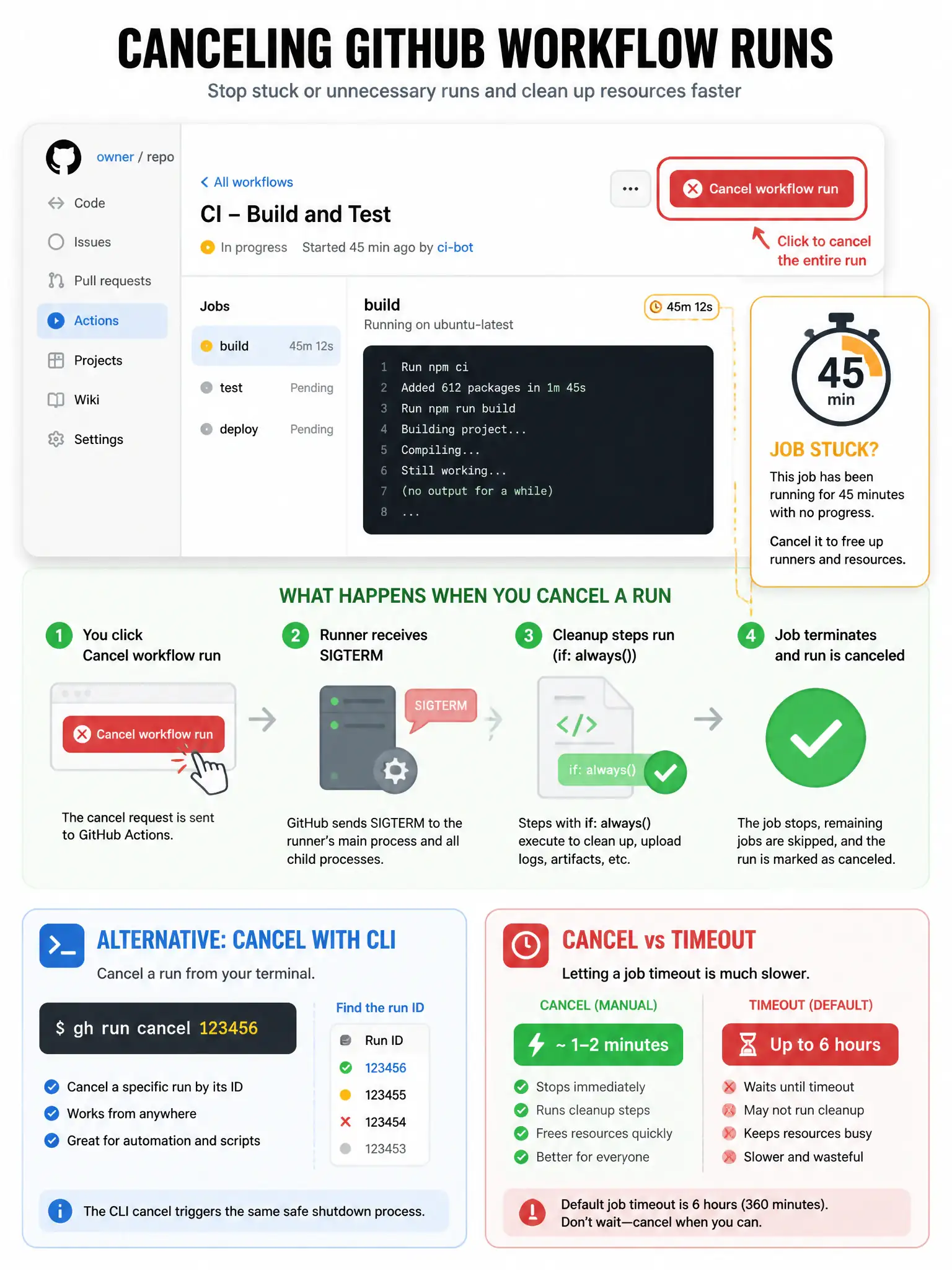
The Cancel button on the run page is instant — it sends a cancellation signal to the runner which terminates the job gracefully.
Full Explanation
The GitHub Actions workflow run page has a 'Cancel workflow run' button (or 'Cancel run') that immediately signals the runner to stop the current job. The runner gets a grace period to run any 'if: always()' cleanup steps before hard termination. Waiting for timeout-minutes takes up to 6 hours (default). Deleting the workflow file doesn't affect already-running jobs. Force-pushing could queue a new run but doesn't stop the existing one (unless concurrency cancel-in-progress is configured). The cancel action is also available via CLI: 'gh run cancel <run-id>'.