
After GitHub Connect is established between GHES and GitHub.com, which two features can administrators selectively enable? (Choose two)
Select all correct answers, then click Submit.
Short Explanation
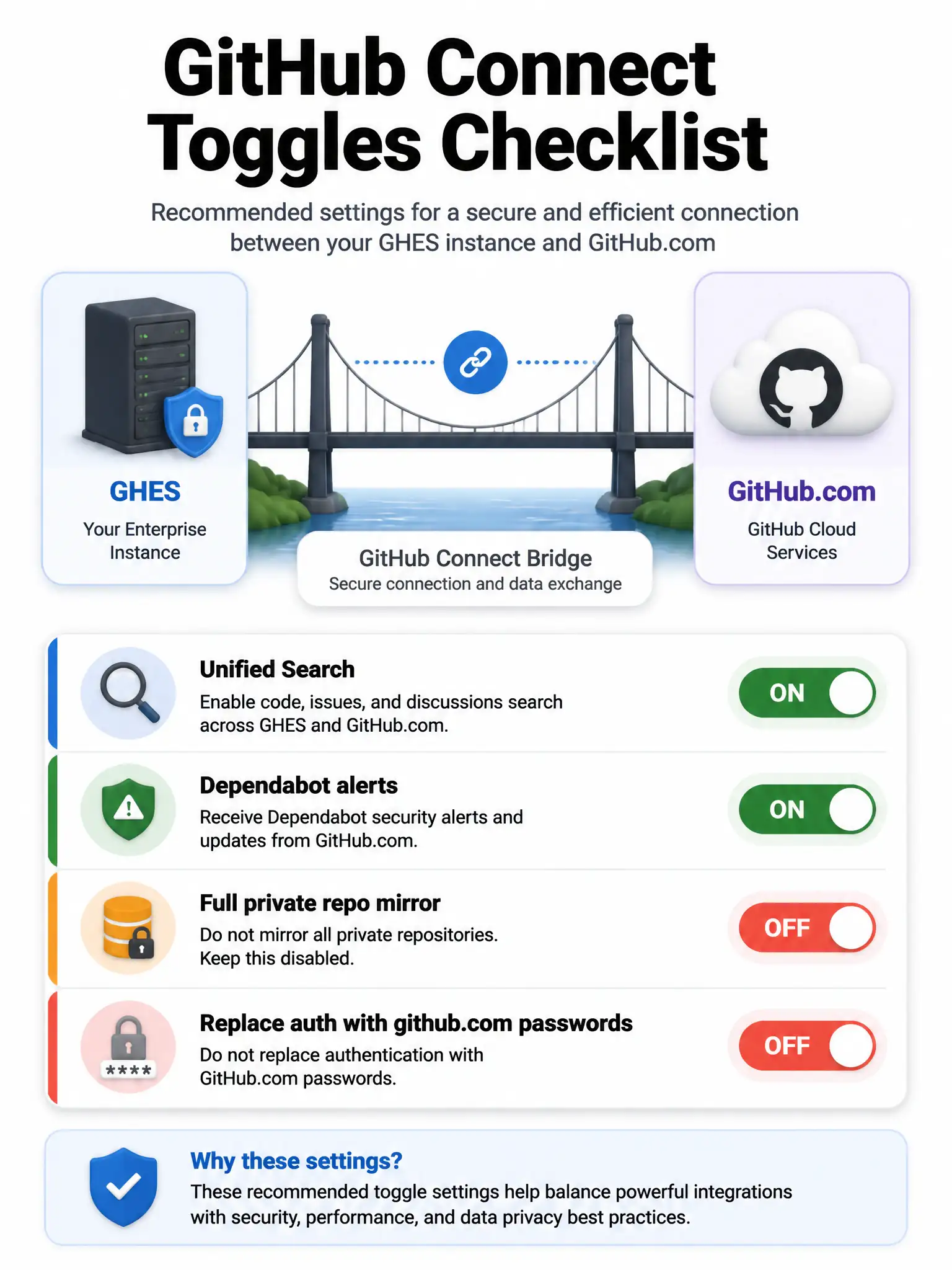
GitHub Connect is a feature bridge, so you enable only the capabilities you want, like unified search across GitHub.com content and Dependabot alerts using GitHub Advisory Database data. It doesn't mirror every private repo or replace your GHES authentication. Turn on only what policy allows, since each switch can send limited metadata toward GitHub.com.
Full Explanation
GitHub Connect links a GHES instance to a GitHub.com organization or enterprise so selected cloud capabilities can be used from the self-hosted instance. It's a feature bridge, not a giant bidirectional mirror of every private repo and not a swap of your identity provider. The correct selectable features are unified search across GitHub.com content from GHES and Dependabot alerts using GitHub Advisory Database data. Typical selectable features also include unified contributions, Dependabot/advisory data, license usage sync, and related Actions/content access features depending on release and policy. Automatic full bidirectional repository mirroring of all private repos is wrong because Connect does not automatically mirror all private repositories bidirectionally. Replacement of GHES authentication with only GitHub.com passwords is wrong because Connect does not replace GHES authentication with GitHub.com password logins; GHES still uses its configured authentication, for example LDAP, SAML, or built-in. Administrators should review data-sharing implications, enable only approved features, document the linked GitHub.com account ownership for audits, and remember that each switch can send limited metadata toward GitHub.com.