
What is the 'workflow_dispatch' event in GitHub Actions and when would you use it?
Select an answer to reveal the explanation.
Short Explanation
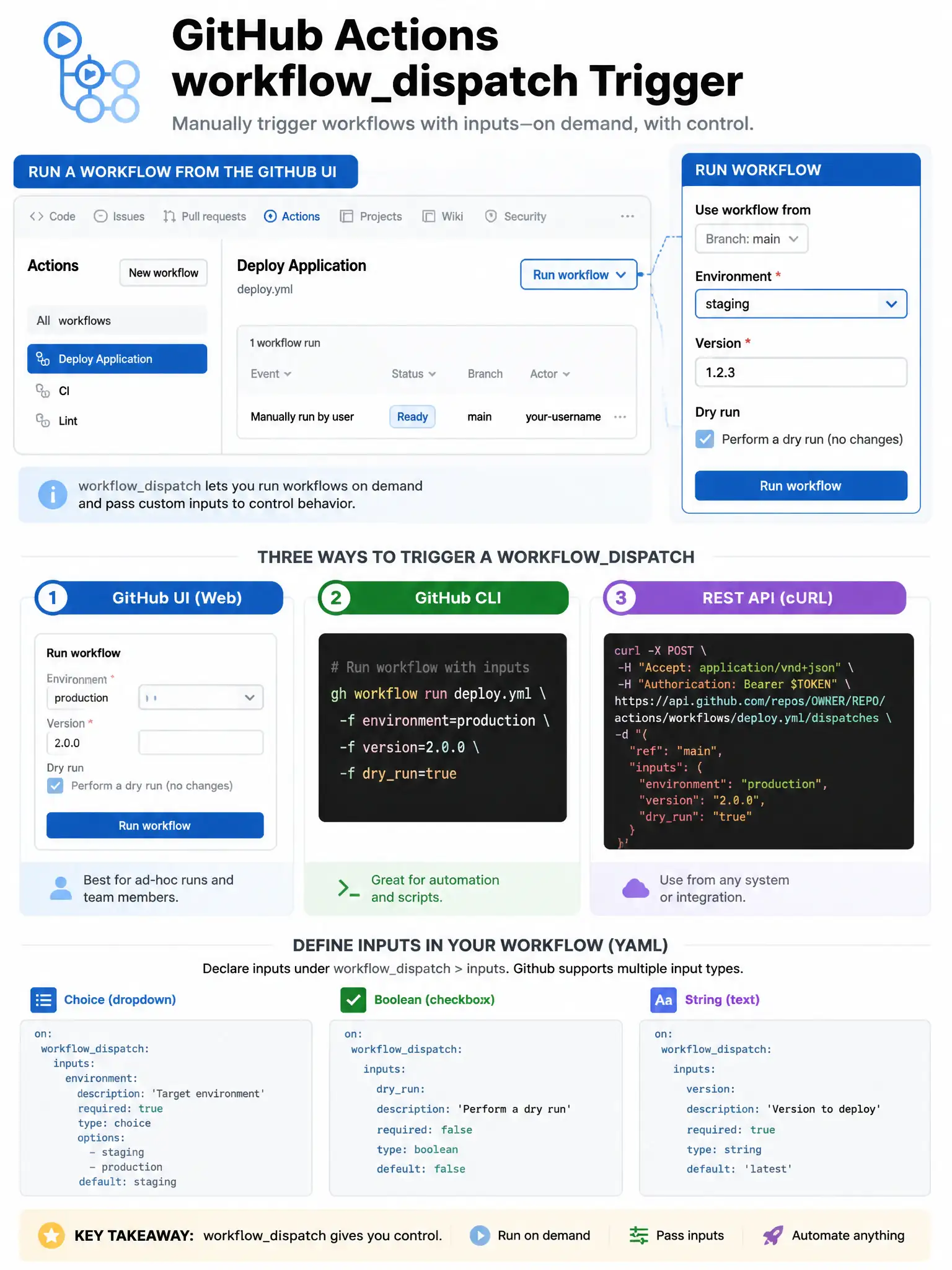
workflow_dispatch is your 'run it now' button for workflows. Instead of waiting for a push or PR, you click 'Run workflow' in GitHub's UI and it starts immediately. You can define input parameters so users provide values at trigger time — like selecting an environment or version.
Full Explanation
The 'workflow_dispatch' trigger in GitHub Actions enables manual workflow execution through multiple channels: (1) GitHub UI — the 'Actions' tab shows a 'Run workflow' button for dispatch-enabled workflows, with a form for any defined inputs. (2) GitHub CLI — 'gh workflow run <workflow-file>'. (3) REST API — POST to /repos/{owner}/{repo}/actions/workflows/{workflow_id}/dispatches. Input parameters can be defined with types (string, choice, boolean, number, environment, ref) and appear in the UI form when triggering manually. Use cases: manual deployments, on-demand security scans, database migrations, releasing a specific version, running maintenance tasks. The event is only available on branches that have committed the workflow file (it won't appear on feature branches unless the workflow has been merged).
Prefer to study offline? Printable PDF study book + test engine ($7.50, unofficial). These questions stay free here.