
What GitHub security feature automatically enables two-factor authentication for all members when an enterprise requires it?
Select an answer to reveal the explanation.
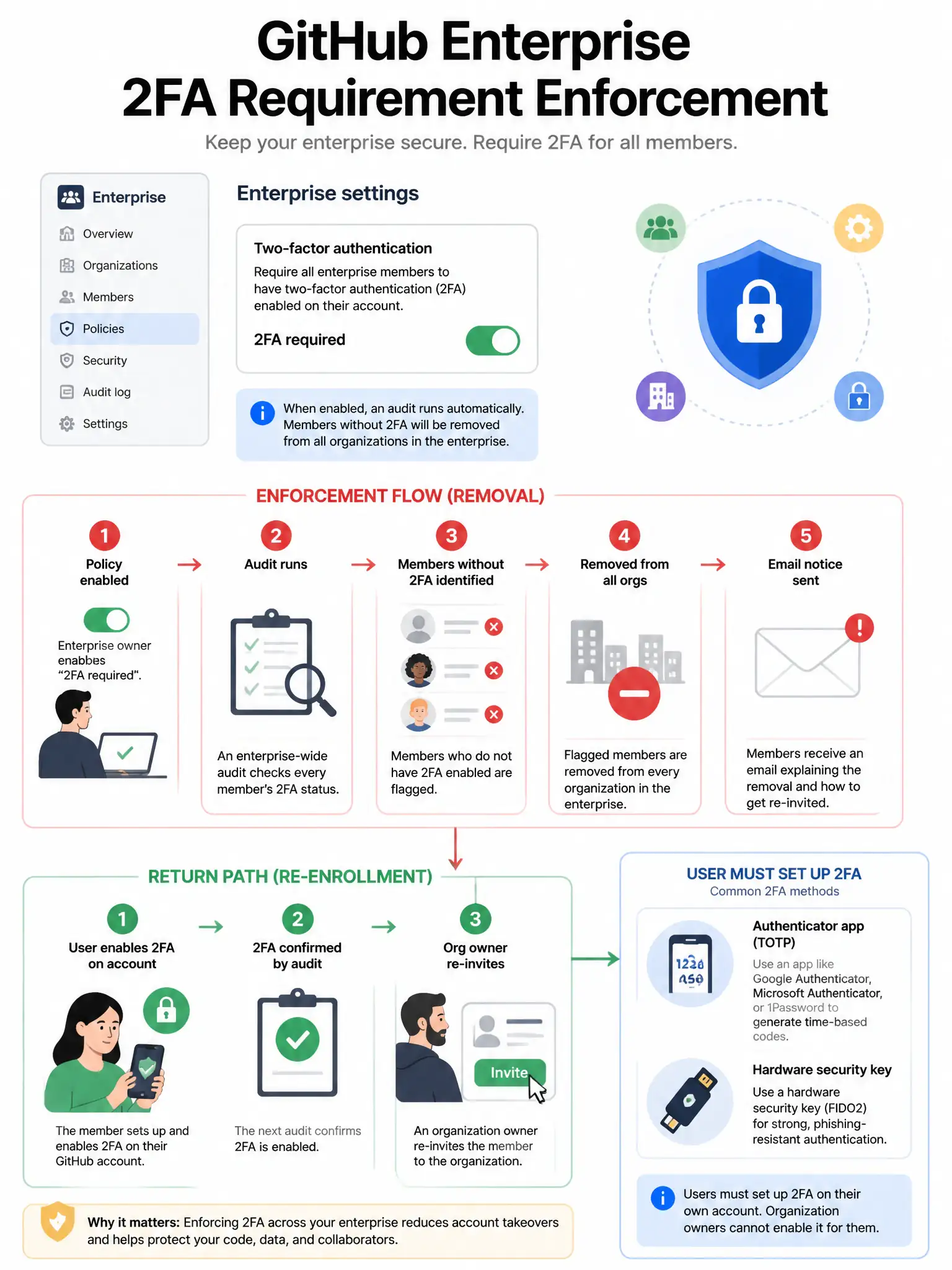
Short Explanation
Requiring two-factor authentication at the enterprise level doesn't magically turn it on for users. It enforces that only users who already have it can stay, and those without it get removed. You then help non-compliant users set it up and re-add them.
Full Explanation
Enabling the two-factor authentication requirement in GitHub Enterprise Cloud settings does not configure security settings for users. It identifies members without two-factor authentication, removes them from all enterprise organizations, and cuts access to enterprise resources. Owners receive a notification listing removed members, and users can rejoin after enabling two-factor authentication themselves. This is intentional: only the account owner can configure methods such as an authenticator app, hardware keys, or text messages. The policy enforces the requirement by controlling membership, not by enabling authentication. Enterprise owners can mandate two-factor authentication, but enforcement removes members without it rather than enabling it for them. The claim that GitHub cannot require it at enterprise level is wrong; enterprise owners can mandate it. The claim that the requirement automatically generates time-based one-time-password secrets and stores them in member profiles is wrong; GitHub does not create or store user secrets on their behalf. The claim that the requirement sends users a one-time text-message code as their permanent method is wrong; text-message verification is only one possible user-configured method, and the requirement does not assign or enable any method.