
How does GitHub handle repository transfers between organizations?
Select an answer to reveal the explanation.
Short Explanation
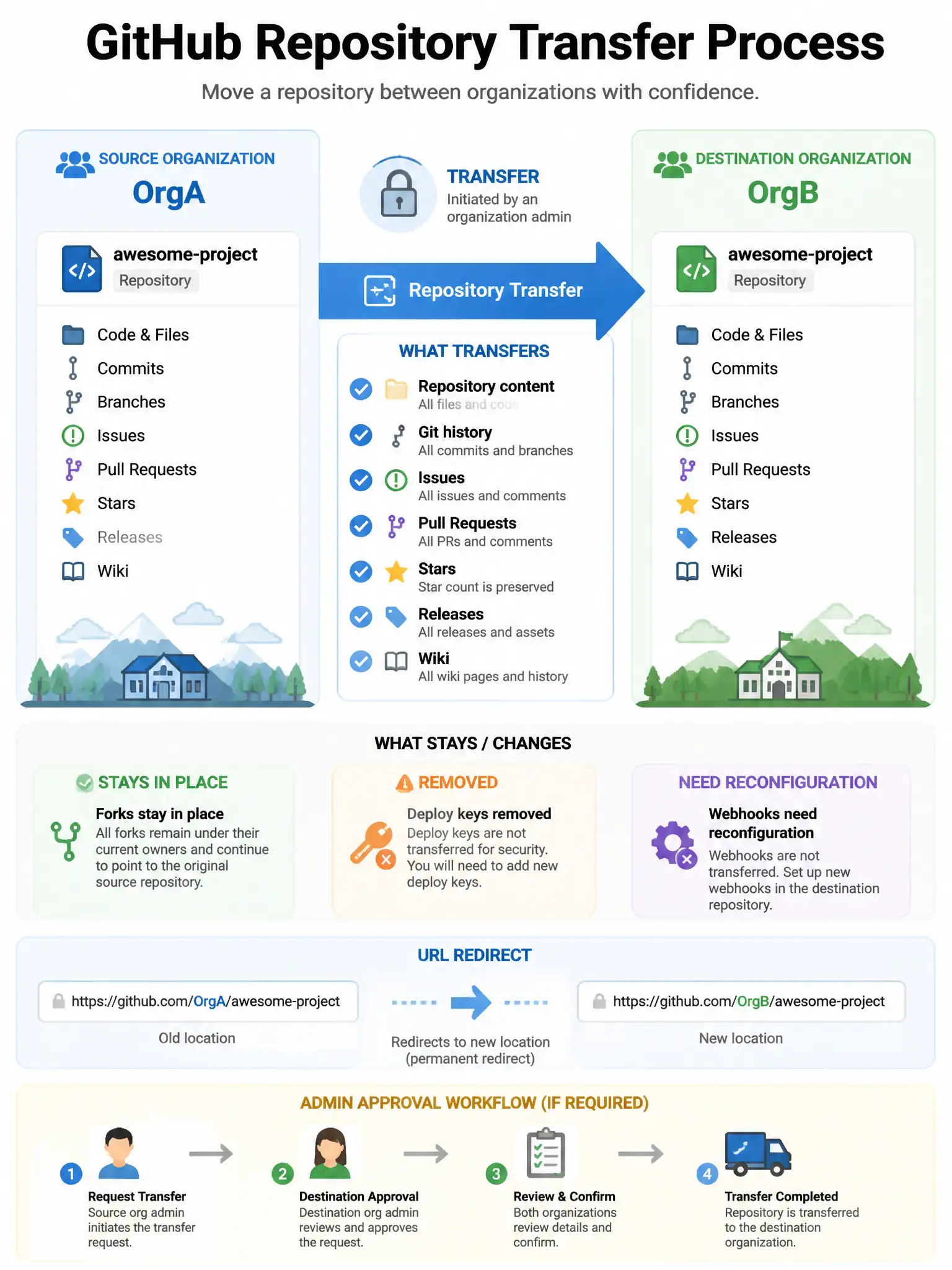
Transfers move the repo and most of its data — issues, PRs, wiki, releases, stars. Forks stay put but get a network pointer to the new location. Existing redirect URLs from the old location help users find the moved repo.
Full Explanation
When a GitHub repository is transferred to another organization: (1) The repository moves to the new organization with its full git history, branches, tags, releases, issues, pull requests, milestones, wikis, and star count. (2) Forks are NOT transferred — they remain in their current locations, but GitHub maintains the network relationship. (3) Redirects are set up from the old URL to the new location for a period of time. (4) Deploy keys are removed — they must be re-added after the transfer. (5) Integration and webhook settings may need to be reconfigured. (6) Watchers receive a notification about the transfer. The new organization must have available repository slots. Both the sending and receiving organization owners may need to approve the transfer depending on settings.
Prefer to study offline? Printable PDF study book + test engine ($7.50, unofficial). These questions stay free here.