
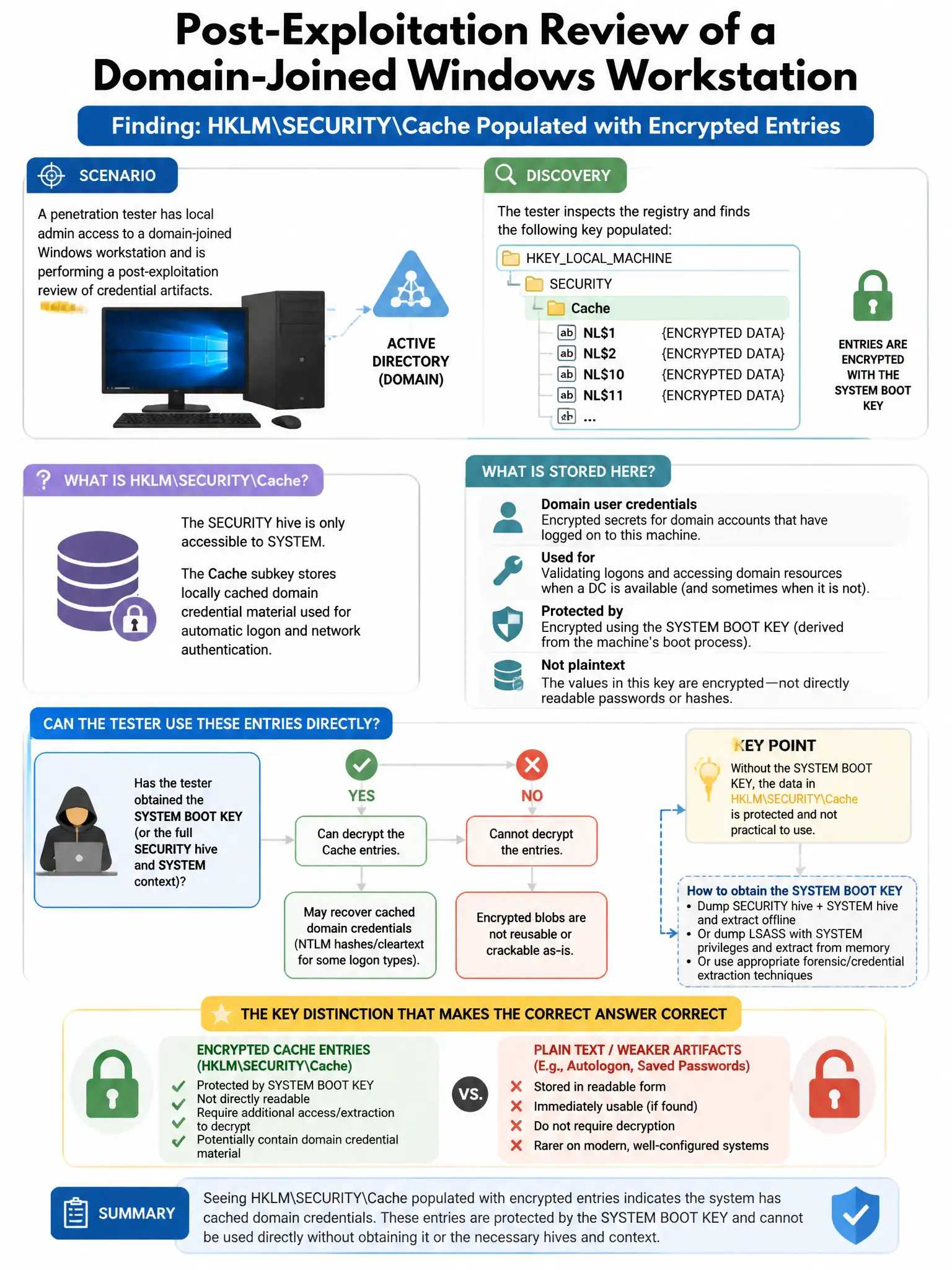
A penetration tester performs a post-exploitation review of a domain-joined Windows workstation and finds the registry key HKLM\SECURITY\Cache populated with encrypted entries. What do these entries represent and why are they security-relevant?
Select an answer to reveal the explanation.
Short Explanation
Here's the deal — HKLM\SECURITY\Cache stores cached domain credential verifiers, specifically MSCacheV2 hashes, so you can crack them offline and recover domain passwords without touching a domain controller. You extract them with tools like Mimikatz or secretsdump, then run them through a cracking tool.
Full Explanation
The cached domain credential verifiers (MSCacheV2 hashes) are correct because HKLM\SECURITY\Cache (Cached Credentials / Domain Cached Credentials) stores MSCacheV2 hashes of the last 10 domain user logons, enabling offline logon when the domain controller is unreachable; an attacker who extracts these (using Mimikatz or secretsdump) can crack them offline to recover domain account passwords without a domain controller. The cached Windows Update metadata that can be used to determine patch levels is wrong because Windows Update metadata is stored in a different location; the SECURITY\Cache key specifically contains credential verifiers. The encrypted certificates stored by the Windows certificate store is wrong because Windows certificate store credentials are in HKLM\SOFTWARE\Microsoft\SystemCertificates and the personal certificate stores, not SECURITY\Cache. The cached DNS resolution entries that expose internal network structure is wrong because DNS cache is stored in memory and the DNS Client service cache, not HKLM\SECURITY\Cache.