
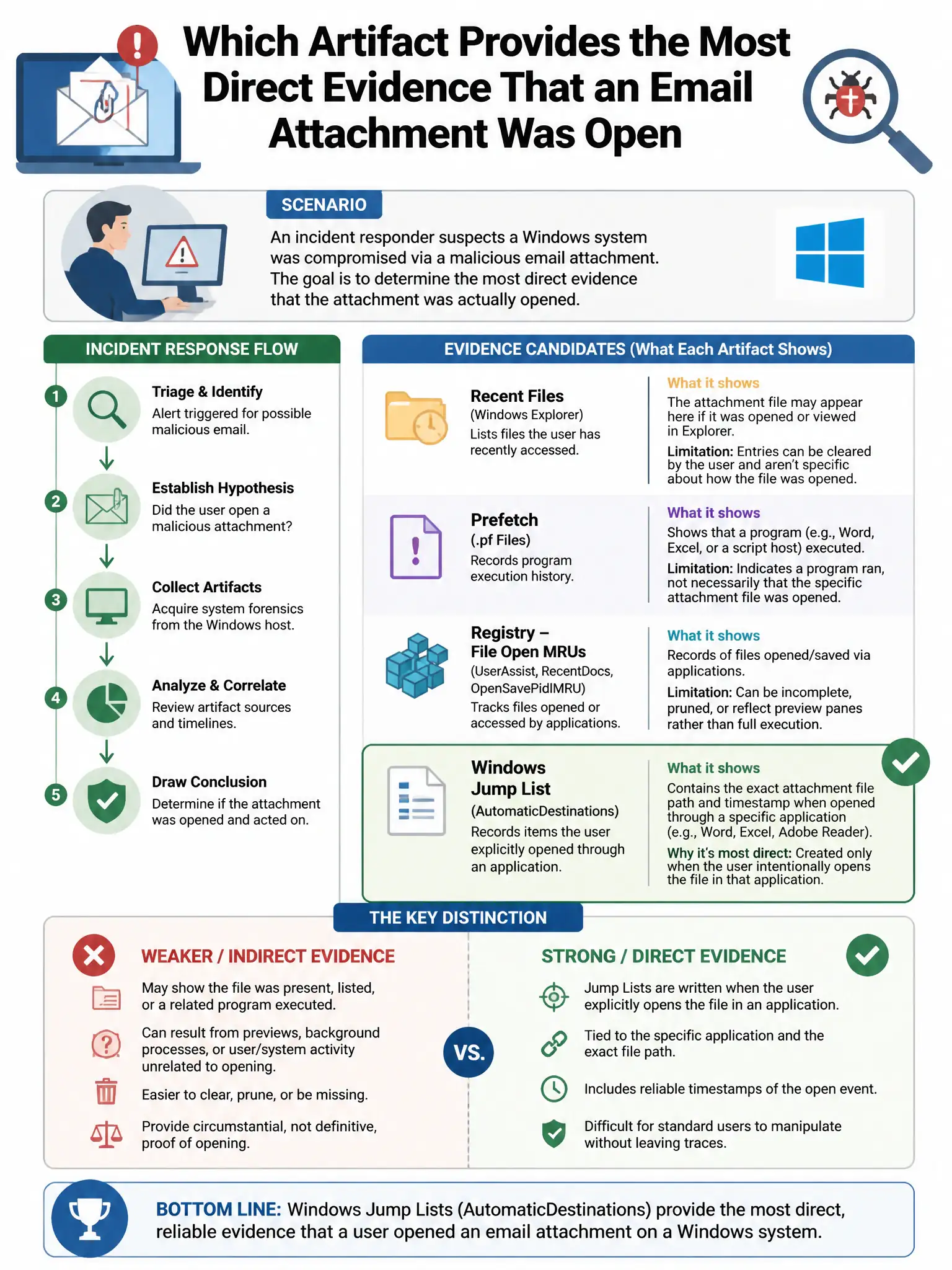
An incident responder suspects a Windows system was compromised via a malicious email attachment. Which artifact provides the most direct evidence that an email attachment was opened?
Select an answer to reveal the explanation.
Short Explanation
Here's the deal — you need the email client’s cache and attachments folder paired with Recent Items LNK files pointing to the opened attachment. That combination shows the attachment was opened and links it to the system. Process logs, DNS cache, or pagefile fragments don’t prove the attachment was opened.
Full Explanation
The correct artifact is the Outlook/Thunderbird email cache and attachments folder combined with LNK files in Recent Items pointing to the opened attachment file. The email client’s cache and attachments folder can contain the opened file, and Windows Recent Items LNK files record files that were recently opened, including attachments, providing direct evidence linking the opened attachment to subsequent malicious activity. The Windows Event Log showing process creation for the email client is wrong because process creation logs show the email client running but do not specifically tie it to an attachment being opened. The DNS cache showing domains resolved during the email session is wrong because DNS cache shows domains resolved but does not prove an attachment was opened versus a web link being clicked. The Windows pagefile containing fragmented memory from the email client is wrong because pagefile analysis requires memory forensics expertise and provides indirect evidence at best.