
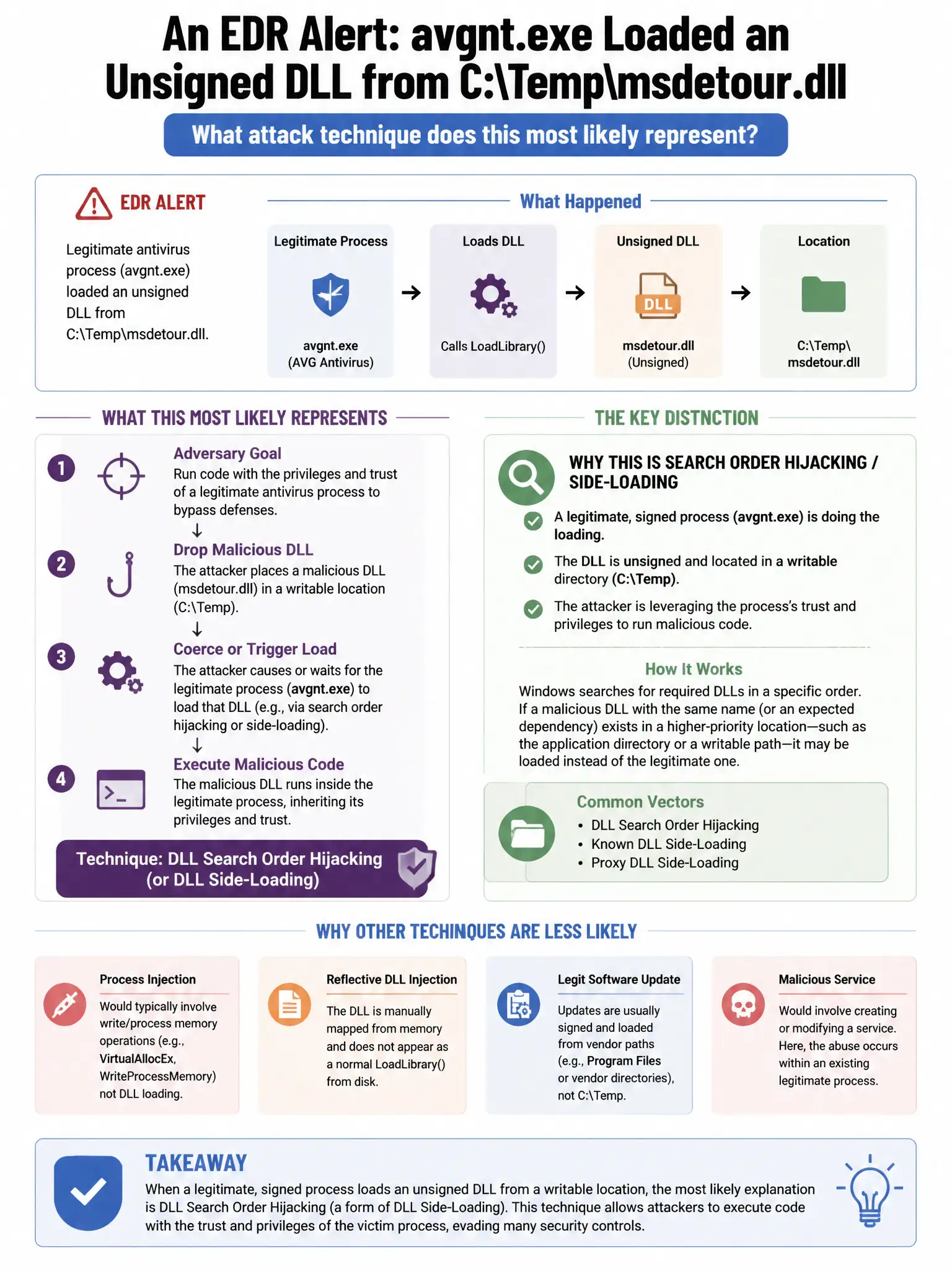
An EDR alert shows a legitimate antivirus process (avgnt.exe) loading an unsigned DLL from C:\Temp\msdetour.dll. What attack technique does this most likely represent?
Select an answer to reveal the explanation.
Short Explanation
Here's the deal — an unsigned DLL loaded from C:\Temp\ into avgnt.exe is classic DLL side-loading. You're seeing a trusted process's security context hijacked, potentially bypassing application controls that whitelist the parent process. Legitimate antivirus updates use vendor-signed DLLs from trusted installation directories.
Full Explanation
The DLL hijacking or DLL side-loading answer is correct because loading an unsigned DLL from C:\Temp\ into a security product process is a classic DLL side-loading technique. The trusted process's security context is hijacked, potentially bypassing application controls that whitelist the parent process. The normal antivirus behavior answer is wrong because legitimate antivirus updates use vendor-signed DLLs loaded from trusted installation directories. The legitimate Windows security feature loading a signed driver answer is wrong because Windows security drivers are signed and loaded from system directories, not Temp. The antivirus self-update mechanism using a temporary directory answer is wrong because self-update mechanisms do not load runtime DLLs from C:\Temp\.