
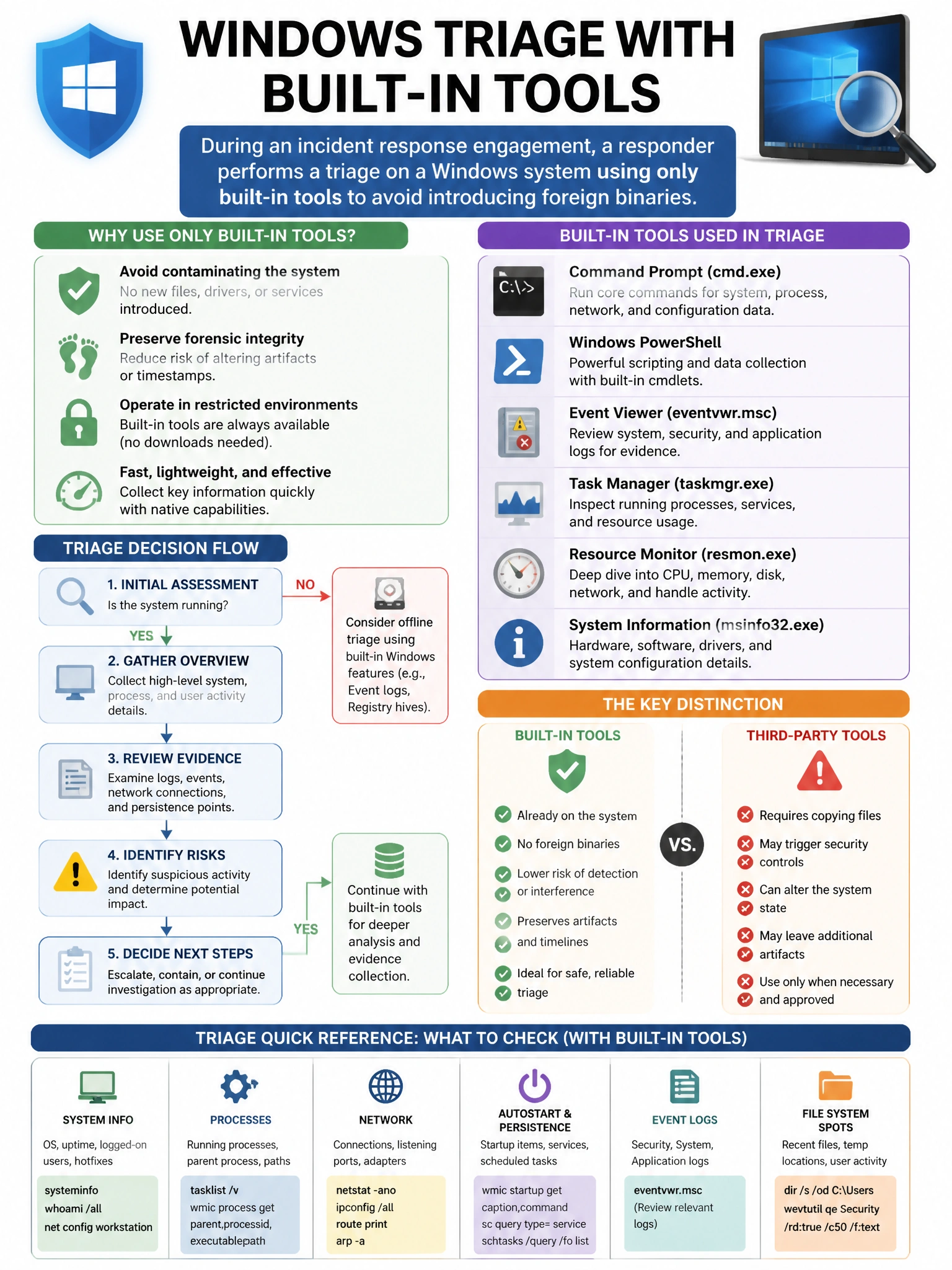
During an incident response engagement, a responder performs a triage on a Windows system using only built-in tools to avoid introducing foreign binaries. Which Windows built-in command shows all current network connections with their associated process IDs?
Select an answer to reveal the explanation.
Short Explanation and Infographic
Here's the deal — b is correct because netstat -ano displays all active TCP connections and UDP listeners (-a), with numeric addresses (-n), and the owning process ID (-o), allowing the responder to correlate suspicious connections to processes without installing third-party tools. A is wrong because ipconfig /all shows network adapter configuration (IP, MAC, DNS settings) but not current connections or process associations.
Full explanation below image
Full Explanation
B is correct because netstat -ano displays all active TCP connections and UDP listeners (-a), with numeric addresses (-n), and the owning process ID (-o), allowing the responder to correlate suspicious connections to processes without installing third-party tools. A is wrong because ipconfig /all shows network adapter configuration (IP, MAC, DNS settings) but not current connections or process associations. C is wrong because net session shows incoming SMB sessions from remote clients, not all network connections. D is wrong because arp -a shows the ARP cache (IP-to-MAC mappings) but not active TCP/UDP connections or process IDs.