
An organization wants to implement application whitelisting on workstations to prevent unauthorized software execution. A user complains that a legitimate business tool installed in their user profile (C:\Users\jdoe\AppData\Local\) is being blocked. What is the correct whitelisting policy adjustment?
Select an answer to reveal the explanation.
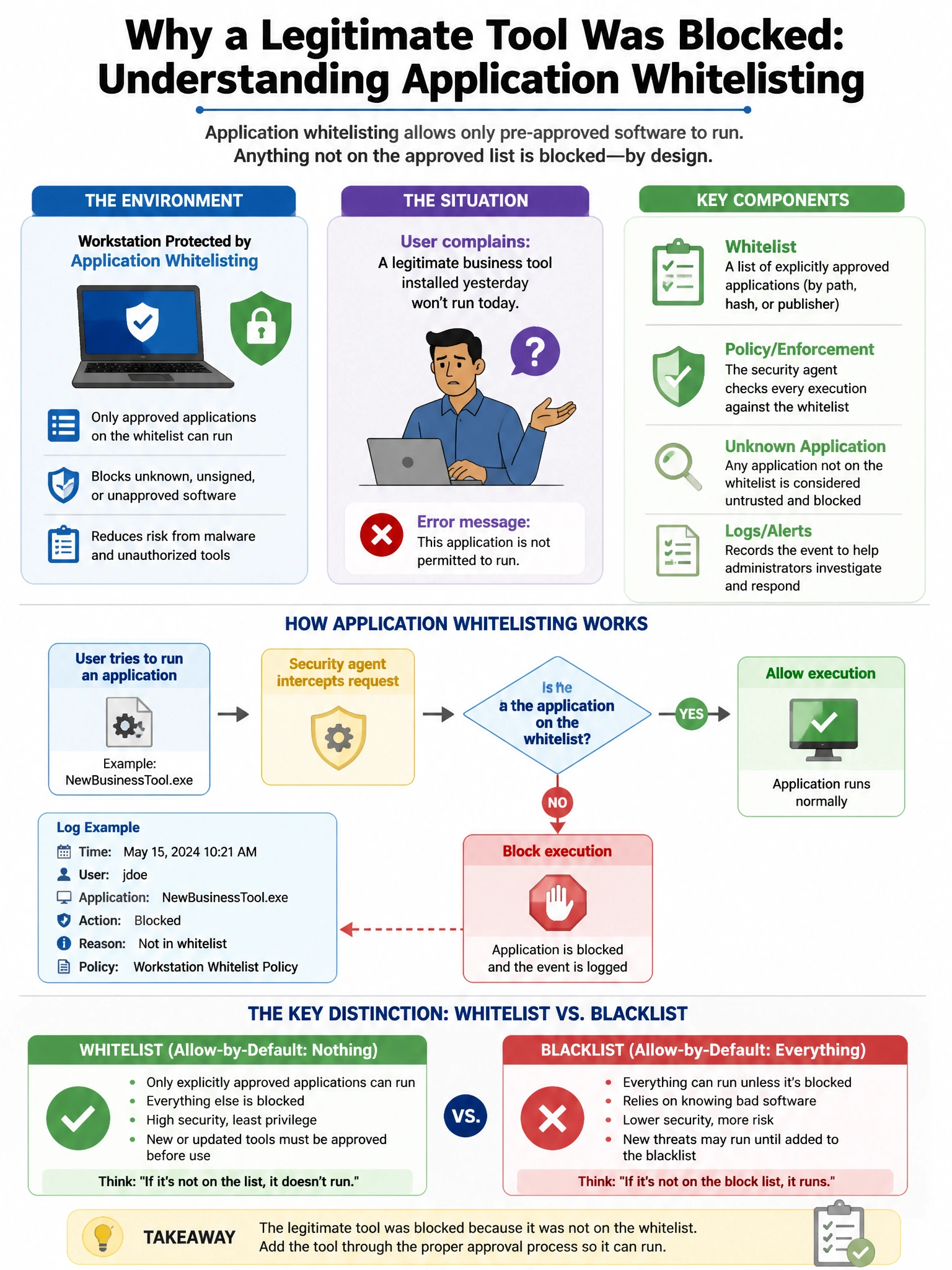
Short Explanation and Infographic
Here's the deal — b is correct because a targeted publisher/hash exception maintains whitelisting efficacy while restoring the specific tool; the investigation of why a business app is in a user-writable path is also important because attackers commonly drop malware there specifically because AppData is often excluded from controls. A is wrong because disabling whitelisting entirely eliminates the control.
Full explanation below image
Full Explanation
B is correct because a targeted publisher/hash exception maintains whitelisting efficacy while restoring the specific tool; the investigation of why a business app is in a user-writable path is also important because attackers commonly drop malware there specifically because AppData is often excluded from controls. A is wrong because disabling whitelisting entirely eliminates the control. C and D are wrong because blanket allow rules for user-writable paths (AppData, Temp) are precisely where malware lands — these exceptions are the most commonly abused whitelisting bypass.