
How can GitHub Environments help implement a blue-green style deployment workflow in Actions?
Select an answer to reveal the explanation.
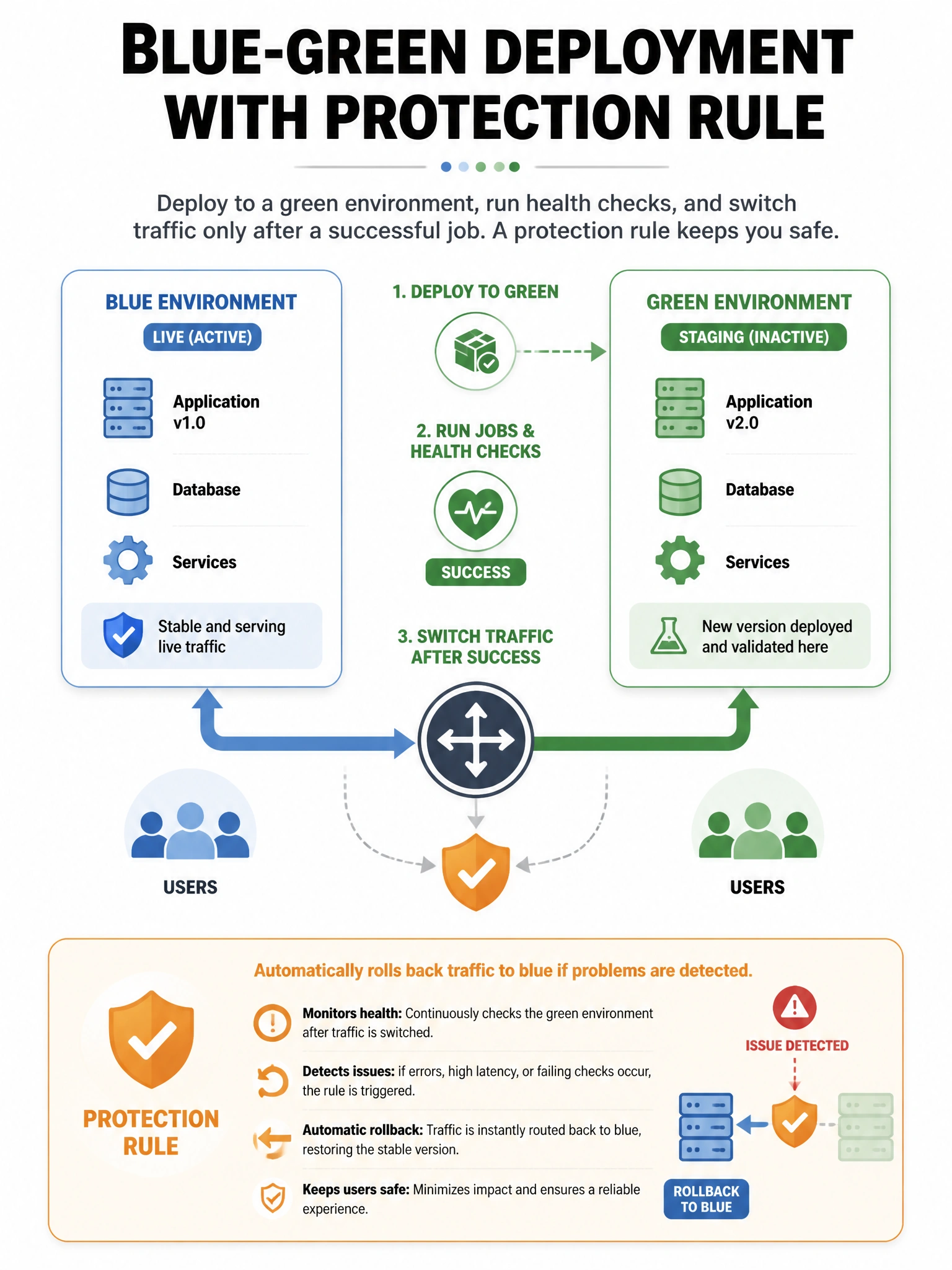
Short Explanation and Infographic
Model blue and green as environments (or slots) with protected deploy jobs and an explicit traffic switch step—Environments gate and record deploys; they are not magical load balancers alone.
Full explanation below image
Full Explanation
GitHub Environments attach protection rules (required reviewers, wait timers, deployment branches) and track deployment history/URLs. A blue-green pattern can use environment names for each stack color plus a final job that flips a router/load balancer after the target color is healthy. Environments alone do not implement load balancing; your deploy scripts and infrastructure do. They are far more than README badges. You can still use GITHUB_TOKEN or OIDC as appropriate; SMS outside GitHub is optional, not mandatory. Combine concurrency groups so two switches do not race, and record the live color as an output or repository variable carefully for the next rollback.