
After registering a self-hosted runner, what command starts the runner to listen for jobs?
Select an answer to reveal the explanation.
Short Explanation and Infographic
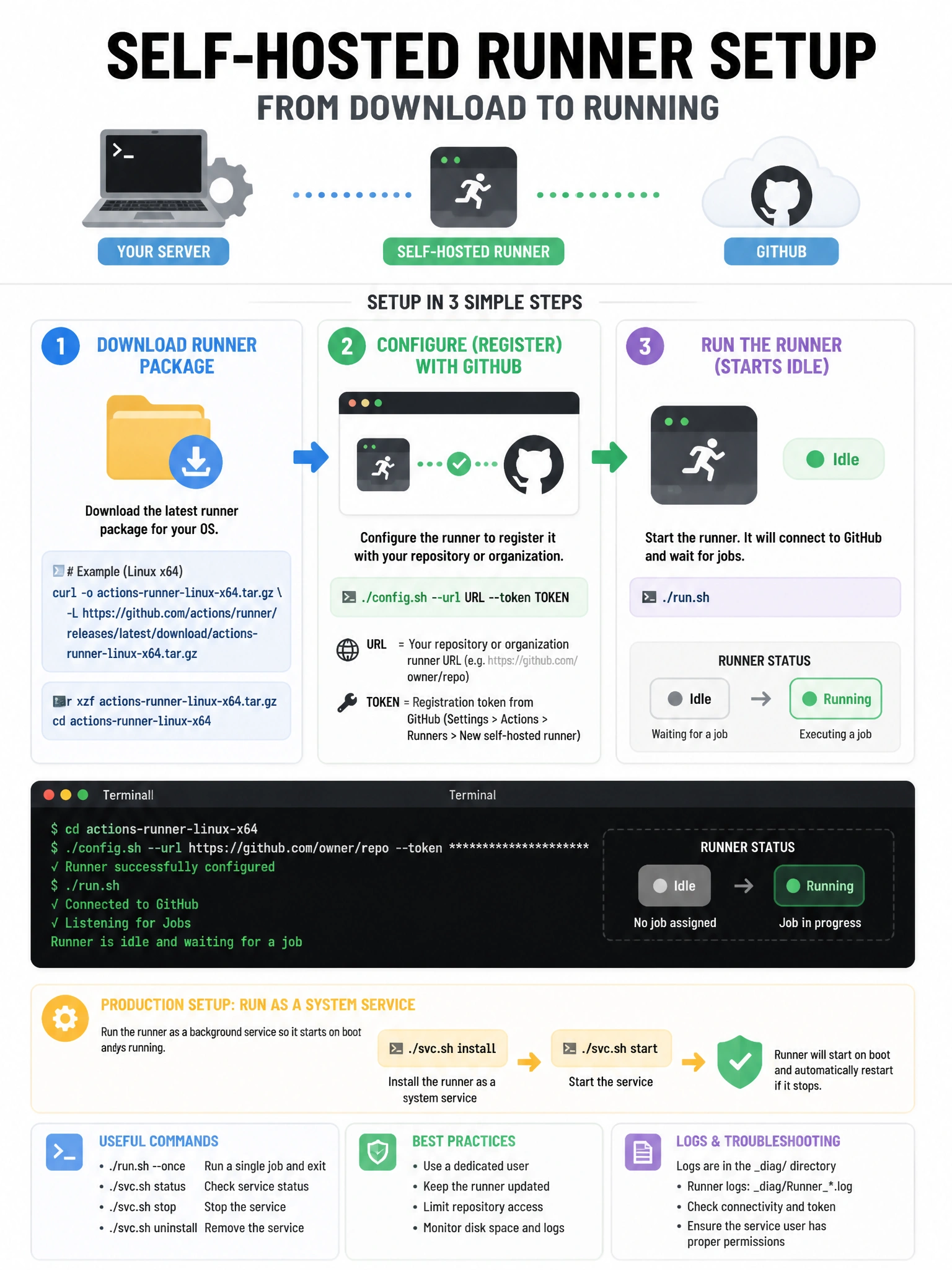
After config.sh registers the runner, ./run.sh is the on switch — it connects to GitHub and starts polling for jobs.
Full explanation below image
Full Explanation
The self-hosted runner application has two main scripts: './config.sh' for registration (connects to GitHub and stores credentials) and './run.sh' to start the runner in the foreground. For production use, you typically install it as a system service with './svc.sh install' and './svc.sh start' (on Linux/macOS) or the equivalent Windows service commands, so the runner starts automatically and survives reboots. './run.sh' runs interactively in the terminal. './install.sh' and './start.sh' don't exist. 'github-runner' is not a system command. The runner is available for download from the GitHub UI during registration.