
How do you set an environment variable that persists for all subsequent steps in the same job?
Select an answer to reveal the explanation.
Short Explanation and Infographic
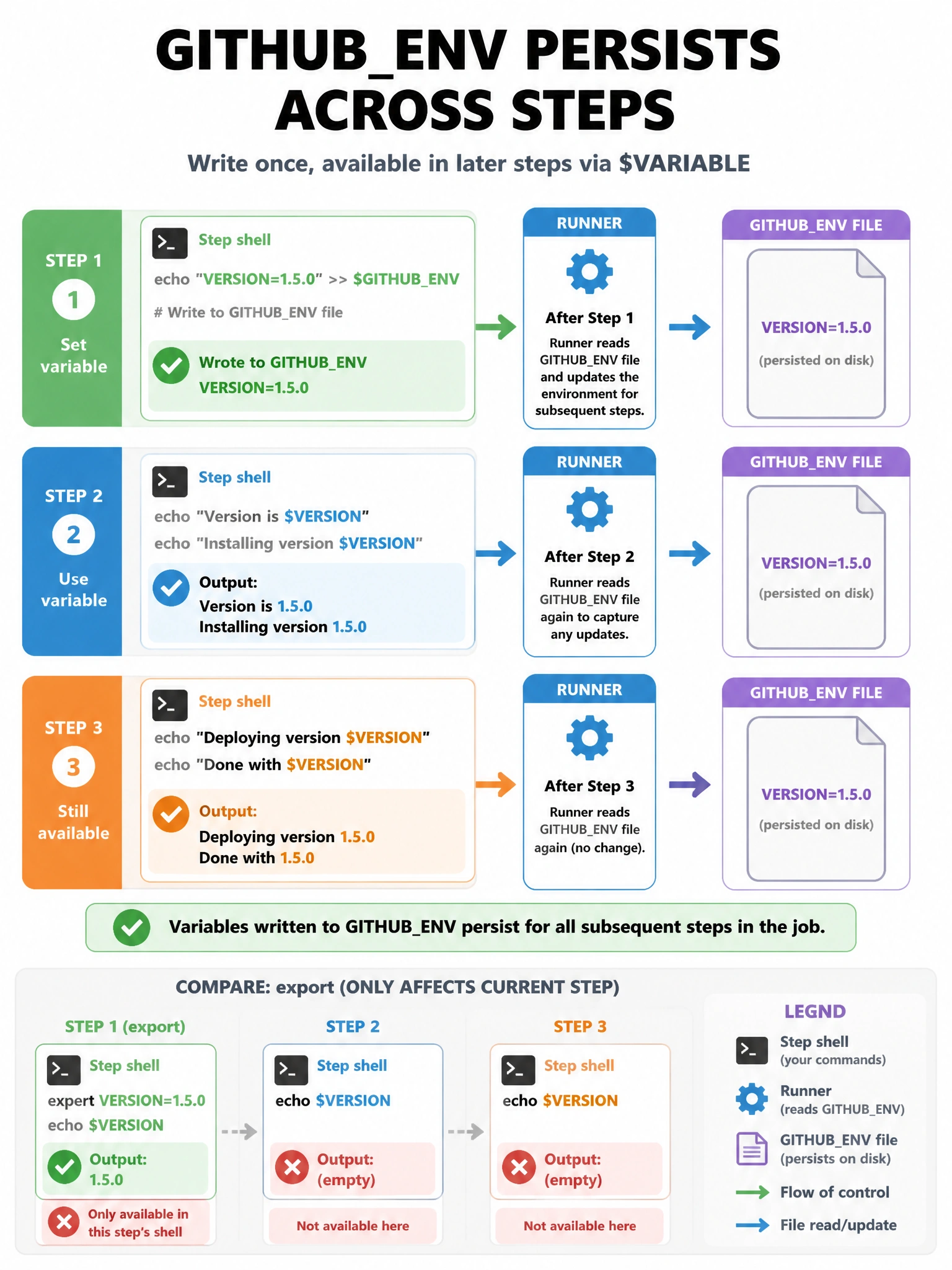
The $GITHUB_ENV file is the inter-step mailbox — append name=value there and every step after sees the variable.
Full explanation below image
Full Explanation
To set an environment variable that persists across steps in a job, write to the $GITHUB_ENV file: 'echo "MY_VAR=value" >> $GITHUB_ENV'. The runner reads this file between steps and injects new variables into subsequent steps' environments. 'export MY_VAR=value' only affects the current step's shell session. Setting 'env:' at the step level only applies to that single step. The '::set-env::' workflow command was deprecated in 2020 due to injection vulnerabilities. The $GITHUB_ENV file-based approach is the current, secure method.