
How do you set the deployment URL shown in the GitHub deployment environment view after a successful deployment job?
Select an answer to reveal the explanation.
Short Explanation and Infographic
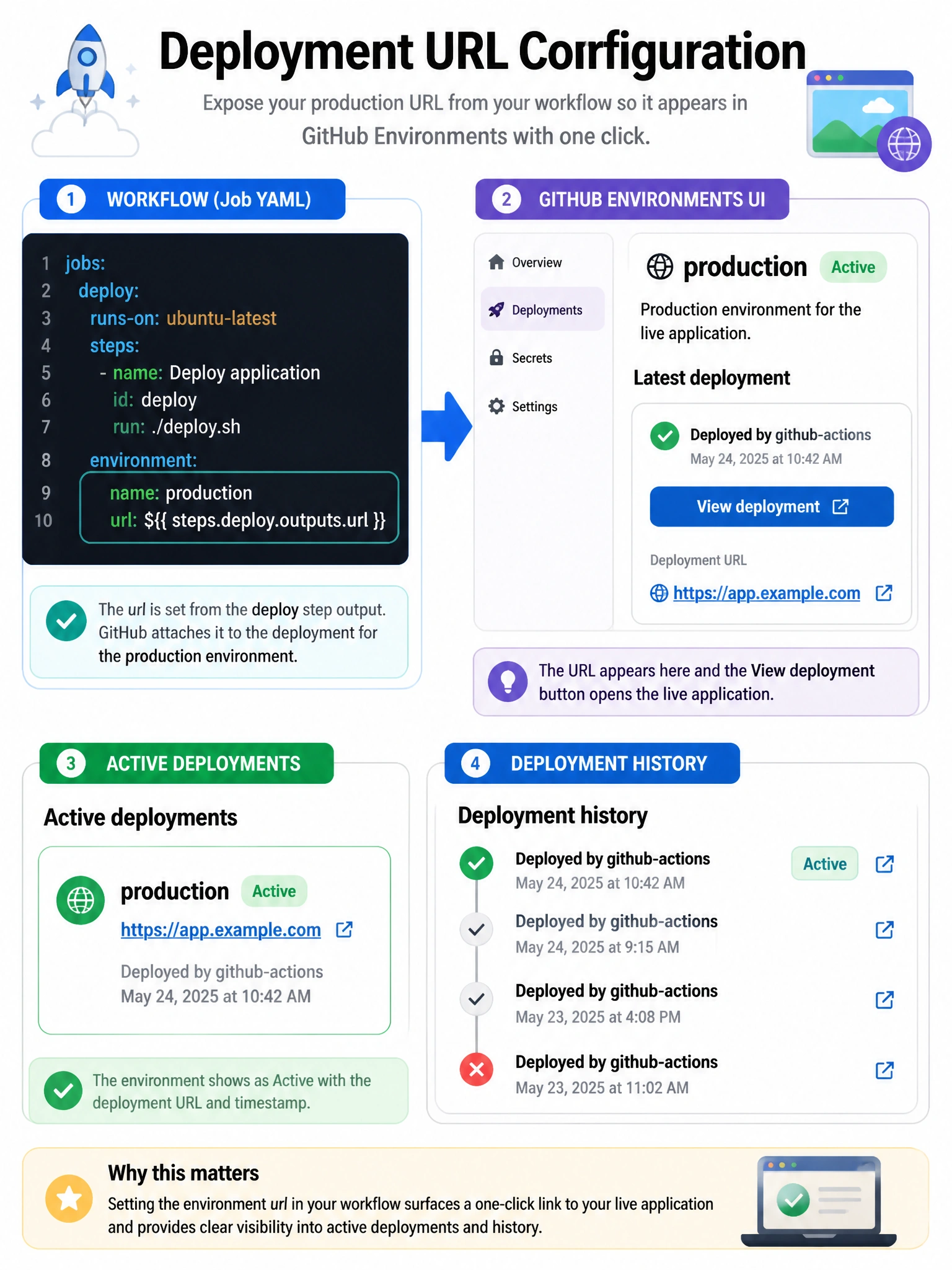
The 'url:' field under 'environment:' in your job links the deployment to a clickable URL in GitHub's deployments panel.
Full explanation below image
Full Explanation
To display a deployment URL in GitHub's environment view and link the GitHub deployment status to the live URL, use the 'environment:' block with both 'name:' and 'url:' fields at the job level. The URL can be a static string or a dynamic expression using step outputs (e.g., from a deploy step that outputs the preview URL). This populates the 'View deployment' button in the GitHub UI, the deployment event in the Activity tab, and the environment's 'Active deployments' section. Setting an environment variable or using actions/create-deployment manually are lower-level alternatives.