
Which action pair is used to share build artifacts between jobs in the same workflow?
Select an answer to reveal the explanation.
Short Explanation and Infographic
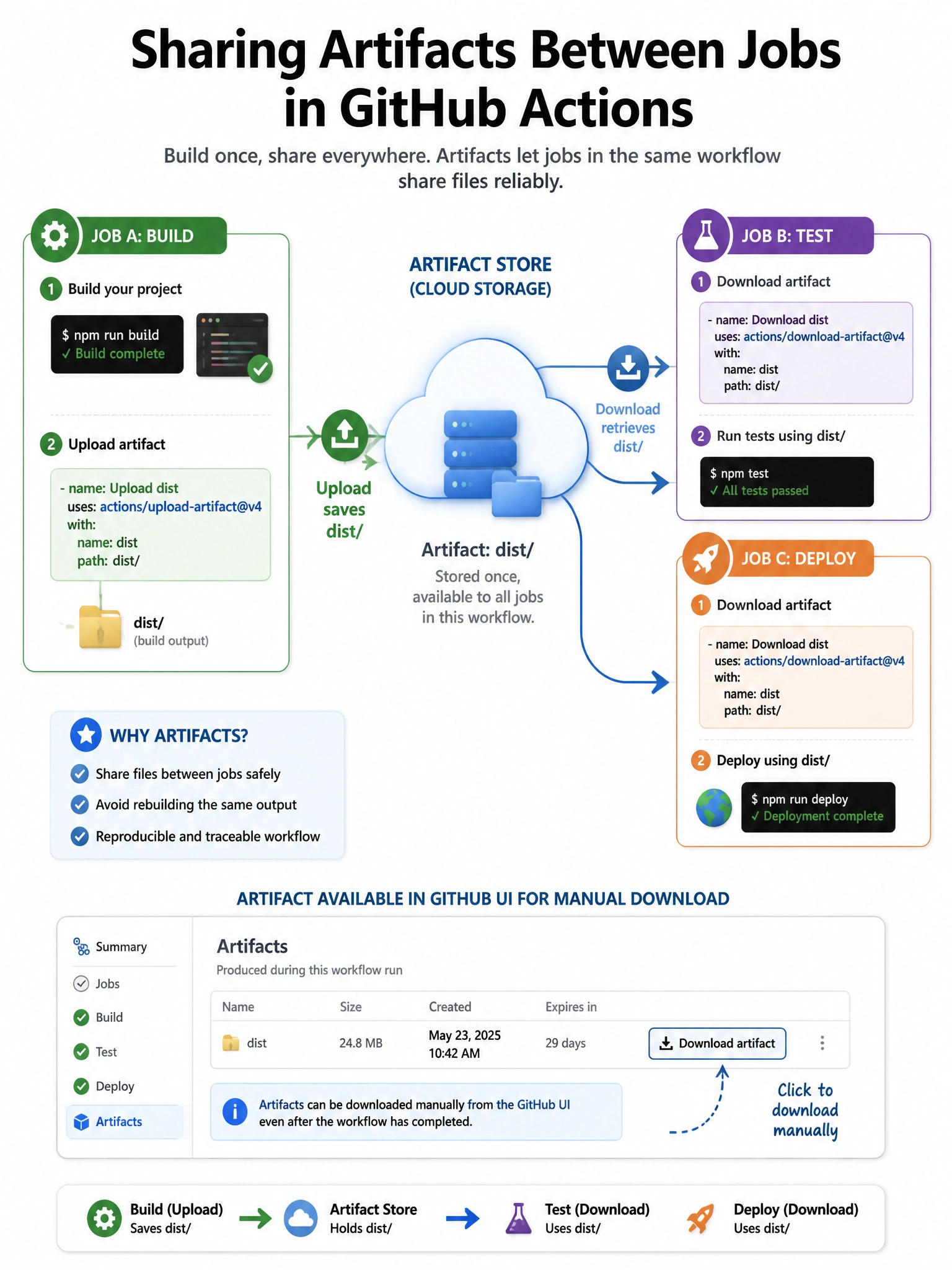
upload-artifact stores files from job A; download-artifact retrieves them in job B — the GitHub artifact store bridges the job boundary.
Full explanation below image
Full Explanation
actions/upload-artifact saves files or directories to GitHub's artifact storage during a workflow run. actions/download-artifact retrieves them in a subsequent job or step. Both actions target the same workflow run by default. Key parameters: 'name' (artifact name), 'path' (files to upload/download destination). Artifacts are available in the GitHub UI for download during the retention period (default 90 days for public repos, configurable). Unlike cache, artifacts are not shared across workflow runs. The actions/cache pair is for performance optimization; upload/download-artifact is for inter-job data sharing.