
When registering a self-hosted runner at the repository level, where do you find the registration token?
Select an answer to reveal the explanation.
Short Explanation and Infographic
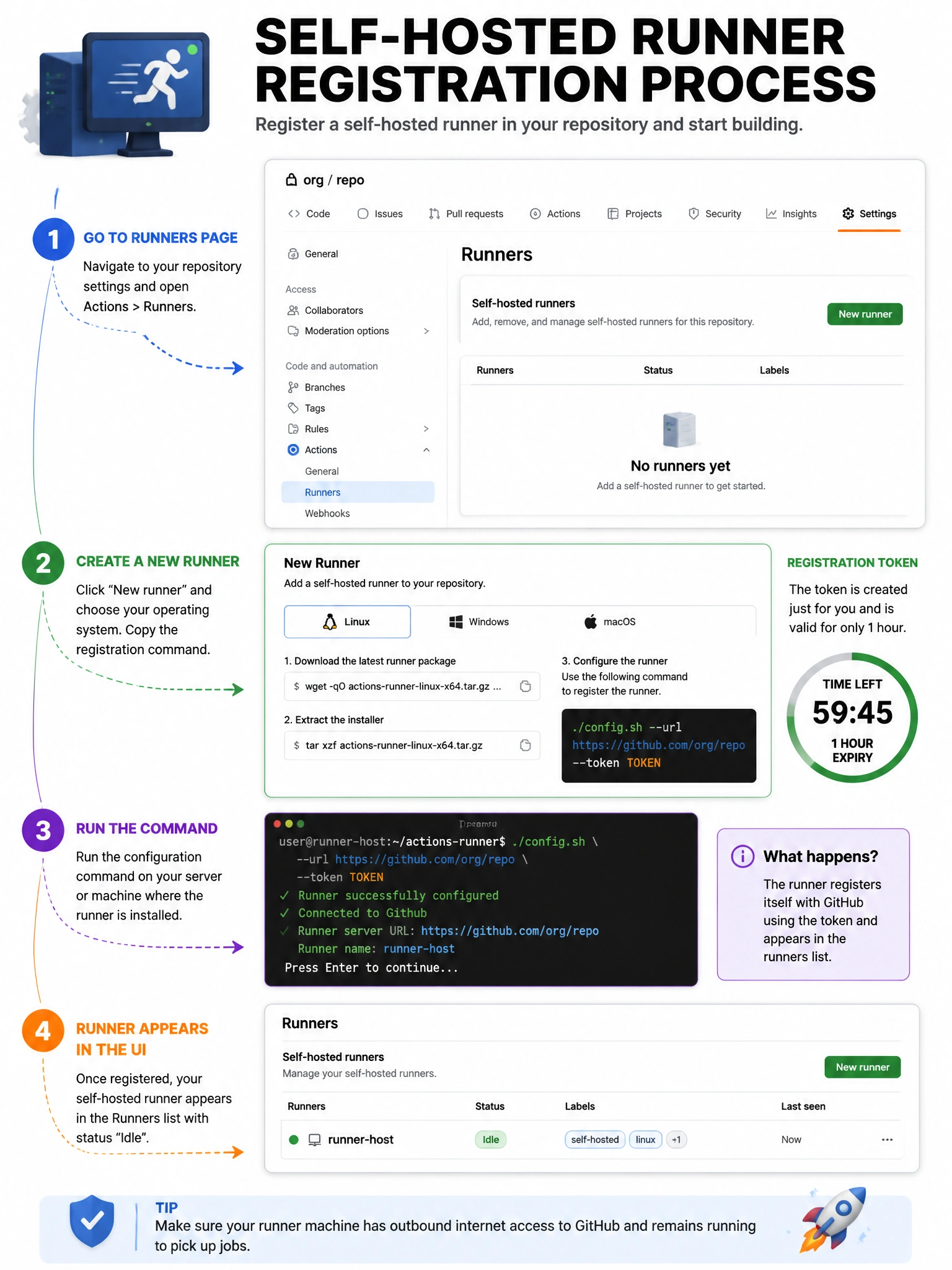
The registration token lives in the repo's Actions runner settings — it's a temporary token that expires after one hour.
Full explanation below image
Full Explanation
To register a repository-level self-hosted runner, navigate to Repository → Settings → Actions → Runners → New self-hosted runner. GitHub provides a unique registration token and guided setup commands. The token expires after 1 hour and is single-use. For organization-level runners, go to Organization → Settings → Actions → Runners. Personal access tokens are for API authentication, not runner registration. Organization billing settings don't provide runner registration tokens. After initial registration, the runner uses a different long-lived token stored in the runner application's credential store.