
An organization must replace the default self-signed certificate on GitHub Enterprise Server with a corporate TLS certificate. Where do administrators typically apply this change?
Select an answer to reveal the explanation.
Short Explanation and Infographic
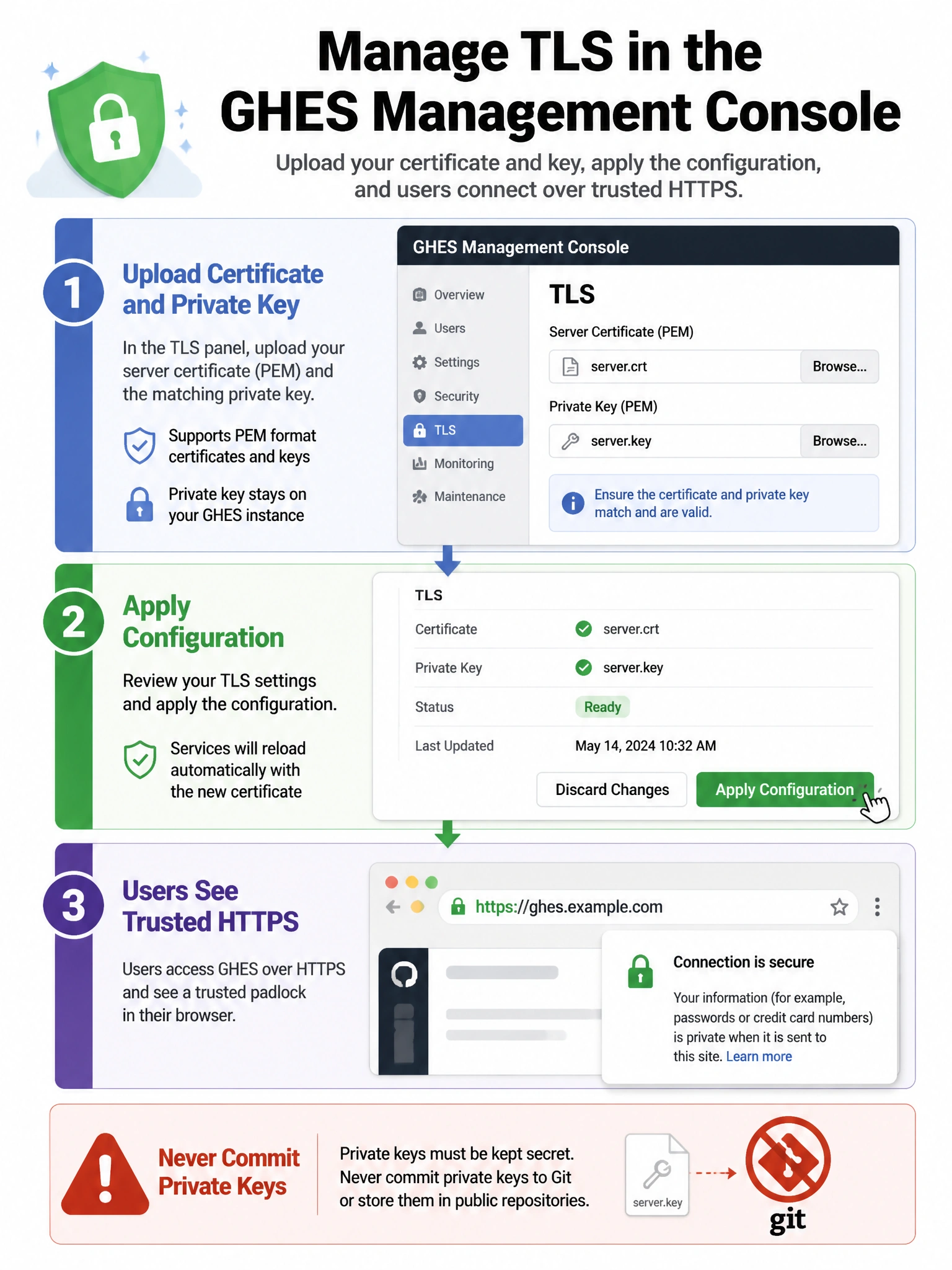
TLS for GHES is an appliance Management Console job—apply config there. Not laptop git config, not github.com Support swaps, and never commit private keys.
Full explanation below image
Full Explanation
GitHub Enterprise Server terminates TLS for the instance using certificates configured on the appliance. Administrators typically upload or configure the corporate certificate and private key via the Management Console (privacy/TLS-related settings) or documented equivalent administrative paths, then run configuration apply so services pick up the new material. Pointing only local git http.sslCAInfo settings does not replace the server certificate presented to all clients. GitHub Support does not swap certificates on github.com for a customer's self-hosted appliance. Committing private keys to repositories is a severe security failure. After rotation, admins should validate browser and Git clients, update any intermediate proxies, and schedule renewals before expiry to avoid outages.