
A GHES administrator needs to upload a custom TLS certificate for the appliance hostname. Which interface is the primary place to configure and apply that certificate?
Select an answer to reveal the explanation.
Short Explanation and Infographic
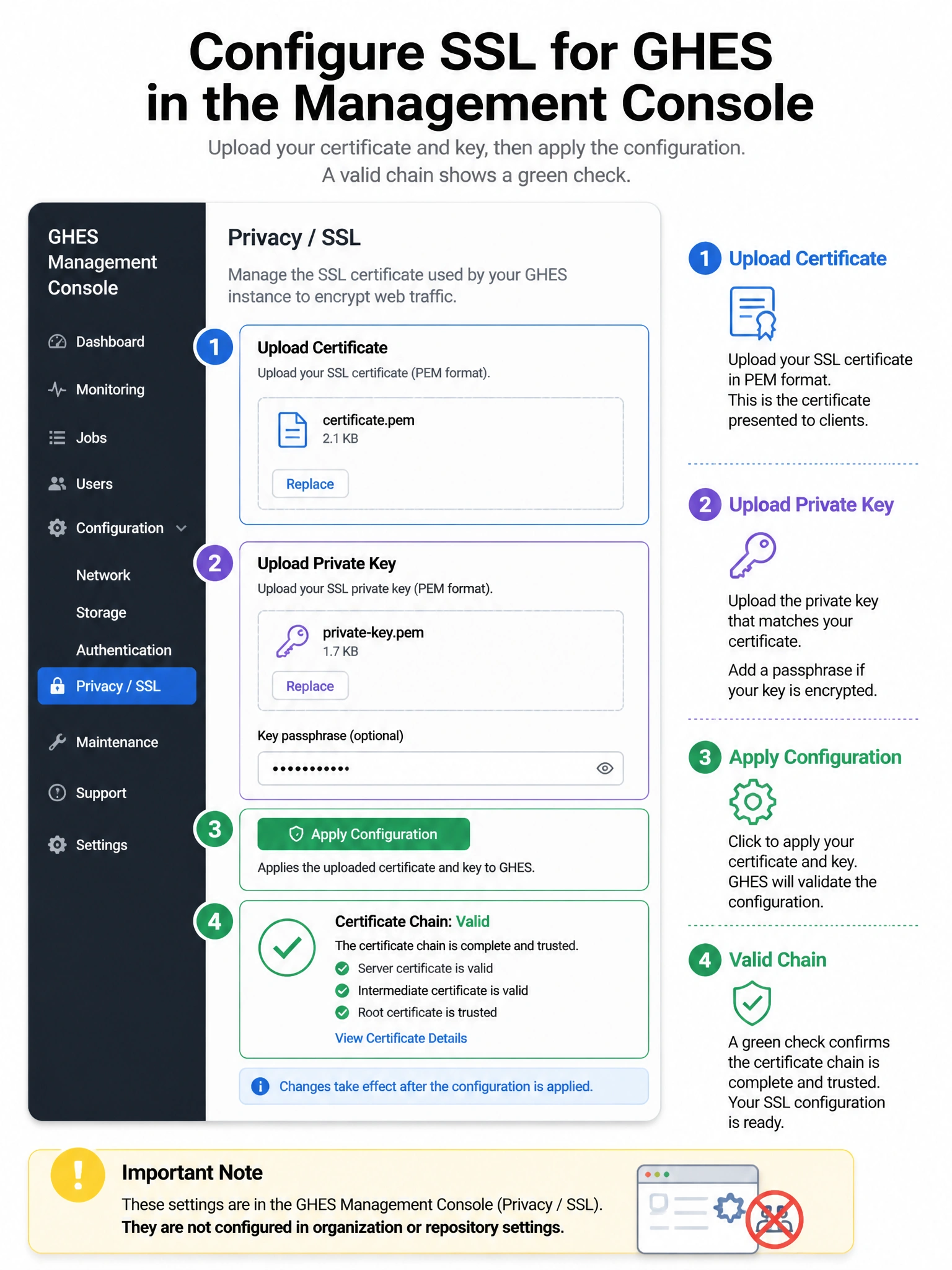
TLS for the whole GHES appliance is an appliance setting, not something you tweak per repo. You go into the Management Console, hit the Privacy (or SSL) area, upload the cert and key, then apply configuration so nginx and friends pick it up. Don't look for this under branch protection or org security on github.com — those are product features, not the self-hosted TLS edge.
Full explanation below image
Full Explanation
The correct answer is the GitHub Enterprise Management Console Privacy settings. Custom TLS certificates for GHES are configured at the appliance level so the web and Git over HTTPS endpoints present a trusted certificate to clients. Administrators authenticate to the Management Console, upload the certificate and private key under Privacy/SSL-related settings, and run configuration apply so services reload. Option A is incorrect because there is no standard github-env repo setting that replaces appliance TLS configuration. Option B refers to GitHub.com/GHEC organization settings and does not control a self-hosted appliance certificate. Option D is unrelated; branch protection governs merge policy, not TLS. After apply, verify the certificate chain with a browser or openssl s_client, ensure intermediate certificates are included, and plan for renewal before expiry to avoid outages.