
An administrator must fail over a GitHub Enterprise Server high-availability pair after the primary appliance becomes unrecoverable. Which command is run on the replica to promote it to the new primary?
Select an answer to reveal the explanation.
Short Explanation and Infographic
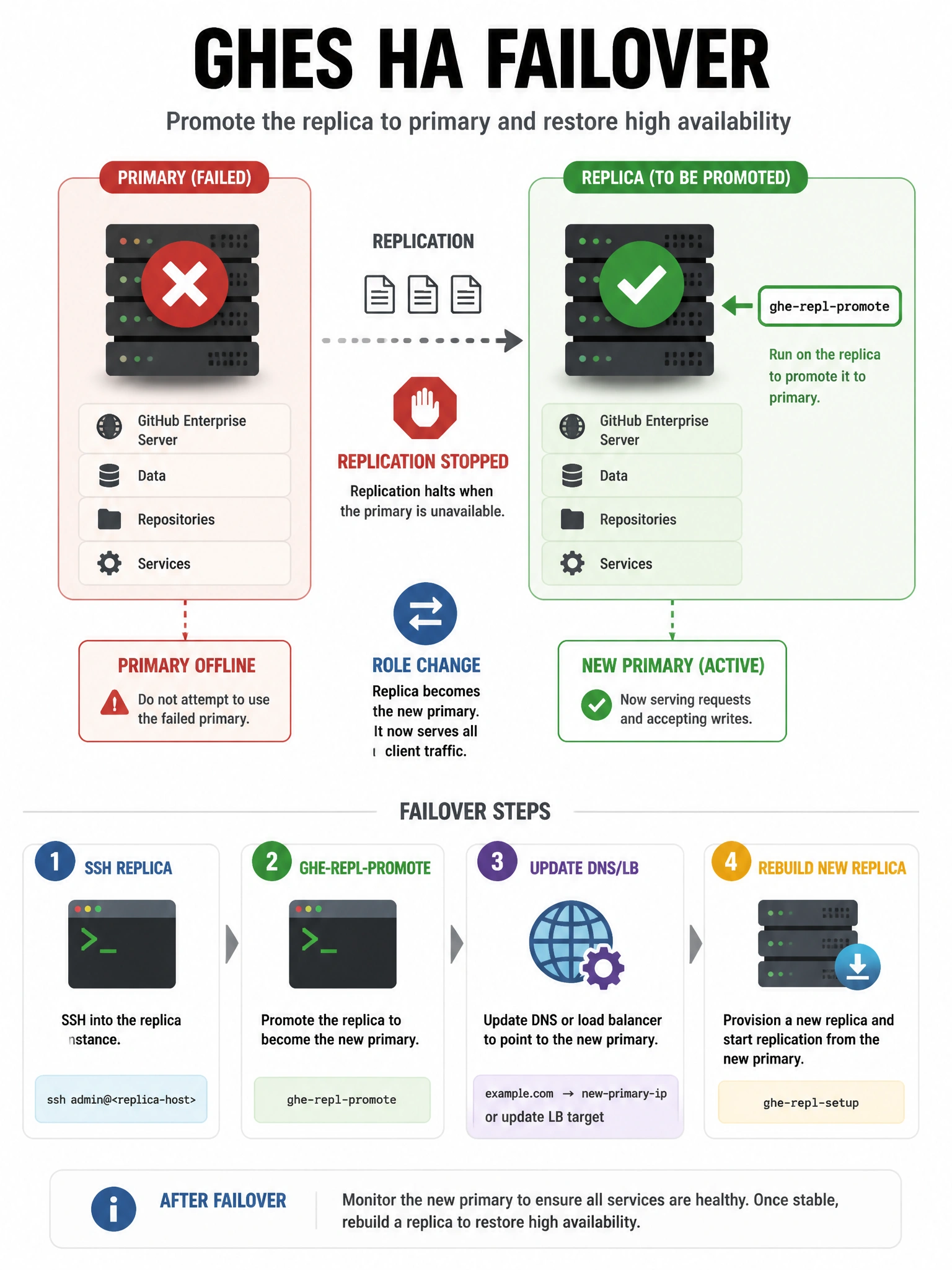
When the primary is dead and you need the replica to take over, you promote it with ghe-repl-promote. That stops replication, reconfigures the node as primary, and gets services ready so users can point at the new active appliance. Don't confuse it with ghe-repl-start (starts replication toward a primary) or config-apply (applies settings). Plan DNS or load-balancer cutover alongside promotion so clients actually hit the new primary.
Full explanation below image
Full Explanation
The correct answer is ghe-repl-promote. In a supported GHES high-availability topology, a replica continuously receives repository and application data from the primary. When the primary fails permanently, an administrator SSHs into the replica and runs ghe-repl-promote to stop replication, reconfigure the node as a primary, and start serving production traffic. Option B (ghe-repl-start) is used when establishing or resuming replication from a primary to a replica, not for failover promotion. Option C (ghe-config-apply) applies configuration changes from the Management Console or ghe-config-set; it does not change HA role. Option D (ghe-cluster-failover) is not the standard HA-pair promotion command; cluster failovers use different cluster tooling. After promotion, update DNS or load-balancer backends, verify ghe-repl-status on any remaining nodes, and rebuild a new replica from the promoted primary for continued HA.