
What does the 'ghe-repl-status' command show in a GitHub Enterprise Server HA setup?
Select an answer to reveal the explanation.
Short Explanation and Infographic
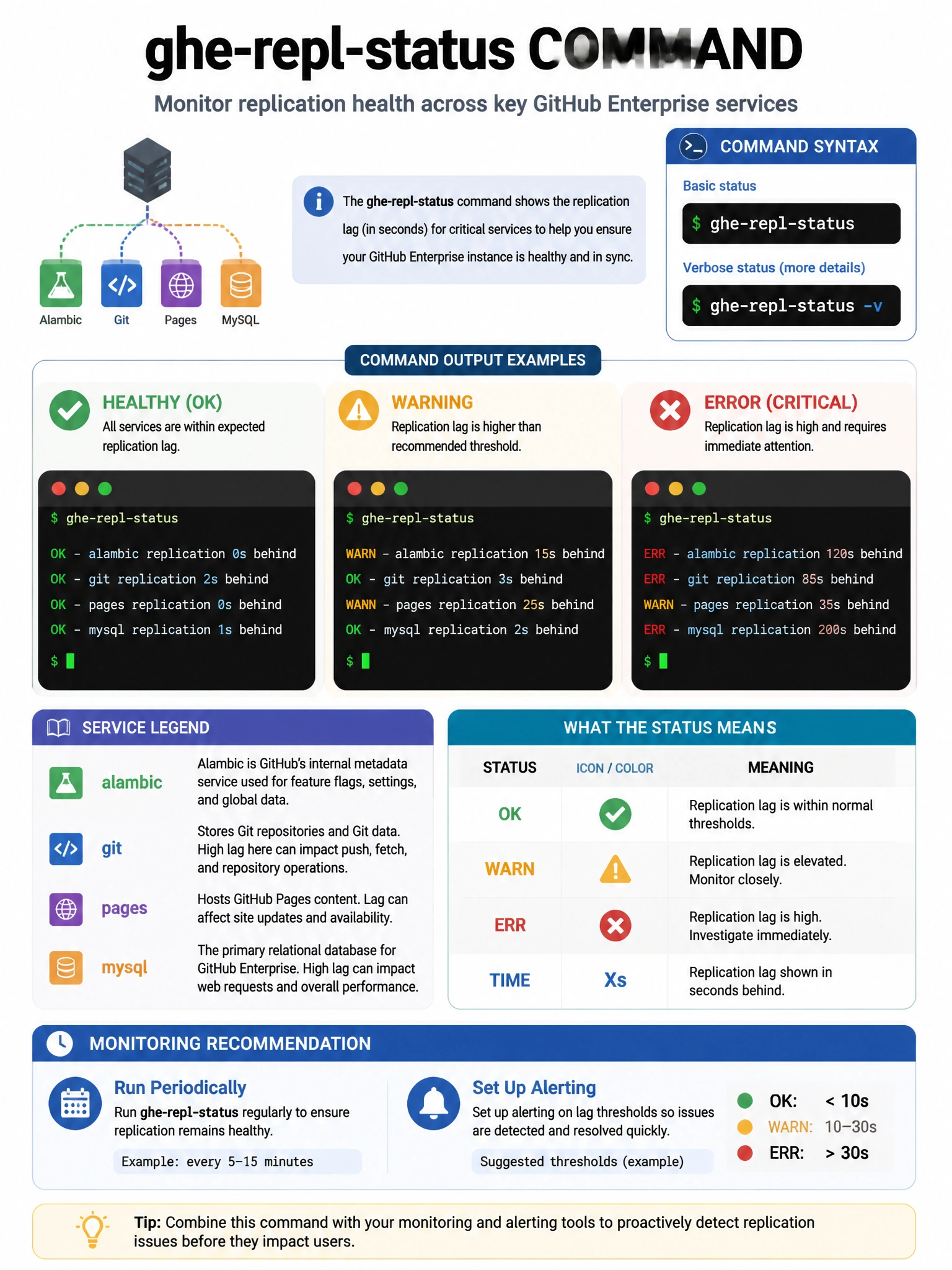
ghe-repl-status is your HA health check. Run it and you see exactly how far behind the replica is across each service (git, pages, alambic, etc.), whether replication is active, and any error states. Low lag numbers mean healthy replication.
Full explanation below image
Full Explanation
The 'ghe-repl-status' command in GitHub Enterprise Server displays the replication status between the primary node and all configured replica nodes. It shows: (1) Replication lag for each service (git repositories, pages, MySQL/database, Redis, Elasticsearch/alambic). (2) Overall replication health (OK, warning, error states). (3) How many bytes/seconds behind each service is. (4) Connection status to each replica. This command is run on either the primary or replica nodes (using the GHES administrative shell via SSH on port 122). A healthy HA setup shows minimal lag across all services. High lag indicates replication issues that should be investigated before they impact failover capability. Adding '-v' provides verbose output.