
What does the 'continue-on-error' setting do in a GitHub Actions job or step?
Select an answer to reveal the explanation.
Short Explanation and Infographic
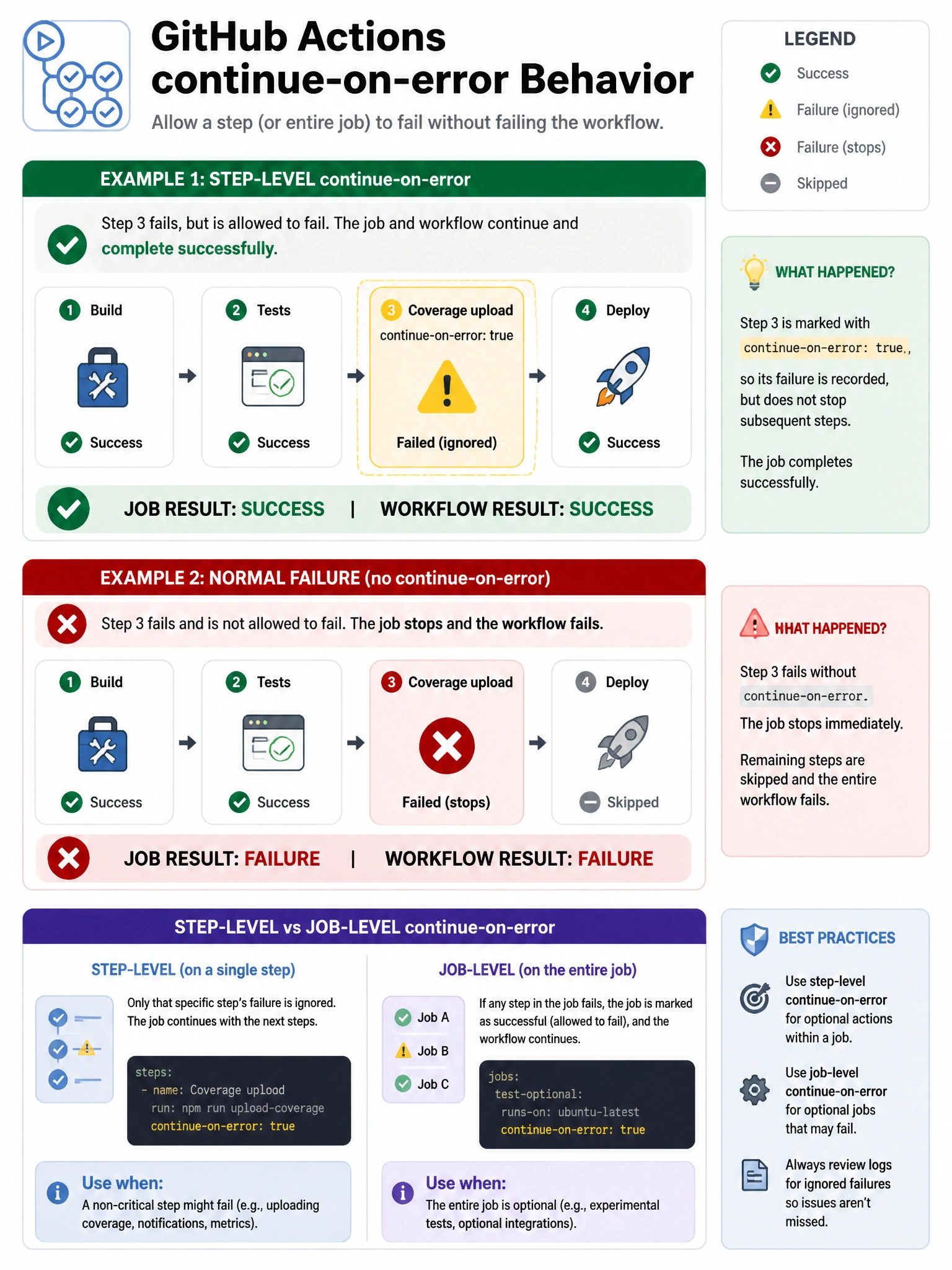
continue-on-error is your 'failure is OK here' flag. Mark a step or job with it and a failure there won't red-X the whole workflow run. Good for optional jobs like coverage reporting where you want to proceed even if something doesn't work.
Full explanation below image
Full Explanation
The 'continue-on-error' setting in GitHub Actions controls whether a workflow run is marked as failed when a specific job or step fails. When set to 'true': (1) If the step/job fails, the workflow continues executing subsequent steps/jobs. (2) The overall workflow run is NOT marked as failed — it shows as 'success' even though the individual step/job failed. (3) The step/job itself is marked with a warning or special status. This is useful for: optional steps like code coverage uploads, notifications that shouldn't block the pipeline, experimental jobs, or non-critical checks. Important distinction from 'if: always()' — continue-on-error is about the final run status; 'if: always()' is about conditional execution of subsequent steps.