
What is the purpose of 'default working directory' and 'default shell' settings in GitHub Actions?
Select an answer to reveal the explanation.
Short Explanation and Infographic
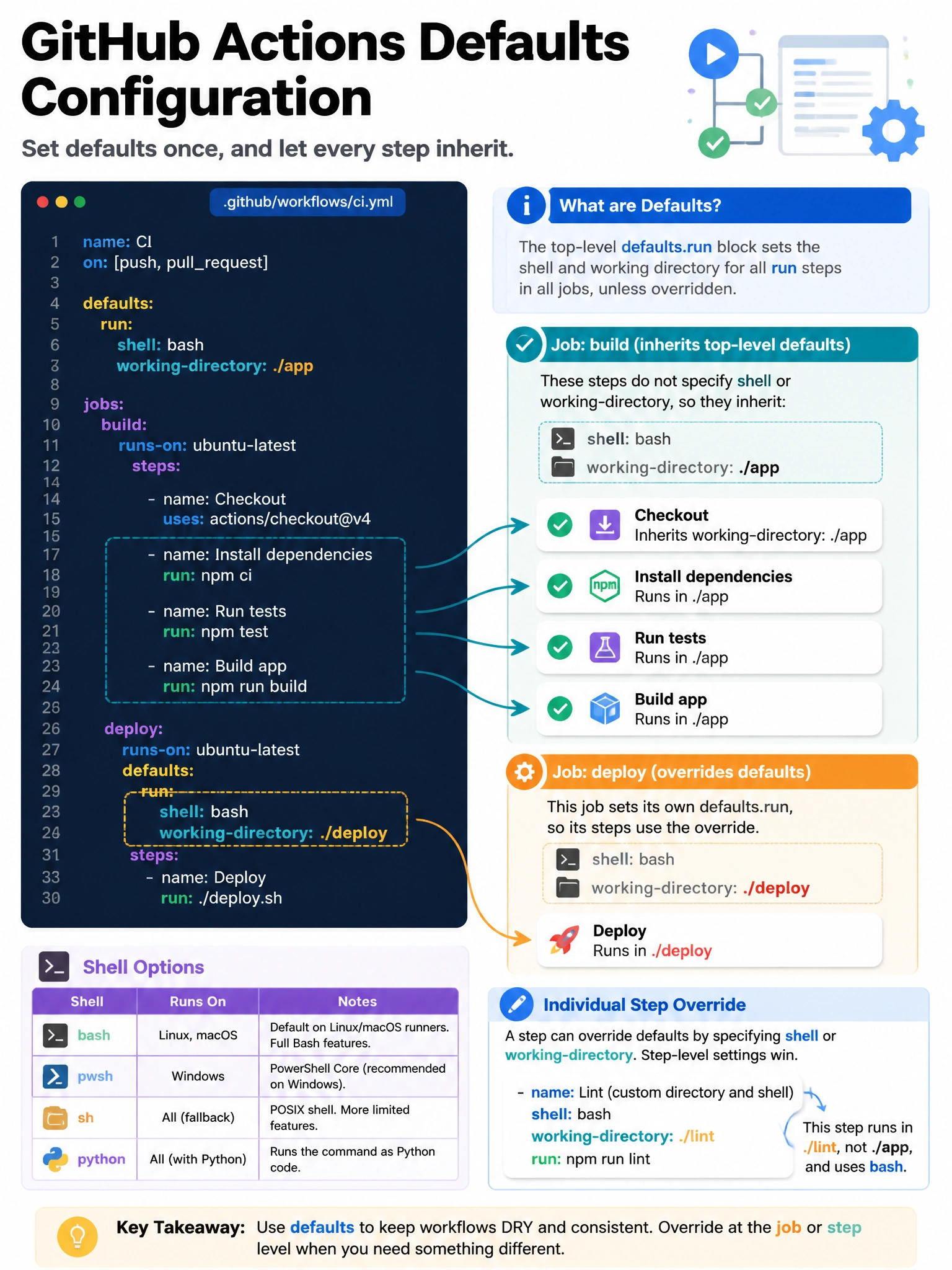
The 'defaults' block is how you set consistent context for all your steps without repeating yourself. Set the working directory once for the whole workflow and every step runs there by default — no need to 'cd' in every step.
Full explanation below image
Full Explanation
The 'defaults' key in GitHub Actions workflow YAML allows setting default values for run steps across an entire workflow or specific job. Configuration: (1) Workflow-level defaults apply to all jobs in the workflow. (2) Job-level defaults override workflow-level defaults for that specific job. (3) Step-level 'shell' and 'working-directory' still override the defaults for individual steps. Common configurations: 'defaults: run: shell: bash' (force bash even on Windows runners), 'defaults: run: working-directory: ./src' (all steps run in the src directory by default). This reduces repetitive 'cd' commands and ensures consistent shell behavior across platforms. Available shells include bash, sh, pwsh (PowerShell), python, and cmd (Windows).