
Which GitHub branch protection setting prevents repository administrators from bypassing required status checks?
Select an answer to reveal the explanation.
Short Explanation and Infographic
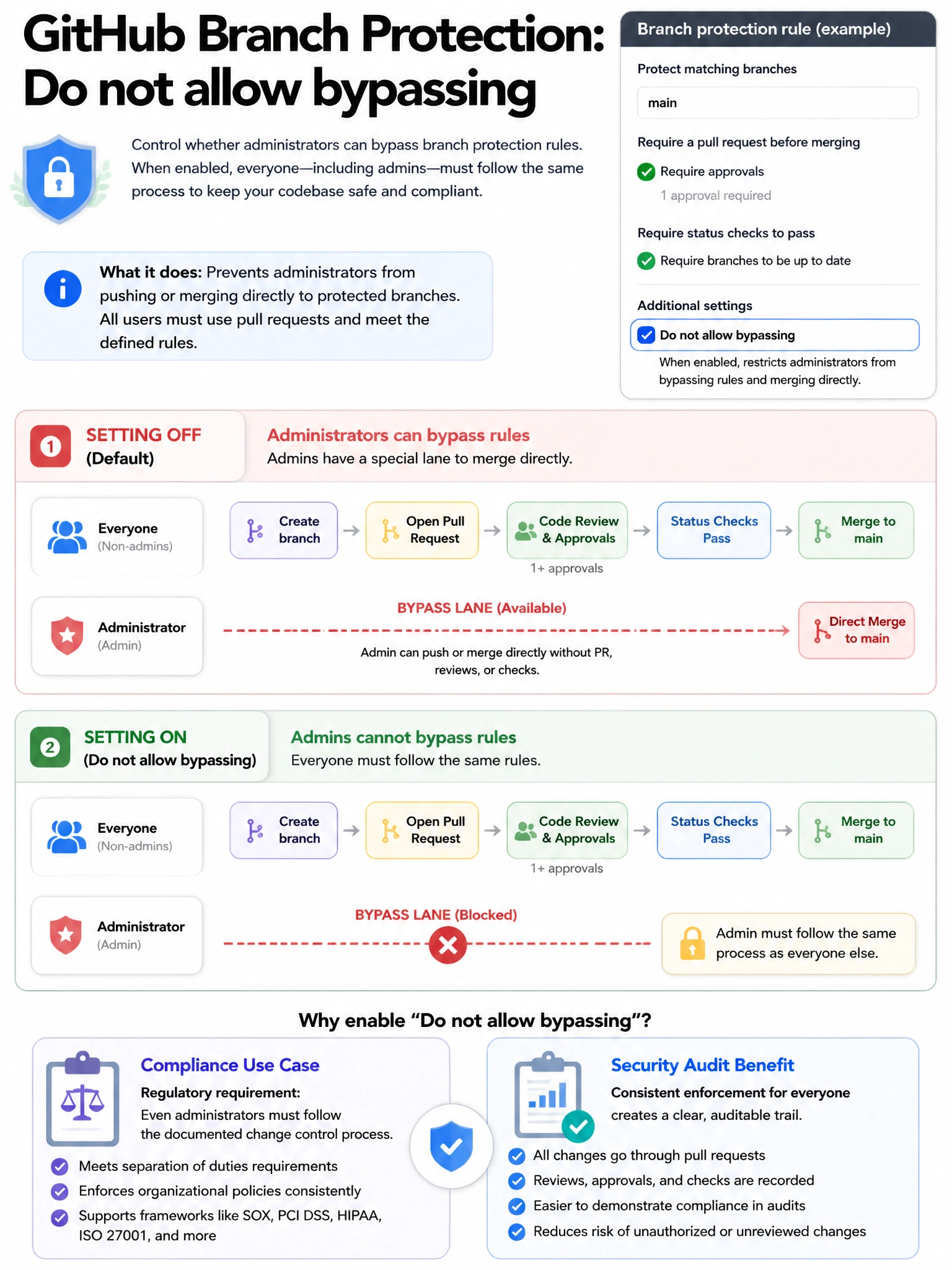
By default, repository admins can bypass branch protection — they're the exception to their own rules. But 'Do not allow bypassing' removes that escape hatch. When enabled, even admins must follow the required checks and reviews.
Full explanation below image
Full Explanation
Branch protection rules in GitHub have an important option: 'Do not allow bypassing the above settings' (also called 'Include administrators' or 'Enforce for administrators'). When this setting is enabled, repository administrators and organization owners CANNOT bypass the configured branch protection requirements — they must follow the same rules as all other contributors. Without this setting, administrators can merge PRs that fail required checks, skip required reviews, or push directly to protected branches. Enabling this creates truly enforced controls that apply universally. This is critical for compliance environments where policies must be enforced without exceptions, even for privileged users. Repository rulesets have a similar concept through the bypass list — if no bypass actors are defined for admins, admins are also subject to the rules.