
What is the GitHub 'Codespaces' security consideration for enterprises, and what policies can admins configure?
Select an answer to reveal the explanation.
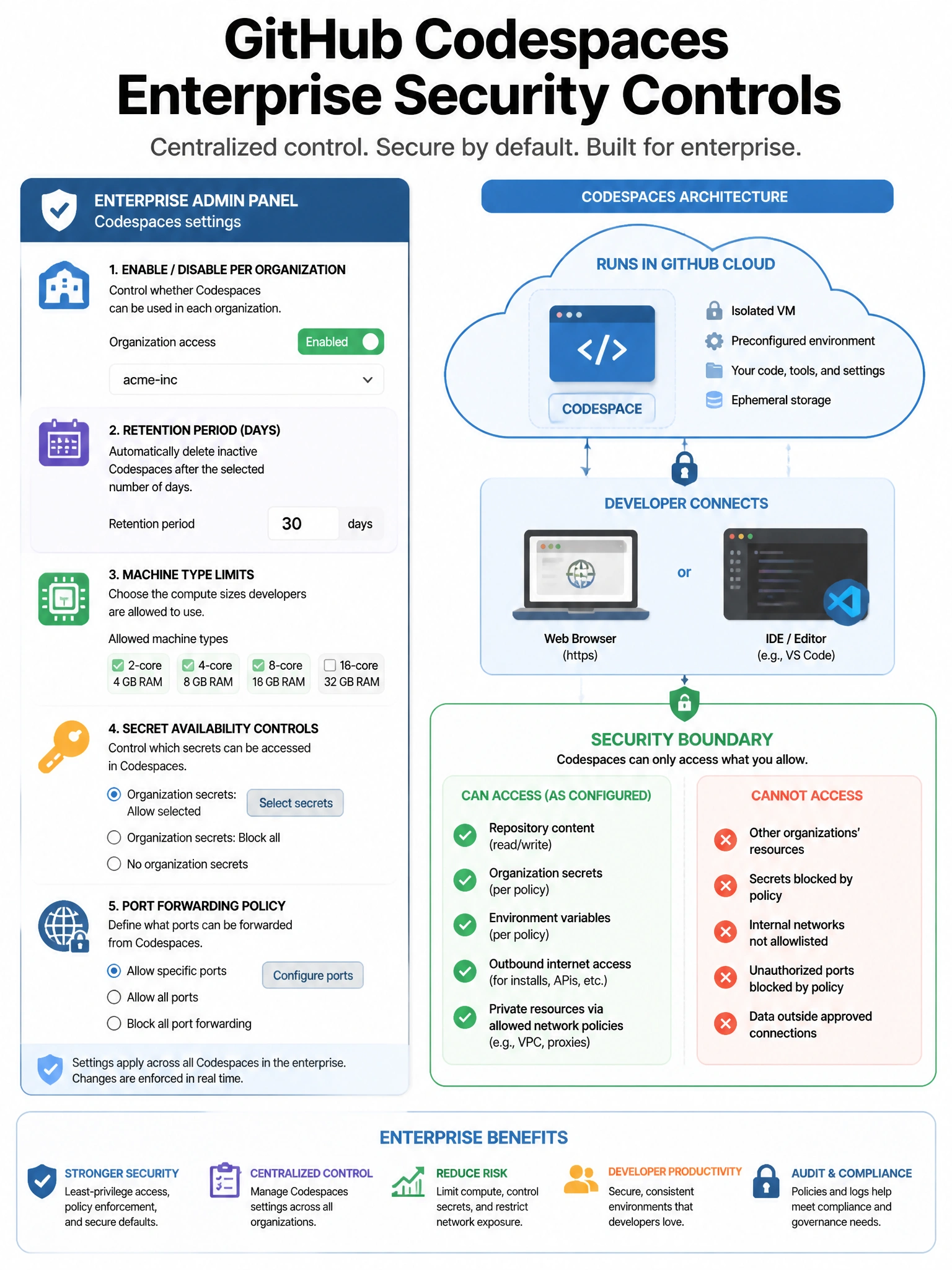
Short Explanation and Infographic
Codespaces run your code in GitHub's cloud, which means admins need to think about what code goes there and what secrets might be accessible. Enterprise policies let admins decide which repos can spin up Codespaces and which user secrets can be shared.
Full explanation below image
Full Explanation
GitHub Codespaces provides cloud-based development environments. Enterprise security considerations and admin controls include: (1) Codespaces enablement — enterprise/org owners can enable or disable Codespaces for specific organizations or repositories. (2) Retention policy — administrators can set how long inactive Codespaces persist (reducing orphaned environments). (3) Machine type limits — control the compute resources available to control costs. (4) Secret access — organization secrets can be configured to be available (or not) in Codespaces for authorized repositories. (5) Port forwarding policies — control whether developers can make forwarded ports public. (6) Editor restrictions — limit which editors can be used with Codespaces. These controls are important because Codespaces run code in GitHub's infrastructure and may have access to secrets and proprietary code.