
What happens to forked repositories when the parent repository is deleted?
Select an answer to reveal the explanation.
Short Explanation and Infographic
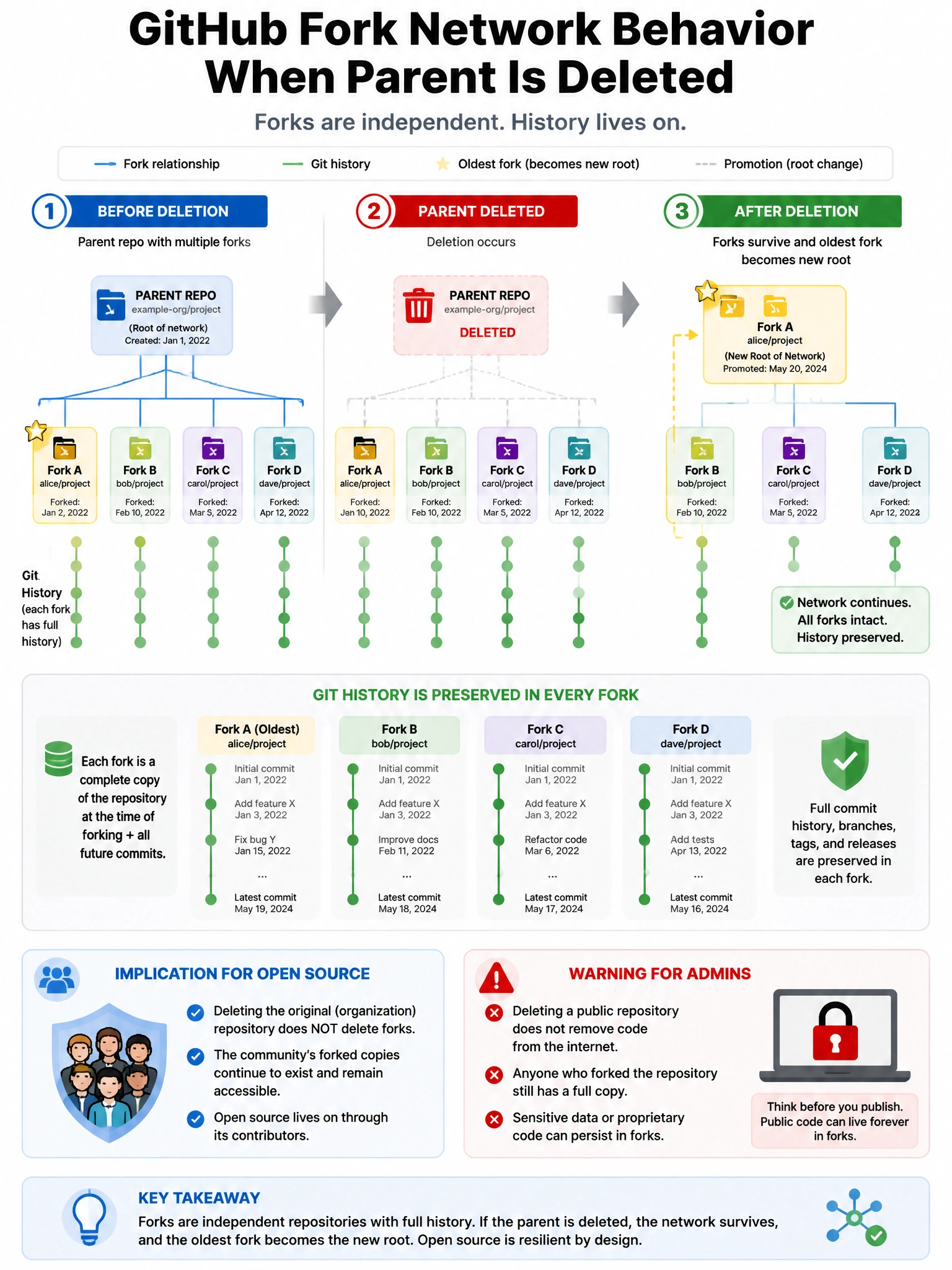
Forks are survivors. If you delete the parent repo, the forks don't vanish — they become independent repositories. GitHub promotes the oldest fork to the new network root if there are multiple forks, preserving the codebase.
Full explanation below image
Full Explanation
GitHub forks have independent existence from their parent repository. When a parent repository is deleted: (1) All forks continue to exist as independent repositories — they are NOT deleted. (2) GitHub's fork network reorganizes — typically the oldest fork (or one selected by GitHub's algorithm) becomes the new 'root' of the fork network. (3) The deleted parent's git history is preserved in the forks. (4) The URL of the parent no longer works, but all fork URLs continue to work. This is important for open source projects: even if the original repository is deleted (intentionally or accidentally), the community's forks preserve the codebase. Organization admins should be aware that deleting a repo with public forks doesn't remove the code from the internet.