
How does GitHub handle repository transfers between organizations?
Select an answer to reveal the explanation.
Short Explanation and Infographic
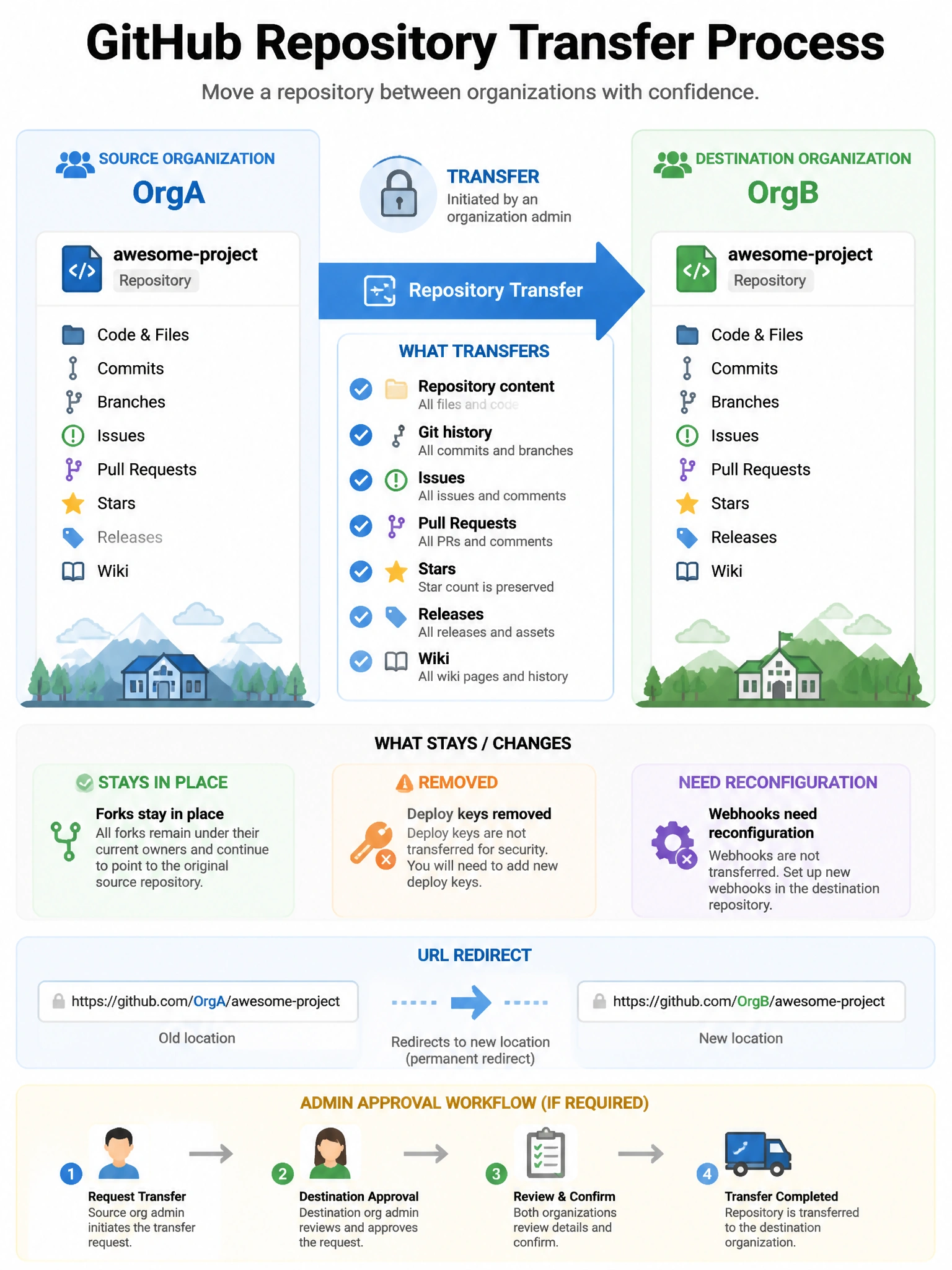
Transfers move the repo and most of its data — issues, PRs, wiki, releases, stars. Forks stay put but get a network pointer to the new location. Existing redirect URLs from the old location help users find the moved repo.
Full explanation below image
Full Explanation
When a GitHub repository is transferred to another organization: (1) The repository moves to the new organization with its full git history, branches, tags, releases, issues, pull requests, milestones, wikis, and star count. (2) Forks are NOT transferred — they remain in their current locations, but GitHub maintains the network relationship. (3) Redirects are set up from the old URL to the new location for a period of time. (4) Deploy keys are removed — they must be re-added after the transfer. (5) Integration and webhook settings may need to be reconfigured. (6) Watchers receive a notification about the transfer. The new organization must have available repository slots. Both the sending and receiving organization owners may need to approve the transfer depending on settings.