
How can an organization restrict which users are allowed to create repositories?
Select an answer to reveal the explanation.
Short Explanation and Infographic
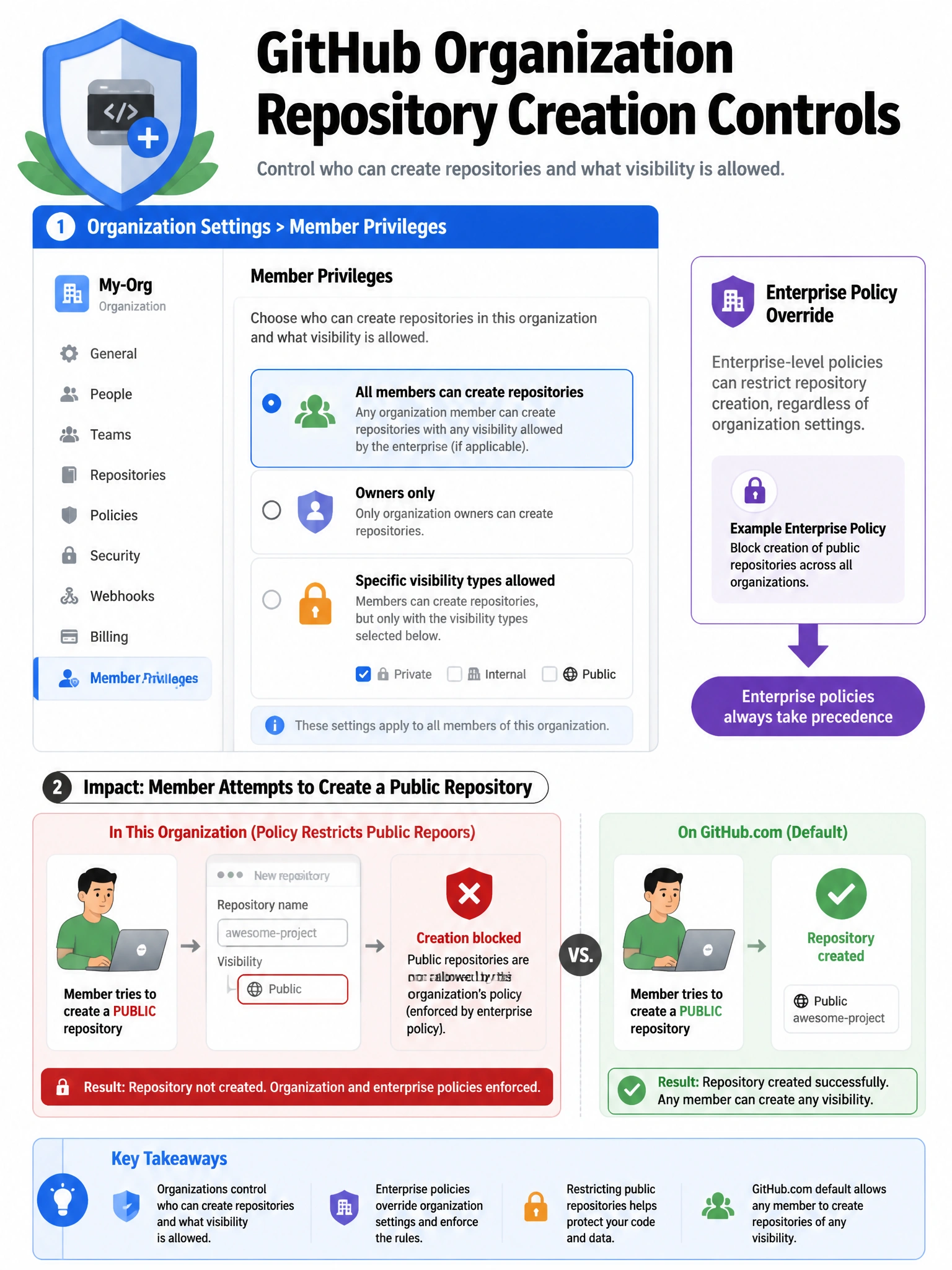
Repository creation policy lives in Organization Settings > Member privileges. You pick whether all members can create repos or only owners can, and you specify allowed types (public, private, internal). It's a common first-step governance control.
Full explanation below image
Full Explanation
GitHub organization owners can control repository creation through Organization Settings > Member privileges > Repository creation. Options typically include: (1) All members can create repositories (public, private, or both types), (2) Only organization owners can create repositories, (3) Members can create repositories of specific visibility types (e.g., members can create private repos but not public ones). Enterprise-level policies can enforce these settings across all organizations in the enterprise, preventing individual org owners from changing them. This is a fundamental governance control to prevent repository sprawl and ensure new code lands in the right place with proper configuration.