
What is the difference between 'outside collaborators' and 'organization members' in GitHub?
Select an answer to reveal the explanation.
Short Explanation and Infographic
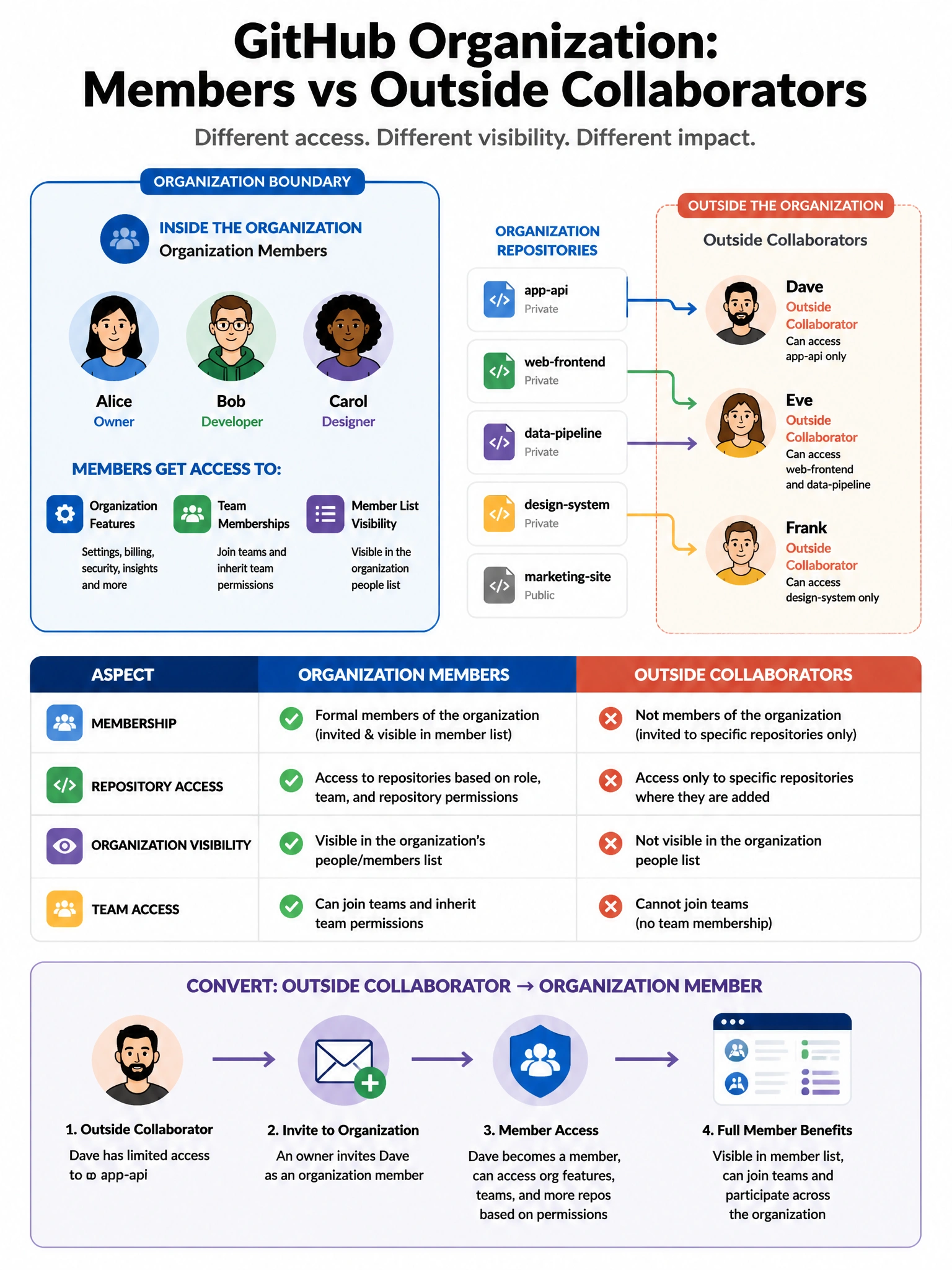
Outside collaborators are the contractor analogy: they get access to specific repos you've explicitly invited them to, but they're not part of the org family. Members are inside the organization and can access org-level resources.
Full explanation below image
Full Explanation
GitHub organizations distinguish between two types of external access: (1) Organization Members — users who have been invited to and accepted membership in the organization. Members can have access to all organization repositories based on their role and team memberships, can see the organization's member list, and participate in organization-level features. (2) Outside Collaborators — non-members who have been granted access to specific repositories within the organization. They are not organization members, cannot see the full member list by default, and only have access to the specific repositories they've been added to. Outside collaborators are common for contractors, open source contributors, or partner organizations. Organization owners can convert outside collaborators to members and vice versa.