
What is the purpose of GitHub's 'Verified domains' feature for organizations?
Select an answer to reveal the explanation.
Short Explanation and Infographic
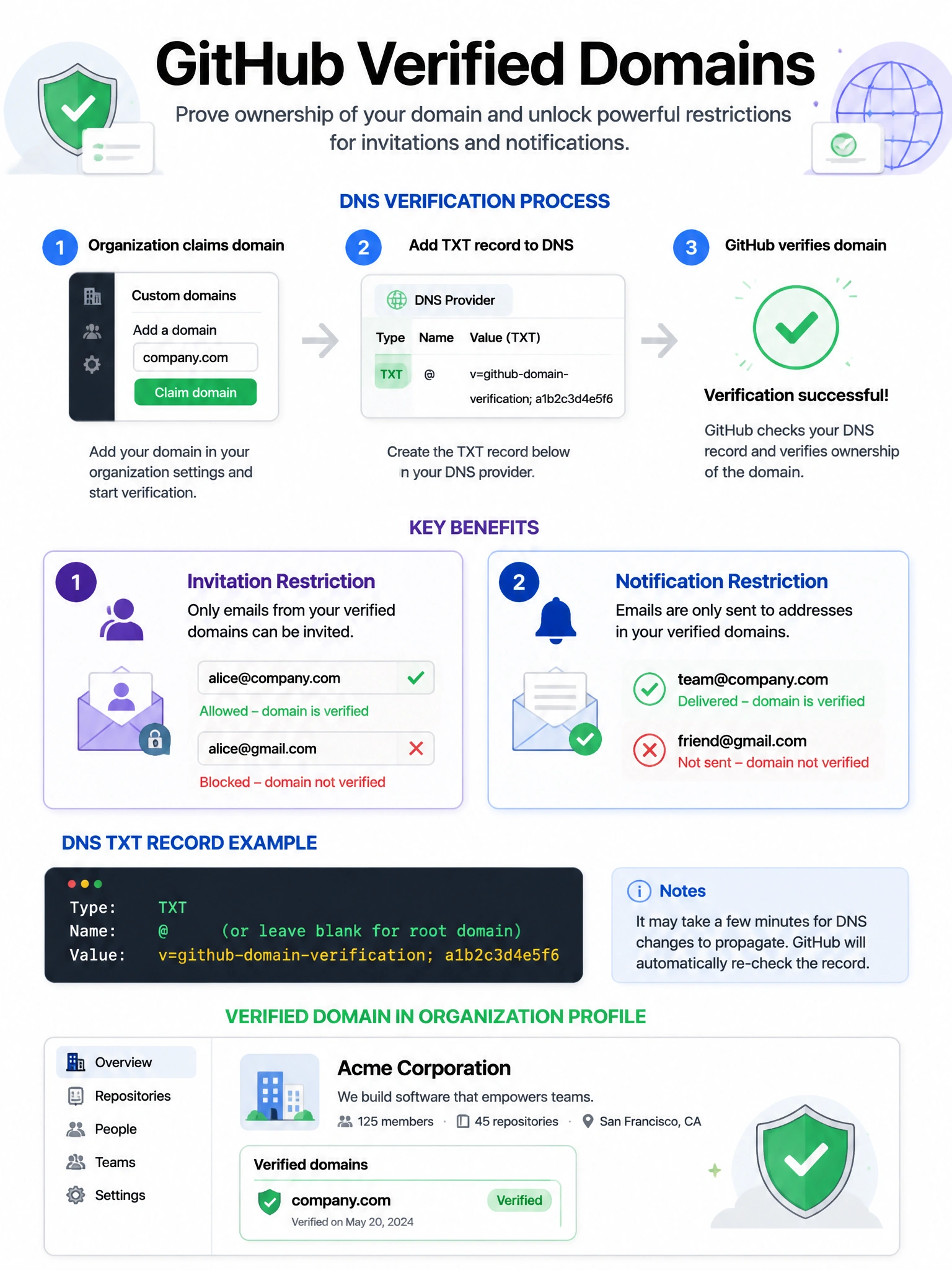
Verified domains let you prove to GitHub that your org actually owns a domain. Once verified, you can restrict org membership invitations to emails on that domain and route notifications only to verified email addresses. It's your domain-based identity fence.
Full explanation below image
Full Explanation
The 'Verified domains' feature in GitHub organizations serves two purposes: (1) Restrict membership invitations — when domains are verified, you can configure the organization to only allow invitations to email addresses on verified domains, preventing accidental invitations to personal email addresses. (2) Email notification restriction — you can limit organization email notifications to only go to email addresses on verified domains. To verify a domain, an organization owner must add a DNS TXT record to prove ownership of the domain. Verified domains also display a verification checkmark on the organization's public profile page, indicating trust. This is separate from SAML assertion validation and is specifically about domain ownership verification for membership control.