
How can an organization owner verify that all organization members are using SAML SSO?
Select an answer to reveal the explanation.
Short Explanation and Infographic
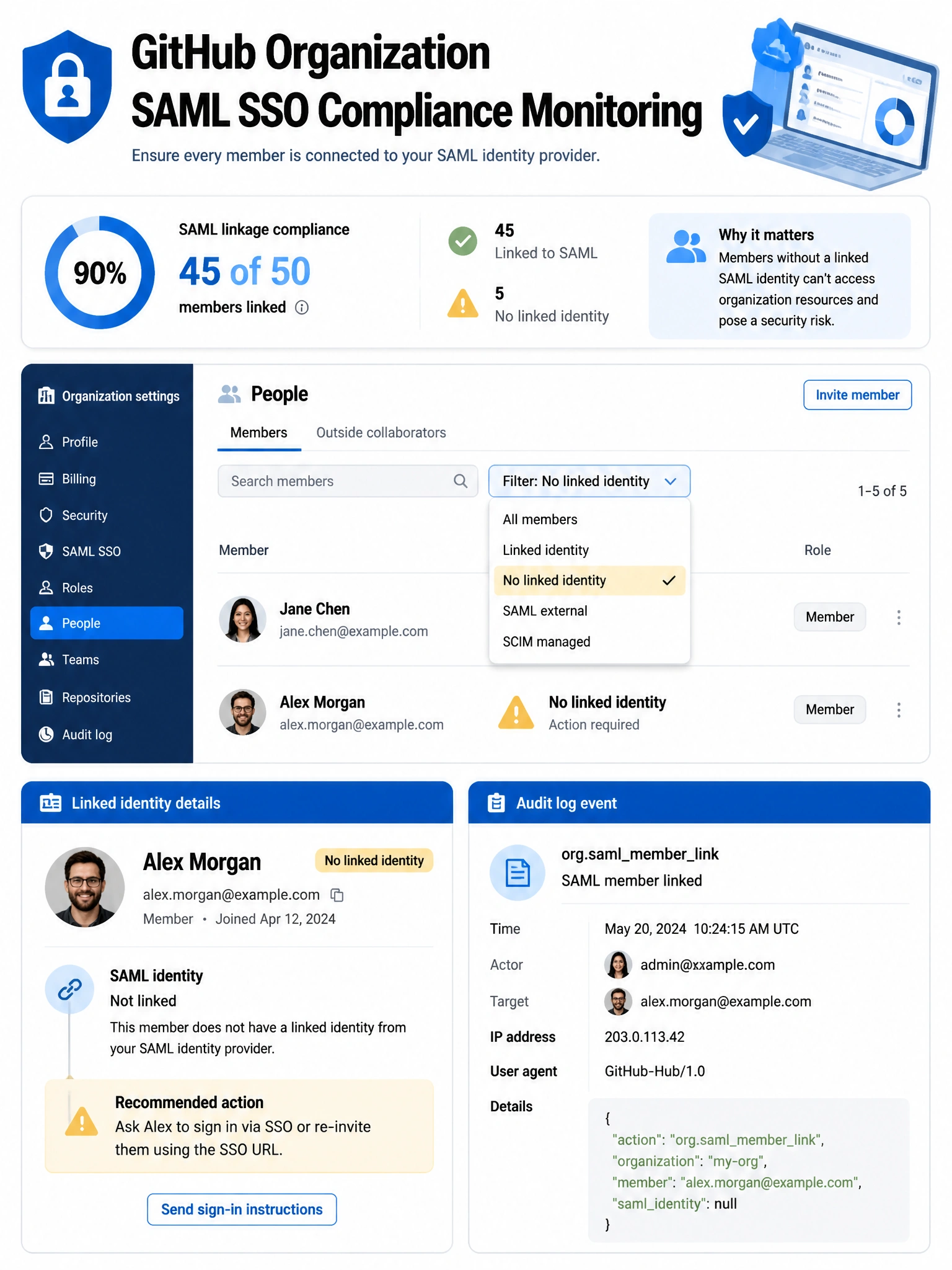
The 'People' tab in organization settings lets owners filter by SSO link status — you can see exactly who has authenticated via SAML and who hasn't yet linked their identity. That's your compliance check right there.
Full explanation below image
Full Explanation
Organization owners can monitor SAML SSO adoption by navigating to the organization's People tab (Organization Settings > People) and filtering the member list. The filter options include 'No linked identity' which shows members who have not yet completed SAML authentication and linked their GitHub account to their IdP identity. Owners can also view a member's linked SAML identity by clicking on their profile within the organization context. Additionally, the audit log records 'org.saml_member_link' events when members link their SAML identity. There is no built-in 'gh org saml-status' CLI command. SAML enforcement doesn't automatically verify — it restricts access but owners still need to monitor compliance.