
What does the 'Archive repository' action do in GitHub?
Select an answer to reveal the explanation.
Short Explanation and Infographic
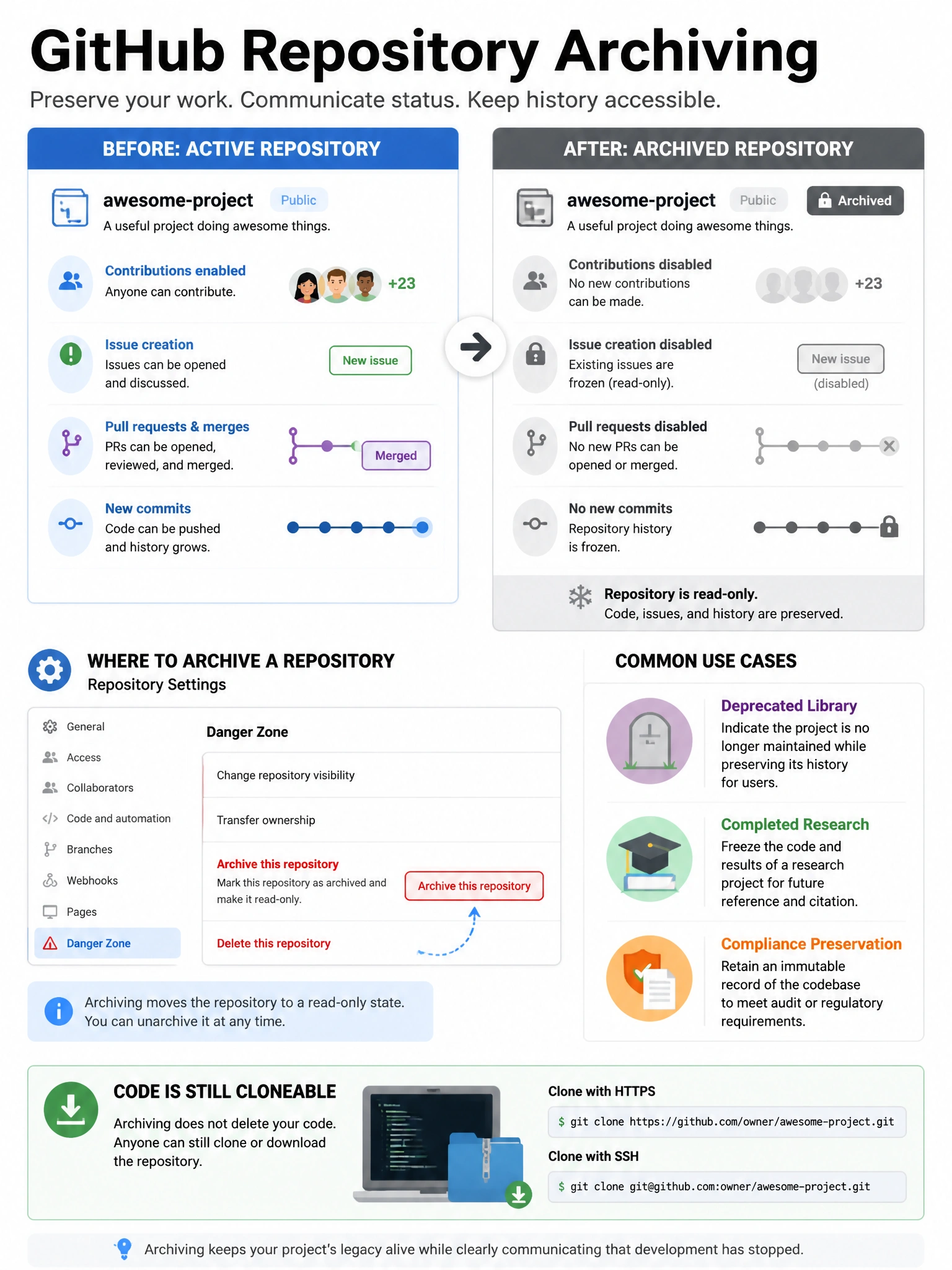
Archiving is GitHub's way of putting a project in a glass case — everything is preserved and visible, but nobody can touch it. Issues freeze, PRs freeze, code is read-only. It's a clean end-of-life for a project.
Full explanation below image
Full Explanation
Archiving a GitHub repository makes it permanently read-only while keeping all content accessible. After archiving: the repository cannot receive new commits, issues cannot be created or commented on, pull requests cannot be opened, and repository settings cannot be changed (without first unarchiving). The repository remains viewable and cloneable — code, issues, PRs, and wiki are all preserved. The repository can be unarchived by an admin if needed. This is ideal for deprecated projects, completed projects that serve as reference, or repositories that need to be preserved for compliance/audit purposes. Archiving does NOT delete content, does NOT move repos, and does NOT create ZIP files.