
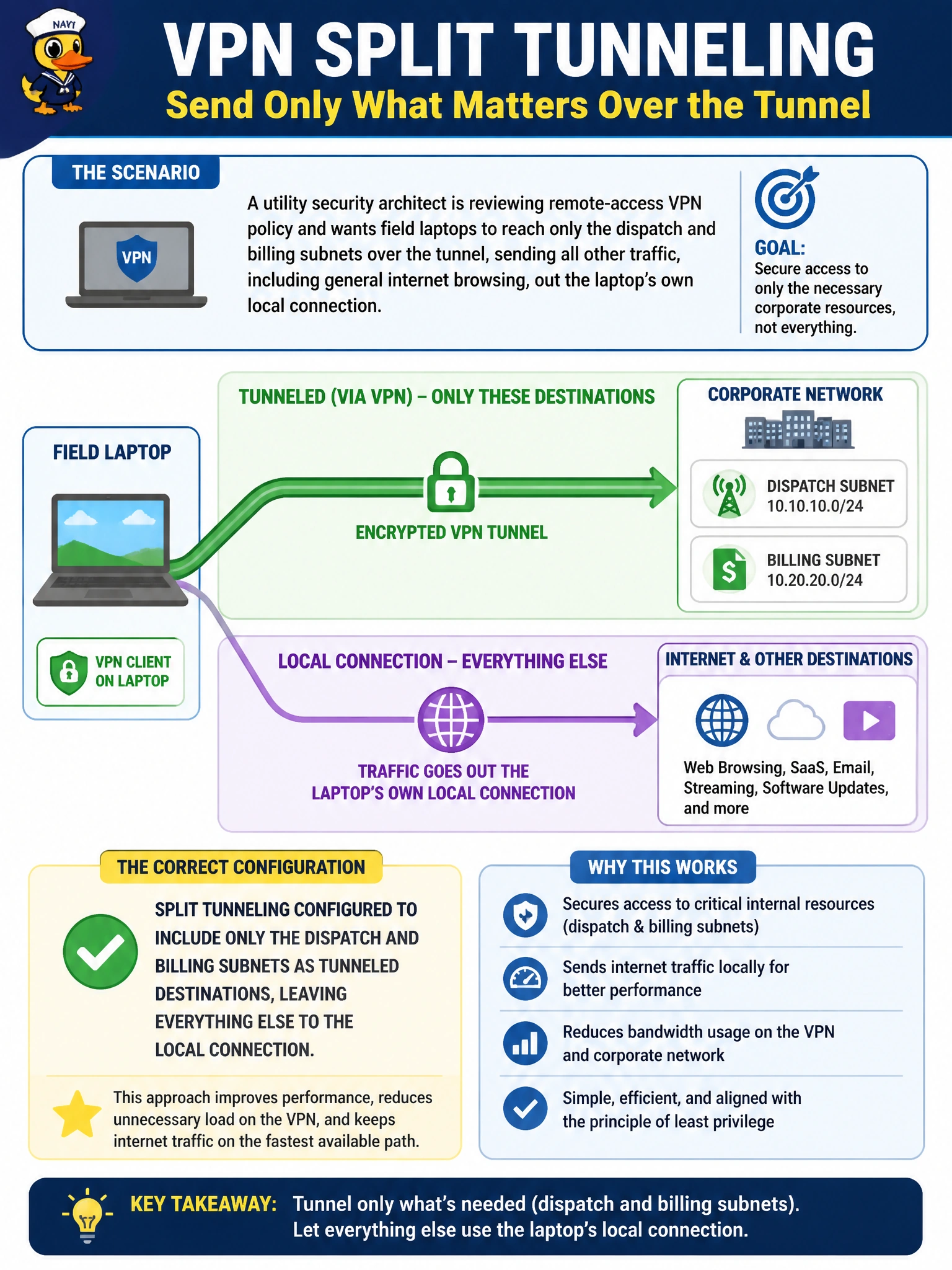
A utility security architect is reviewing remote-access VPN policy and wants field laptops to reach only the dispatch and billing subnets over the tunnel, sending all other traffic, including general internet browsing, out the laptop's own local connection. Which split tunneling configuration accomplishes this?
Select an answer to reveal the explanation.
Short Explanation
Split tunneling can work two ways: list what should go through the tunnel, or list what should stay out. Here the requirement is narrow — only dispatch and billing need the tunnel — so the tunnel's included routes should be exactly those two subnets, with everything else defaulting to the laptop's own connection.
Full Explanation
The requirement describes a narrow, include-style split tunnel: only the dispatch and billing subnets should be reachable through the VPN, and every other destination, including general internet traffic, should bypass the tunnel entirely and use the laptop's local connection. Configuring split tunneling with the dispatch and billing subnets as the only included routes achieves exactly that, since traffic to any destination not matching those routes simply isn't sent into the tunnel in the first place. A full-tunnel configuration with no split tunneling does the opposite of what's being asked — it forces all traffic, including unrelated internet browsing, through the VPN, which not only fails the stated requirement but also unnecessarily loads the utility's VPN gateway with traffic that has nothing to do with dispatch or billing. Configuring split tunneling to exclude the dispatch and billing subnets specifically inverts the logic entirely: an exclude-style split tunnel is used when most traffic should go through the tunnel except for a short list of exceptions, which is the reverse of a scenario where only two subnets need tunneling and everything else should stay local. Dead peer detection has no relationship to which destinations are tunneled; it is purely a reachability and keepalive mechanism for the VPN peer relationship, not a routing or traffic-selection feature, so scoping it to specific subnets is not a meaningful configuration at all. To verify the configuration matches intent, review the split-include (or equivalent) route list on the SSL VPN portal or IPsec phase 2 selectors and confirm only the two intended subnets appear.