
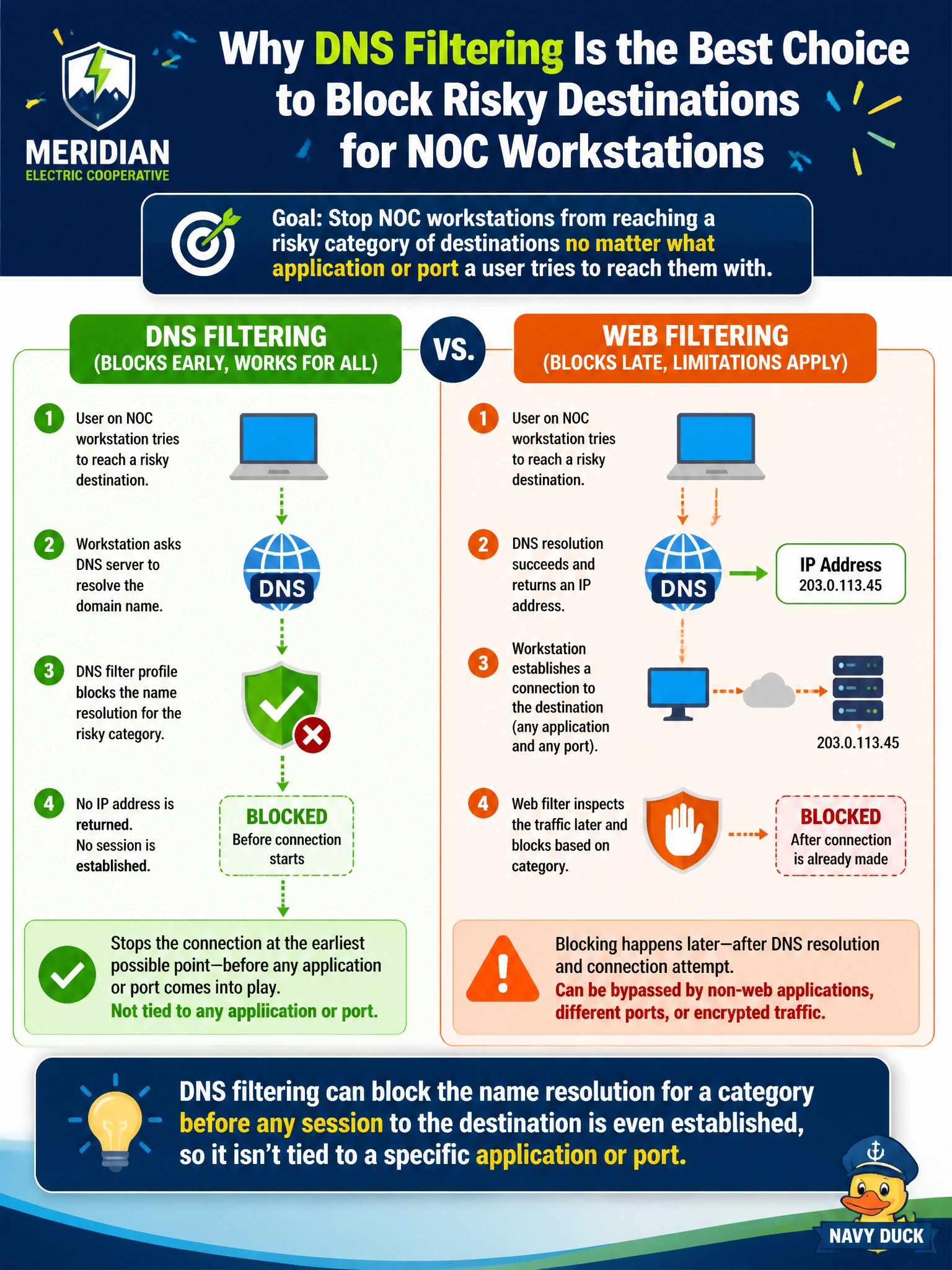
Meridian Electric Cooperative wants to stop NOC workstations from reaching a risky category of destinations no matter what application or port a user tries to reach them with. Why is a DNS filter profile particularly well suited to that goal, compared to relying on web filtering alone?
Select an answer to reveal the explanation.
Short Explanation
Web filtering waits for an actual web session to inspect. DNS filtering steps in earlier, at the moment a hostname gets resolved — so it can shut the door before the workstation even has an IP address to connect to, regardless of what app is asking.
Full Explanation
A DNS filter profile evaluates the DNS query itself against FortiGuard categories, and when a category is set to block, FortiGate can prevent that name from resolving successfully in the first place. Because this happens before any session to the destination's IP address is established, it doesn't matter what application protocol or destination port the workstation would have used afterward — if the name never resolves, there's nothing left to connect to. That is a broader net than web filtering, which is scoped to web traffic and needs to see request details specific to that session. The claim that DNS filtering is limited to browser traffic gets this backwards — DNS resolution happens for essentially any application that uses hostnames, which is exactly the protocol-agnostic coverage that makes it useful here. DNS filtering also doesn't require SSL deep inspection; it operates on plain DNS queries and answers, which is part of why it's lightweight to enable broadly. And DNS filtering isn't scoped down to only NAT-permitted traffic — it's applied as its own profile on a firewall policy, evaluated on the DNS traffic that policy handles. A caveat: DNS filtering only stops resolution through the FortiGate-inspected DNS path, so a device configured to use an external DNS resolver directly could bypass it — worth checking DNS logs for unexpected external resolver traffic.