
A utility deploys FSSO so that corporate back-office staff are transparently identified when their domain-joined workstations generate traffic through the FortiGate. Conceptually, how does the FortiGate typically learn which username is associated with a given workstation's IP address in this deployment?
Select an answer to reveal the explanation.
Short Explanation
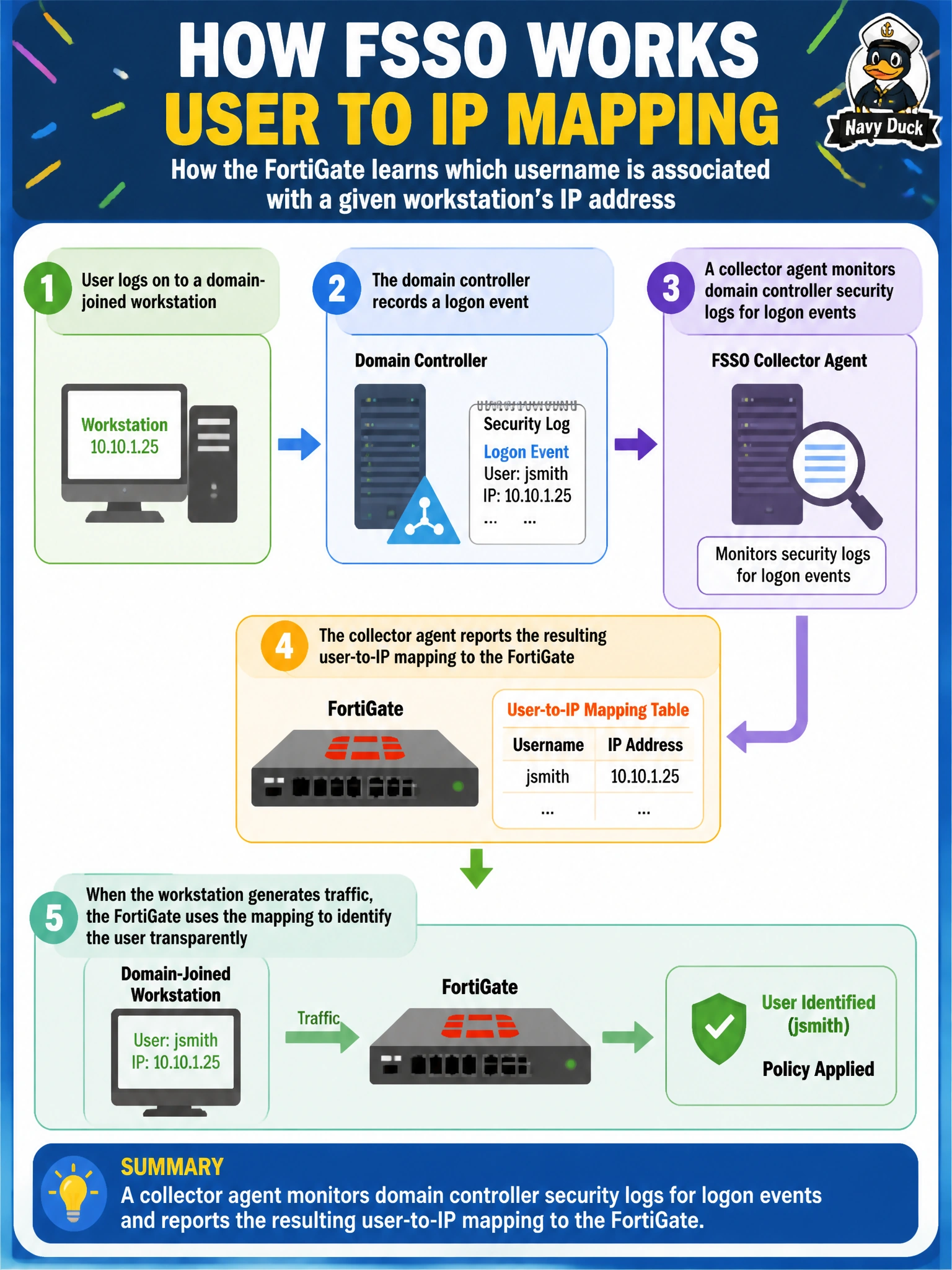
Nobody's asking the workstation directly, and that's the whole point of passive authentication. Somewhere back at the domain controller, a collector agent is watching the logon events roll by and telling the FortiGate 'this IP just became this user.' The FortiGate just trusts that report instead of interrogating the endpoint itself.
Full Explanation
In a typical FSSO deployment, a collector agent runs against the domain environment and monitors domain controller security event logs for logon events, then relays the resulting username-to-IP mapping to the FortiGate, which uses that mapping to apply user- or group-based policies without any direct interaction with the endpoint. There is no mechanism where a workstation embeds a username in every packet header — that is not how IP-based traffic or FSSO identity propagation works. SNMP querying the OS for a logged-in user is not the FSSO mechanism Fortinet documents; SNMP is a general network-management protocol used for very different purposes. Reverse DNS resolves an IP to a hostname, not to a currently logged-in username, and DNS records do not track live logon state at all. The operational caveat is that this mapping can become stale: if a user logs off and a different user logs onto the same workstation without triggering an event the collector agent observes cleanly, the FortiGate may briefly apply policy for the wrong identity, so environments with fast user turnover need this reliability considered. To verify the mapping is current, check the FortiGate's FSSO logon list against who is actually sitting at a given workstation.