
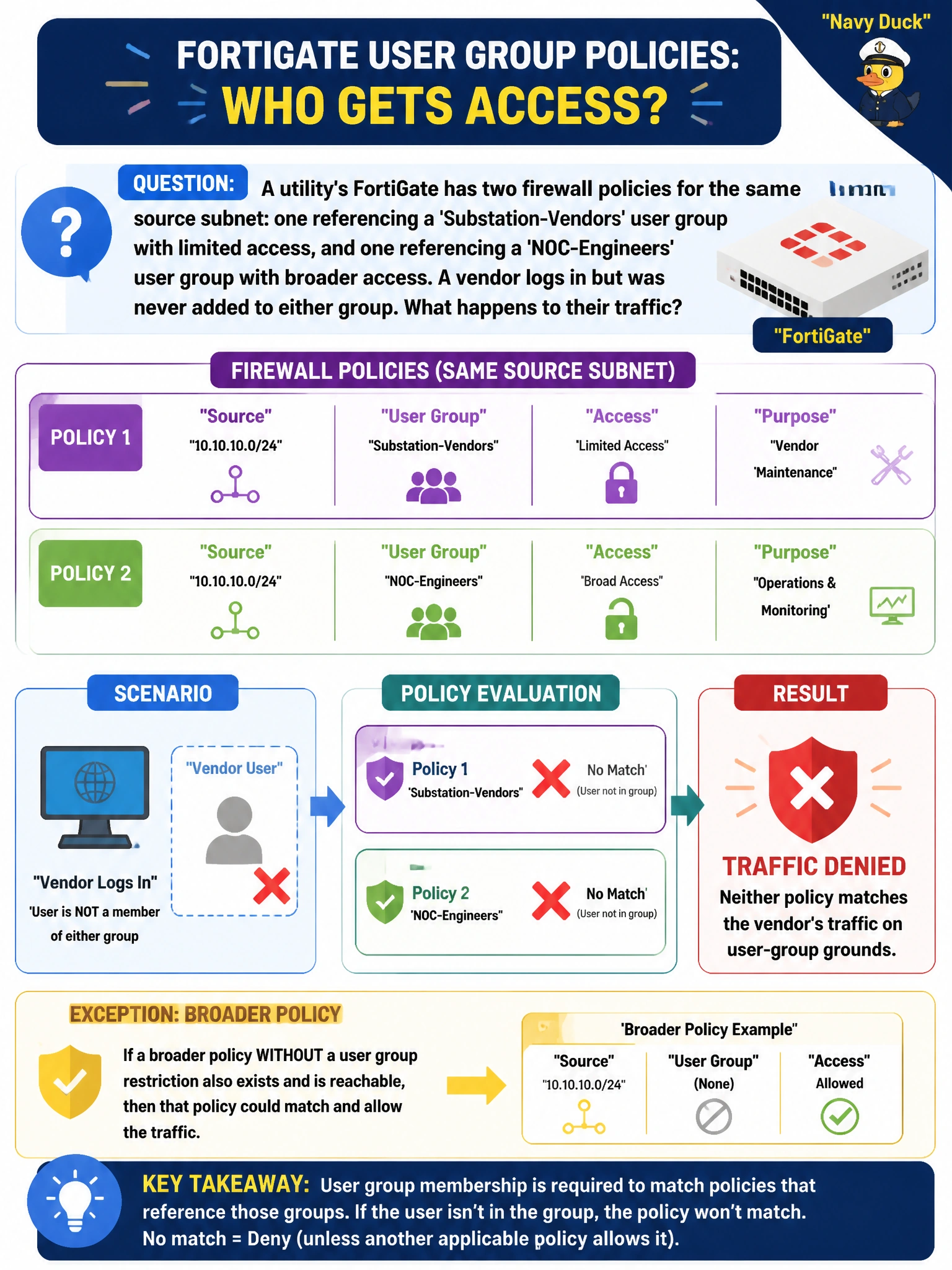
A utility's FortiGate has two firewall policies for the same source subnet: one referencing a 'Substation-Vendors' user group with limited access, and one referencing a 'NOC-Engineers' user group with broader access. A vendor logs in but was never added to either group. What happens to their traffic?
Select an answer to reveal the explanation.
Short Explanation
A firewall policy tied to a user group only opens the door for people the FortiGate can actually place in that group — nobody else gets waved through just because they authenticated. If the vendor isn't a member of either group, both group-restricted policies simply don't apply to them. Unless some other, less restrictive policy exists further down the list, that traffic gets denied.
Full Explanation
Firewall policies that reference a user group only match traffic from users the FortiGate has confirmed belong to that specific group; authenticating successfully does not automatically grant membership in every group, and group assignment typically comes from the authentication source (local group definition, RADIUS attribute, or LDAP group membership) rather than from policy order or group size. The wrong options each invent behavior FortiOS does not have: there is no automatic placement into the smallest group, no alphabetical-precedence rule for policy selection, and no mechanism that evaluates two group-restricted policies simultaneously and picks the more permissive outcome — FortiGate policy lookup is a single top-down, first-match process. If the vendor matches neither the Substation-Vendors nor NOC-Engineers group, the FortiGate continues evaluating subsequent policies in order, and if none match, the implicit deny at the bottom of the policy list drops the session. This is a deliberate security property: unassigned identities do not silently inherit access. The operational caveat is that this failure mode looks identical to a misconfigured authentication server from the user's perspective — both produce a denied connection — so checking group membership is a necessary troubleshooting step before assuming the authentication server itself is broken. Confirm by reviewing the user's actual group assignment against what each policy requires.