
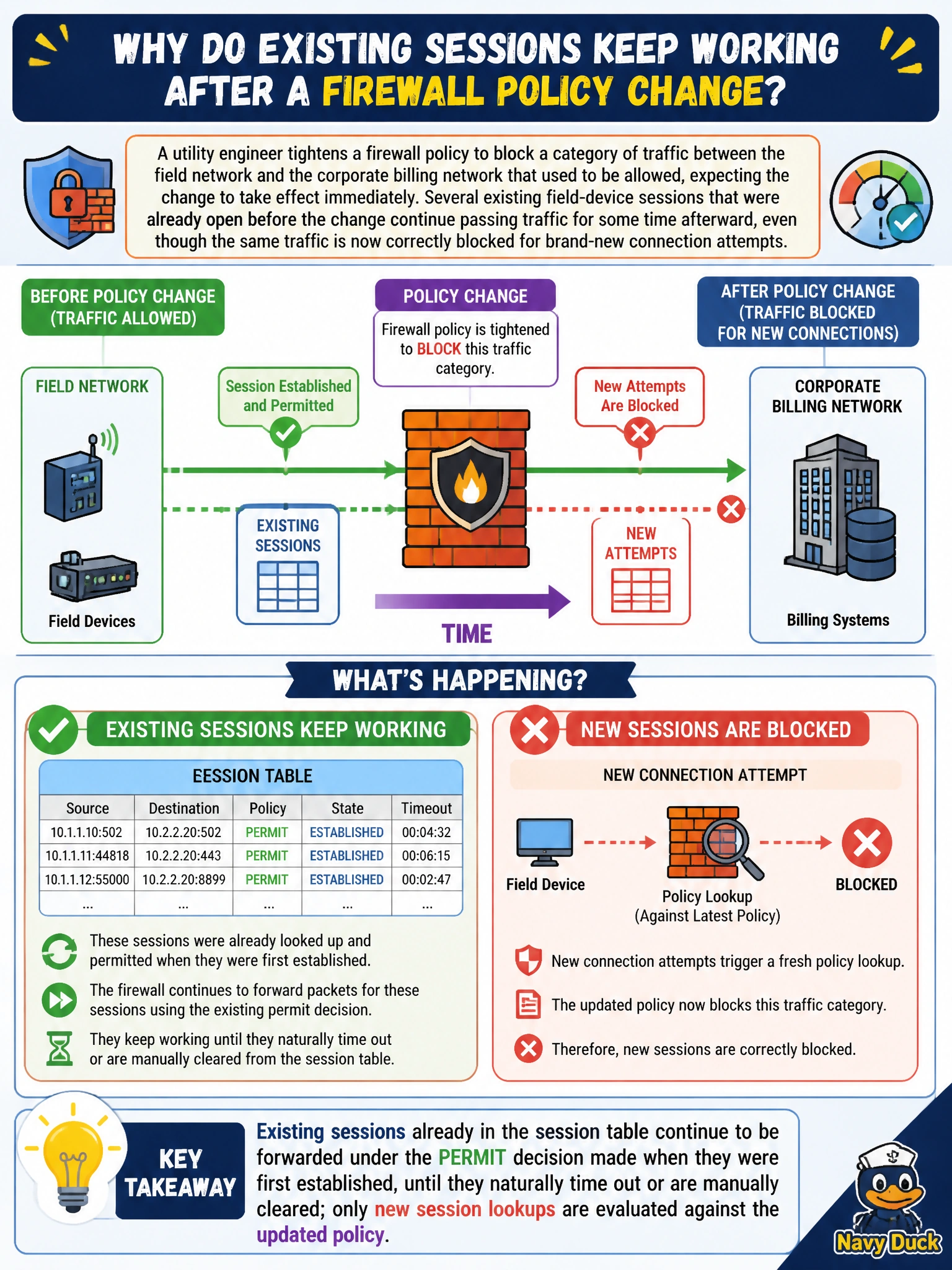
A utility engineer tightens a firewall policy to block a category of traffic between the field network and the corporate billing network that used to be allowed, expecting the change to take effect immediately. Several existing field-device sessions that were already open before the change continue passing traffic for some time afterward, even though the same traffic is now correctly blocked for brand-new connection attempts. Why do the existing sessions keep working after the policy change?
Select an answer to reveal the explanation.
Short Explanation
Once a session gets a green light, FortiOS doesn't keep re-checking the rulebook for every packet in it — that session just keeps flowing under its original decision until it ends. New sessions, though, get judged fresh against whatever the policy says now.
Full Explanation
FortiOS makes its permit/deny decision for a session once, at the time the session is first established, and then tracks that decision in the session table for the life of the session; existing sessions are not continuously re-evaluated against the policy list as it changes, which is why a policy edit applies immediately to new connection attempts but has no automatic effect on sessions already open. This is standard stateful-firewall behavior and is a common source of confusion during change windows, where an administrator expects an edit to take effect instantly across all traffic. To force existing sessions to be re-evaluated under the new policy, an administrator has to explicitly clear the affected sessions from the session table, after which any traffic that tries to continue is treated as a brand-new session and matched against the current policy set. The idea that the edit simply failed to save doesn't fit the evidence given, since new connection attempts are already being blocked correctly, only pre-existing sessions are unaffected, which points at session persistence, not a failed commit. There is no blanket exemption for VPN-sourced sessions from policy enforcement; VPN traffic is still subject to firewall policy like any other traffic, it just happens to already be an established session in this scenario. Address objects don't carry an independent 24-hour cache cycle that gates when policy changes take effect; policy changes apply to new session lookups right away. The practical fix is to manually clear the lingering sessions once the policy change is confirmed correct.