
Field-service laptops on a utility's Field-VPN segment need outbound access to a cloud-hosted mapping service, but the utility wants those laptops to appear on the internet as the FortiGate's public WAN interface address rather than their internal private addresses. Which policy-level setting accomplishes this in a standard, non-central-NAT firewall policy?
Select an answer to reveal the explanation.
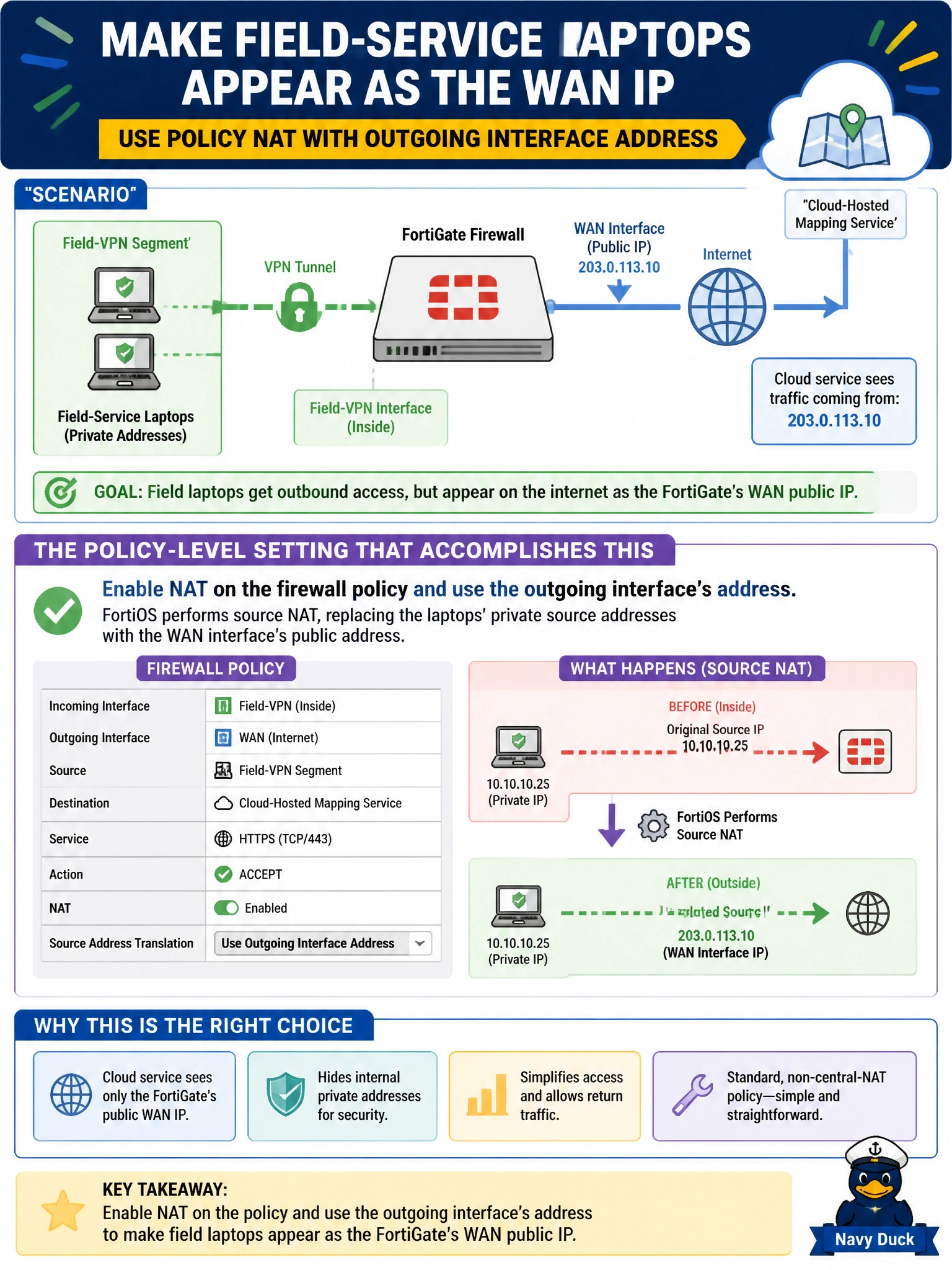
Short Explanation
Turning on NAT with the 'use outgoing interface address' option is the standard way to make a bunch of private laptops all look like one public address on their way out — it's textbook source NAT, built right into the policy.
Full Explanation
In a firewall-policy-based (non-central) NAT setup, enabling the policy's NAT option and selecting 'use outgoing interface address' tells FortiOS to perform source NAT, rewriting each outbound session's source address to the address of the interface the traffic exits through, exactly the behavior needed to make internal laptops appear as the WAN interface's public address to the mapping service. The 'accept' action by itself only permits the session; NAT is a distinct, separately configured setting on the policy, so accept alone would forward the laptops' real private source addresses unchanged, which typically breaks outbound internet reachability entirely since private addresses aren't routable on the public internet. A virtual IP is a destination-NAT construct used to expose an internal server to inbound traffic on a public address; it has no role in translating outbound source addresses for laptops reaching an external service, so referencing one as a destination here doesn't address the requirement at all. Service groups control which services a policy matches, they have nothing to do with address translation, and FortiOS does not perform any implicit NAT based on service grouping. This distinction between NAT-as-a-permit-decision and NAT-as-an-address-translation-decision is one of the more commonly confused points in FortiGate administration. An engineer can confirm the configuration is correct by checking the session table or an external IP check from a laptop and confirming it reports the FortiGate's WAN address rather than the laptop's private address.