
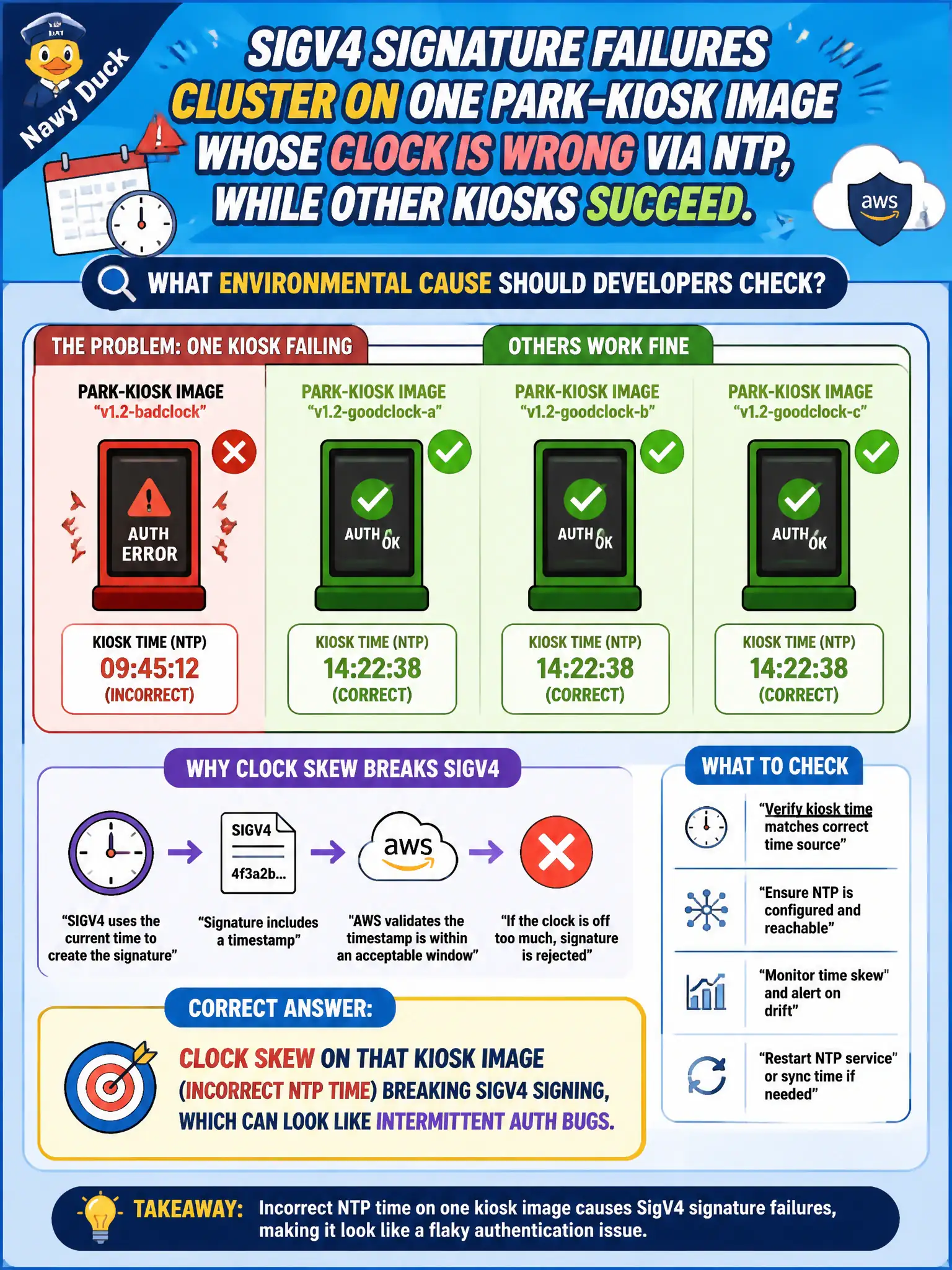
SigV4 signature failures cluster on one park-kiosk image whose clock is wrong via NTP, while other kiosks succeed. What environmental cause should developers check?
Select an answer to reveal the explanation.
Short Explanation
SigV4 is picky about time. One kiosk with crooked NTP looks like flaky auth while its neighbors are fine—fix the clock before rewriting signing code.
Full Explanation
When SigV4 signature failures cluster on one park-kiosk image with incorrect NTP time while sibling kiosks succeed, the environmental cause to check is clock skew on that image. Signature Version 4 includes timestamps and skew windows; a kiosk stuck in the wrong time produces authorization failures that look intermittent or mysterious until you compare system clocks. Fixing NTP and regenerating the image restores SigV4 without inventing unrelated IAM myths.
Missing CloudFront signed cookies on DynamoDB PutItem calls are a different auth mechanism and do not explain host-specific SigV4 failures to AWS APIs.
API Gateway usage plans are not gated on NTP correctness; they throttle API keys/plans independently of kiosk clock health.
Setting Lambda reserved concurrency to zero on healthy kiosks would throttle those paths, which is the opposite of the observed pattern where healthy kiosks succeed.
Exam caveat: Device or image time skew is a classic environmental cause of SigV4 problems when failures are isolated to one fleet slice.
Operational check: Compare timedatectl/NTP on failing versus healthy kiosks, repair chrony/NTP in the image build, redeploy the parks kiosk cohort, and retest signed AWS calls before changing IAM roles. Keep the civic/municipal context in mind: park field devices often drift when offline, so image hardening should enforce time sync before credentialed API use.