
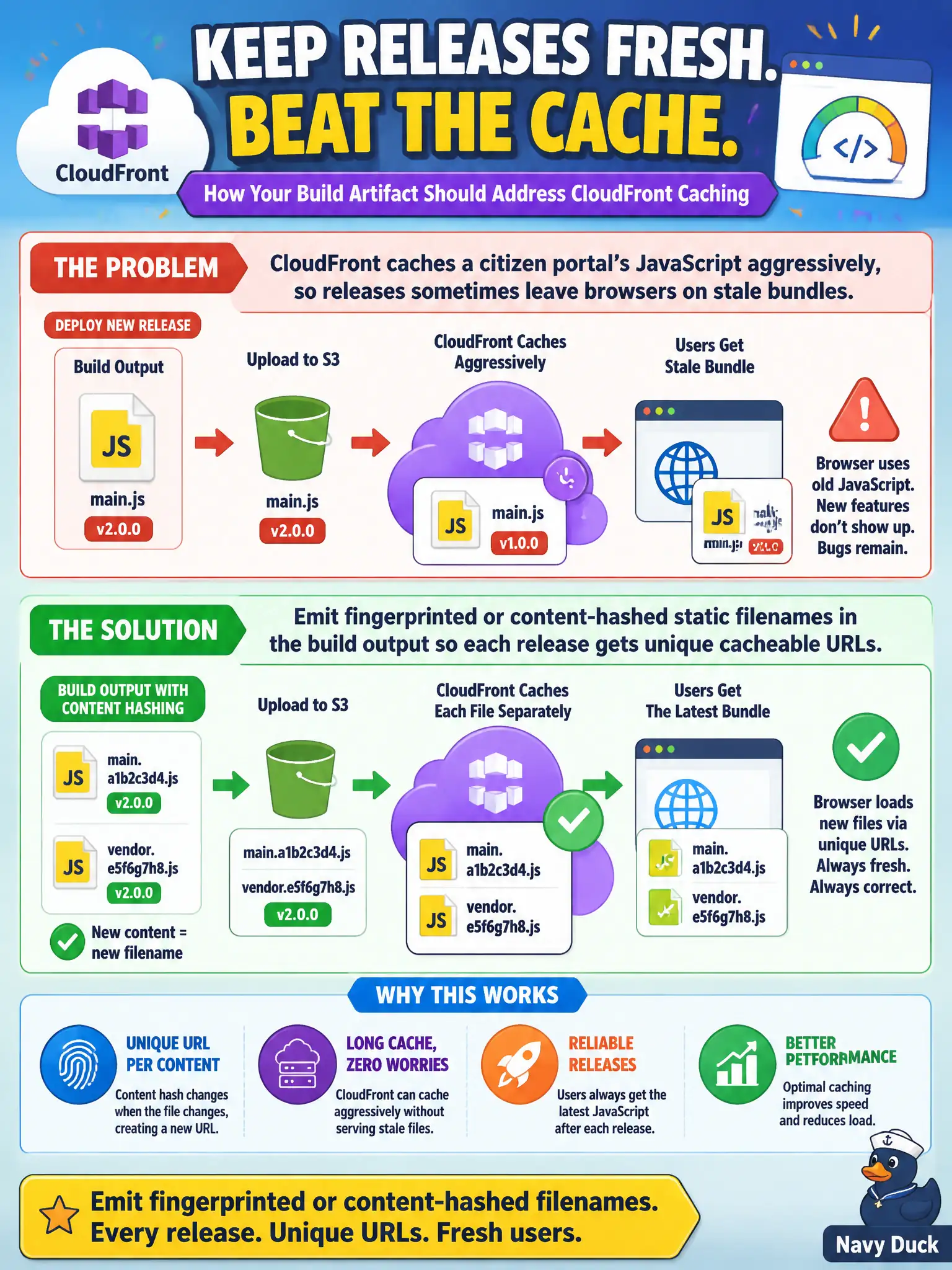
CloudFront caches a citizen portal's JavaScript aggressively, so releases sometimes leave browsers on stale bundles. How should the build artifact address this?
Select an answer to reveal the explanation.
Short Explanation
Same filename, same cache key—citizens keep yesterday's portal. Fingerprint the JS in the build so CloudFront treats each release as a new object. Disabling the CDN or emailing "please hard refresh" is not a deployment strategy.
Full Explanation
CloudFront aggressively caching a citizen portal's JavaScript means releases must emit fingerprinted or content-hashed static filenames so each release gets unique cacheable URLs. Hashed artifact names let CDNs cache forever on a given URL while new municipal releases naturally bypass stale bundles without asking every resident to clear cache. Build output design is part of preparing front-end deployment artifacts.
Reusing the same app.js filename forever and disabling CloudFront entirely fails because it either serves stale content or throws away CDN performance for the whole city portal. Asking every resident to clear browser cache after each release-notes email fails conceptually as an unenforceable operational burden. Storing JavaScript only as inline script inside DynamoDB items fails as an unsupported and inefficient delivery model for SPA bundles.
Exam caveat: HTML entry documents that reference hashed assets often need shorter cache TTLs or careful invalidation so they pick up new filenames. Operational check: deploy a release, confirm new hashed JS URLs appear in the index, verify CloudFront serves the new bytes without mandatory global disable, and monitor error rates for missing old chunks.