
Security sign-off requires eliminating the browser certificate warning that appeared when administrators first accessed the management GUI. What is the accepted way to satisfy that requirement?
Select an answer to reveal the explanation.
Short Explanation
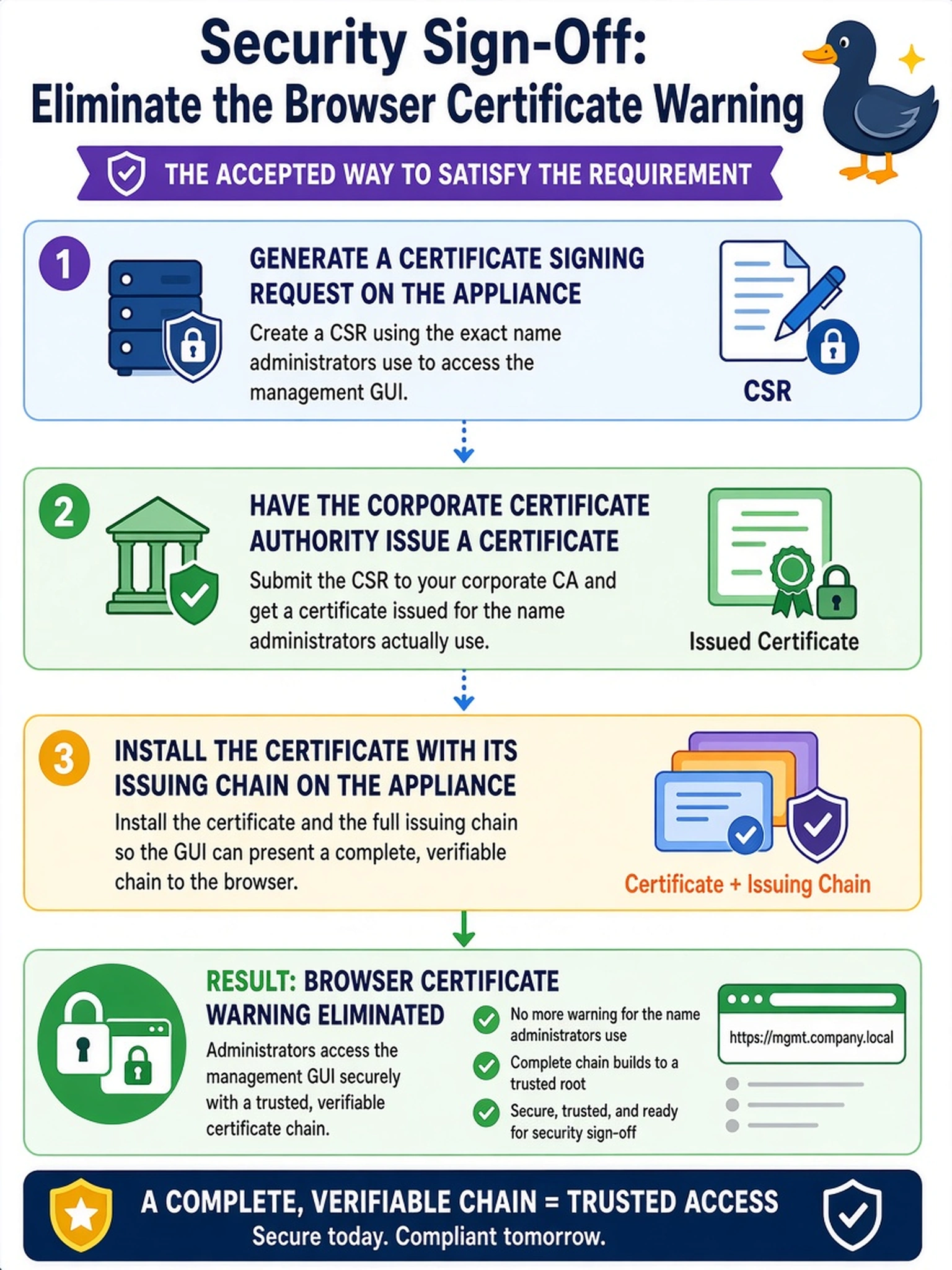
That browser warning isn't a cosmetic itch — it's the browser telling you nobody vouches for this identity. The honest fix is to let your corporate CA do the vouching: build the request, get it issued, install it with the chain. Pushing untrusted certificates into workstation stores doesn't remove the risk, it just silences the message — you fix warnings by earning trust, not by muting it.
Full Explanation
The browser warns because a self-signed certificate carries no chain to a trusted anchor — nothing verifies the binding between the name typed and the key answering. The accepted remedy moves that verification into the corporate PKI: generate a certificate signing request on the appliance using the fully qualified name clients actually use, have the corporate certificate authority issue against it, and install the signed certificate together with its issuing chain so browsers can build a path to a root they already trust. That converts the warning into a real, auditable identity check. Importing the self-signed certificate into workstation trust stores fails by governance: it creates scattered, unmanaged trust decisions, trains administrators that certificate warnings are background noise, and leaves expiry unmonitored with no revocation story at all. Plain HTTP fails hardest — it trades a cosmetic warning for an administration interface that carries credentials and commands in clear text across the shared management network. Extending the self-signed validity fails on the warning's actual cause: the complaint is absence of a trust anchor, not the expiry date, and a freshly extended self-signed certificate warns exactly as loudly as an old one. Exam caveat: DNS must be final before the request is generated, because the certificate must carry the name administrators will type. Operational check: browse to the validated fully qualified name, inspect the presented chain up to the corporate root, and confirm the browser shows a secured connection with no override needed.