
A feature engineering pipeline tries to write a new batch with an additional column to an existing Delta feature table. What happens by default?
Select an answer to reveal the explanation.
Short Explanation and Infographic
Delta Lake is the strict librarian of data formats — it rejects writes with extra columns by default to protect your table schema from accidental corruption.
Full explanation below image
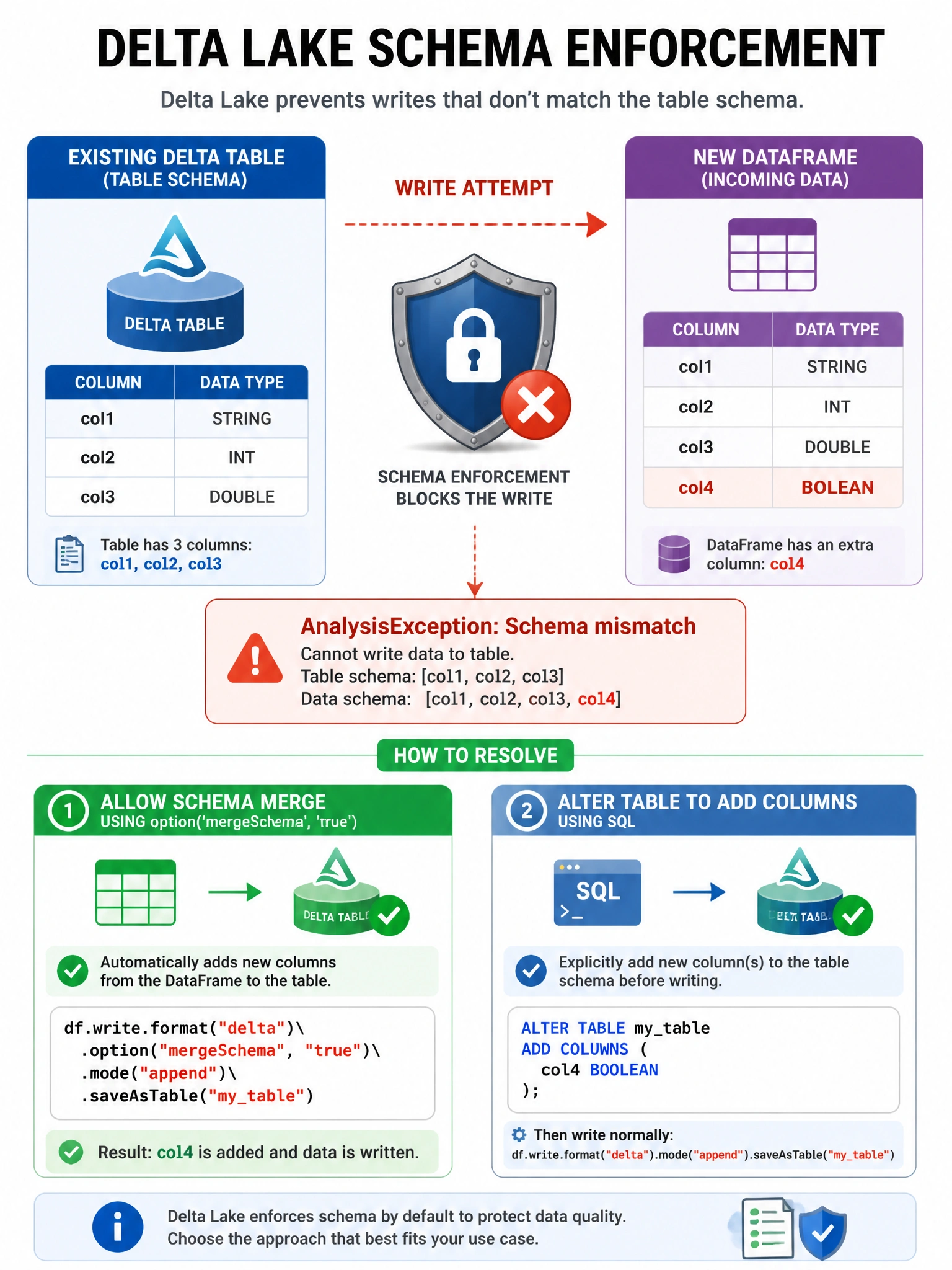
Full Explanation
Delta Lake enforces schema by default — any write that doesn't match the existing table schema raises an AnalysisException. This protects feature tables from accidental schema corruption. Behaviors: Extra column in write → AnalysisException (schema enforcement). Missing column in write → allowed (existing column gets nulls). Wrong data type → AnalysisException. To intentionally add a new column, use schema evolution: df.write.option('mergeSchema', 'true').format('delta').mode('append').save(path) or ALTER TABLE ... ADD COLUMNS in SQL. For Feature Store tables, use fs.write_table(mode='merge') which handles schema merging. Schema enforcement is a key advantage of Delta Lake over Parquet (which silently writes mismatched schemas, causing downstream read failures). The transaction log stores metadata about schemas, not column data.