
How can you add searchable metadata to an MLflow run to mark it as part of a specific project or team?
Select an answer to reveal the explanation.
Short Explanation and Infographic
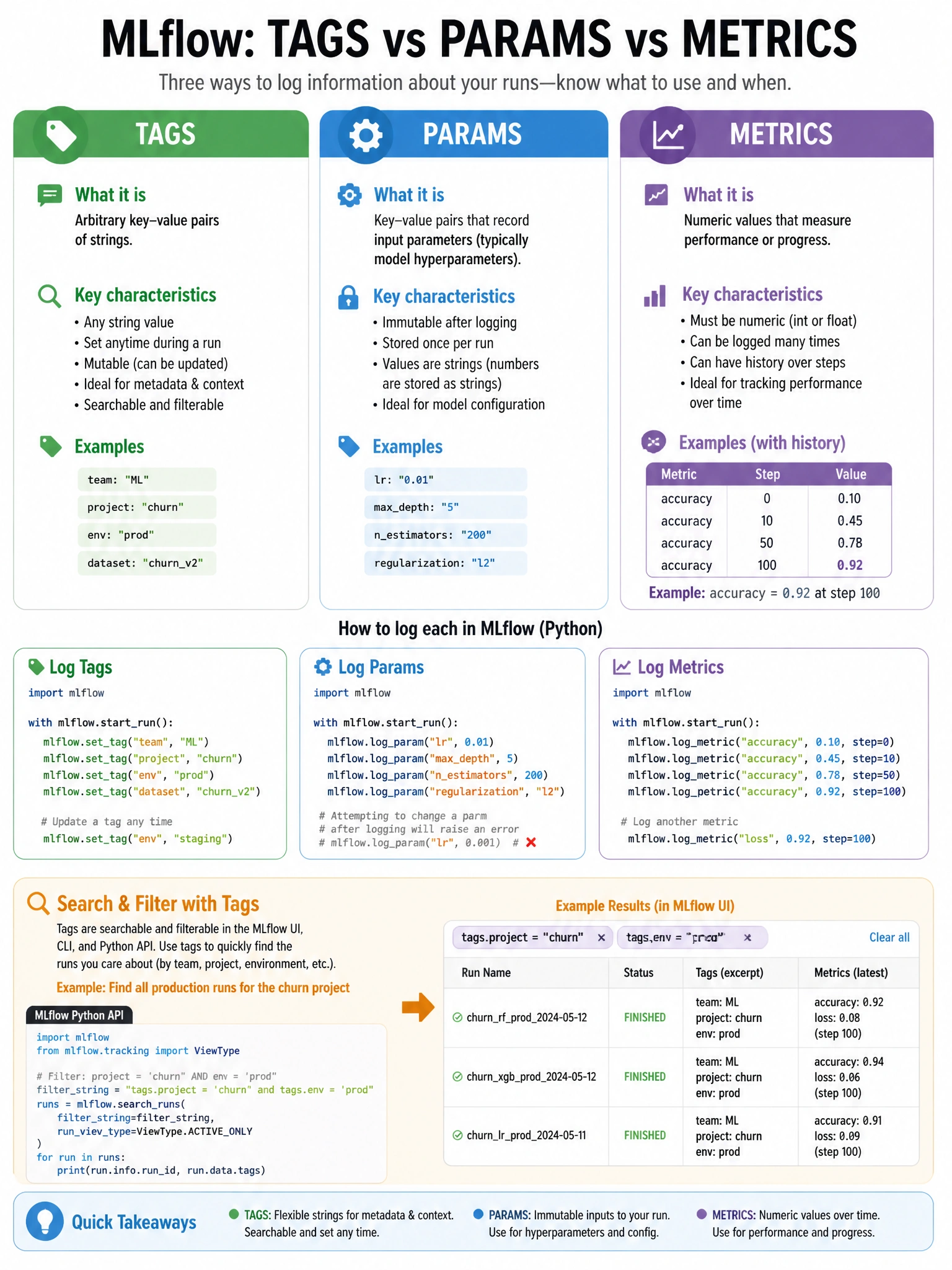
Tags are MLflow's sticky notes for runs — use set_tag() or set_tags() to attach searchable key-value labels like team name, project, or run type that persist independently of model parameters.
Full explanation below image
Full Explanation
MLflow distinguishes between params (logged once, represents model configuration), metrics (numeric, can have history), and tags (arbitrary string key-value pairs for metadata). mlflow.set_tag(key, value) or mlflow.set_tags(dict) adds or overwrites tags. Tags are searchable in mlflow.search_runs(filter_string="tags.team = 'data-science'"). Important: tags can be set before, during, or after a run — even on completed runs using MlflowClient().set_tag(run_id, key, value). Common uses: 'mlflow.user' (auto-set), 'mlflow.source.type' (auto-set), 'git_commit', 'environment', 'team', 'model_type'. mlflow.log_param() is for numeric/string model hyperparameters (immutable after logging). mlflow.add_metadata() doesn't exist. Tags can be added at any time during or after a run.